
When you want to make intricate designs on wood, nothing does it better than a laser cutter. From everyday items like coasters and clocks to art pieces and decor items, cutting wood with a laser cutter will result in jaw-dropping designs.
But there’s a caveat – a laser cutter is limited to the depth it can cut in wood. So you have to choose the right wood thickness as well as the right laser cutter before you get started on your project.
How thick of wood can a laser cutter cut?
Laser cutters can cut wood with a thickness of up to 30 mm (1.18“). However, most laser cutters are more effective when the material thickness ranges from 0.5 mm to 12 mm (0.02″ to 0.47″).
Additionally, the thickness of wood that can be cut with a laser cutter largely depends on the wattage of the laser machine. A higher-wattage machine can cut through thicker wood faster than a lower-wattage one.
Table of Contents
This guide covers everything you need to know to choose the right laser cutter for various wood thicknesses as well as the best wood for laser cutting:
What Determines How Thick Wood a Laser Cutter Can Cut?

1. Laser Power (Wattage)
The wattage of your laser cutter is the most important factor. More power equals deeper and faster cuts.
Note: Multiple passes may be required at lower wattages for thicker materials.
2. Wood Type
Softwoods (like basswood, balsa, birch) are easier to cut than hardwoods (like oak, maple, walnut). Hardwoods are denser and require more power to achieve the same cut depth.
3. Grain & Resin Content
Woods with high resin or inconsistent grain may burn unevenly. Plywood, for example, varies in quality and sometimes includes glue layers that resist cutting.
4. Air Assist & Focus
Using air assist improves cut quality by blowing away smoke and debris. Proper focus ensures the laser beam stays sharp for deeper penetration.
What are the common types of laser cutters for wood?
In addition to wood thickness, you must also select the right laser cutter for your project because laser cutting machines are not equal. Different laser machines are designed for different materials, and some are better suited for engraving as opposed to cutting.
The following are the two broad categories of laser machines that are best suited for wood cutting projects.
Semiconductor Diode Lasers

These machines are generally small and are therefore meant for smaller laser cutting projects. Semiconductor diode lasers pack a wattage ranging from 5 to 40W.
Semiconductor Diode Laser Wood Cutting Thickness Guide
Laser Power | Clean Cut Thickness | Max Thickness (Multi-Pass) | Best Use Case |
|---|---|---|---|
5W | 1/32-1/16″ 1–2 mm | 1/16-3/32″ 2–3 mm | Engraving, paper, veneer |
10W | 1/16-3/32″ 2–3 mm | 1/8-3/16″ 4–5 mm | Thin crafts, ornaments |
20W | 1/8-1/4″ 4–6 mm | 1/4-5/16″ 6–8 mm | Signs, panels |
40W | 1/4-5/16″ 6–8 mm | 5/16-3/8″ 8–10 mm | Thicker wood projects |
What “Max Thickness” Really Means
There’s always a difference between possible and practical:
- Clean cut: smooth edges, minimal burn
- Max cut: slower, multiple passes, more charring
Important Notes:
- Values are approximate and depend on material type, air assist, focus, and number of passes.
- Always run test cuts to determine the best speed/power settings.
- Hardwoods and plywoods may require slower speeds or more passes, even at higher wattages.
CO₂ Laser Cutters
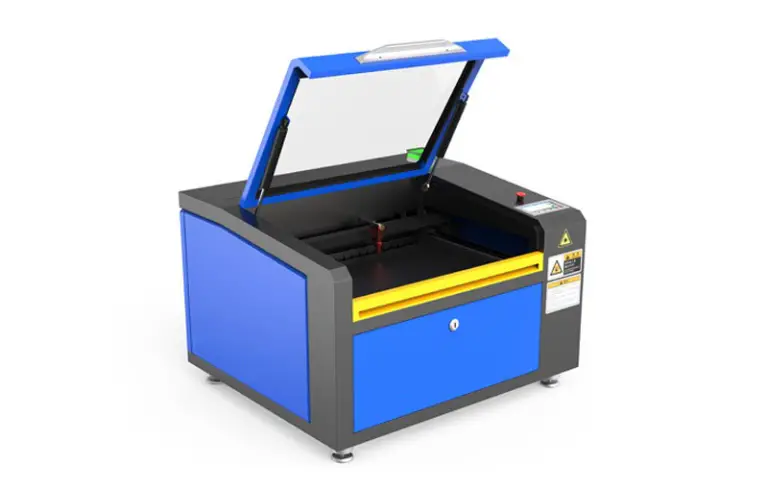
CO₂ laser cutters are ideal for wood cutting and engraving projects. If you are looking to set up a serious laser cutting/engraving business, then you want to go with a CO₂ laser cutter.
CO₂ laser cutters have a wattage of between 40 watts and 300 watts, which makes them perfect for most wood cutting projects.
CO₂ Laser Cutter Wood Cutting Thickness Guide
CO₂ Laser Power | Clean Cut Thickness | Max Thickness (Multi-Pass) | Recommended Passes | Best Wood Types |
|---|---|---|---|---|
40W | 3/32-1/8″ 3–4 mm | 3/16-1/4″ 5–6 mm | 1–2 passes | Plywood, MDF |
60W | 3/16-1/4″ 5–6 mm | 5/16-3/8″ 8–10 mm | 1–2 passes | Birch plywood, softwood |
80W | 1/4-5/16″ 6–8 mm | 3/8-1/2″ 10–12 mm | 1–3 passes | Birch plywood, pine |
100W | 5/16-3/8″ 8–10 mm | 1/2-5/8″ 12–15 mm | 1–3 passes | Hardwood, plywood |
130W | 3/8-1/2″ 10–12 mm | 5/8-3/4″ 15–18 mm | 1–4 passes | Hardwood, dense plywood |
150W+ | 1/2-5/8″ 12–15 mm | 3/4-13/16″ 18–20 mm | 2–5 passes | Thick hardwood, MDF |
Important Notes:
- Results vary depending on wood type, resin content, grain, and quality.
- Softwoods cut more easily than hardwoods due to lower density.
- Use air assist and proper focus for cleaner cuts and reduced charring.
- Multiple passes may be needed for hardwoods or precision edges.
- Always test settings before full production runs.
How thick of wood can a laser cutter cut? Practical Comparison
xTool S1 40W Diode Laser vs xTool P2S 55W CO₂ Laser For Thick Wood Cutting
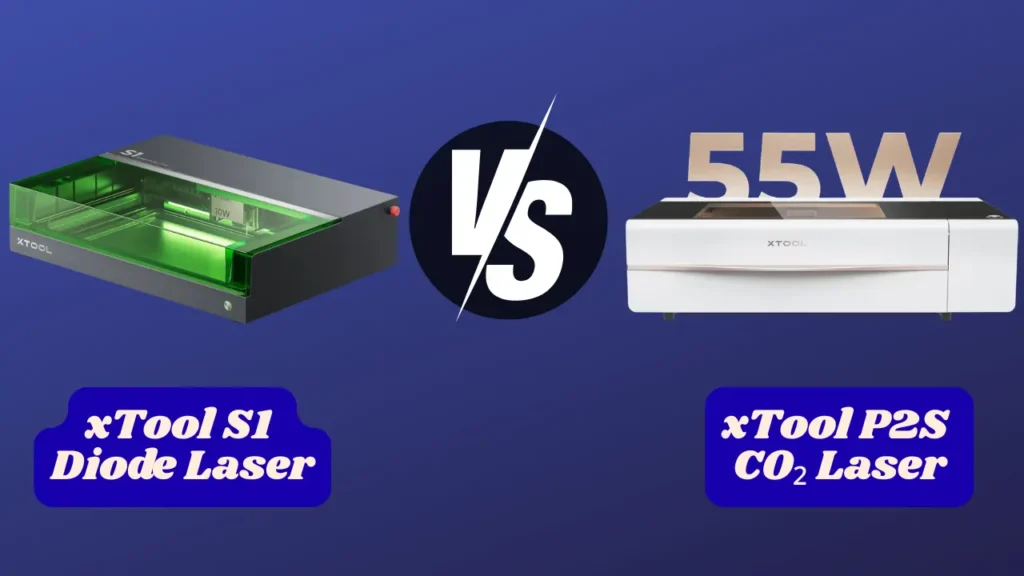
If your main goal is cutting thick wood, the difference between the xTool S1 Diode Laser (40W) and the xTool P2S CO₂ Laser Cutter (55W CO₂) becomes very clear, very quickly.
Both are capable machines, but they operate on completely different levels when the thickness increases.
Quick Comparison (Focused on Thick Wood)
Feature | xTool S1 (40W Diode) | xTool P2S (55W CO₂) |
|---|---|---|
Laser Type | Diode | CO₂ |
Clean Cut Thickness | 1/4-5/16″ 6–8 mm | 3/8-1/2″ 10–12 mm |
Max Thickness | ~ 3/8″, 10 mm (multi-pass) | ~ 3/4-13/16″, 18–20 mm |
Passes Needed (3/8″, 10 mm wood) | 3–5 passes | 1–2 passes |
Cutting Speed | Slow | Fast |
Edge Quality | More charring | Cleaner edges |
Consistency on Thick Cuts | Moderate | High |
Thick Wood Performance
xTool S1 Diode Laser (40W)
- Works best up to 6–8 mm (1/4-5/16″)
- Can reach 10 mm (3/8″), but:
- Requires multiple passes
- Slower speeds
- More burn marks
You’re pushing the machine near its limit at that point.
xTool P2S CO2 Laser Cutter
- Handles 10–12 mm (3/8-1/2″) wood comfortably
- Can push to 18–20 mm (3/4-13/16″) with multiple passes
- Often cuts thick wood in 1–2 passes
This is where CO₂ lasers really separate themselves.
Speed Difference on Thick Cuts
This is one of the biggest real-world differences.
- S1 (40W diode):
- Slows down significantly on thick wood
- Multiple passes increase total job time
- P2S (CO₂):
- Cuts faster even at higher thickness
- Fewer passes = much higher efficiency
If you’re doing repeated cuts, this adds up quickly.
Edge Quality and Finish
Thicker wood amplifies edge quality differences.
- S1:
- Darker edges
- More charring
- May need sanding or cleanup
- P2S:
- Cleaner, smoother cuts
- Less burn residue
- More “finished” look straight off the machine
Reliability on Dense Materials
When wood gets thicker, density matters more.
- S1:
- Can struggle with hardwood or glued plywood
- Glue layers may block the cut
- P2S:
- Handles hardwood and plywood much more consistently
- Less affected by density variations
Workflow Differences
With the S1:
- More testing and tuning
- Multi-pass strategy required
- Slower overall workflow
With the P2S:
- Faster setup once dialed in
- Fewer passes
- More predictable results
Cost vs Capability
- S1 (40W):
- Lower cost
- Good for moderate thickness
- P2S (CO₂):
- Higher investment
- Built for thicker materials and production
If thick wood is a regular need, the extra cost often pays off in time saved.
Who Should Choose Which?
Choose the xTool S1 (40W) if:
- You mostly cut under 8 mm (5/16″) wood
- Thick cuts are occasional
- You want a simpler, lower-cost setup
Choose the xTool P2S (55W CO₂) if:
- You regularly cut 10 mm+ (3/8″) wood
- Speed and efficiency matter
- You want clean edges without extra work
- You’re producing items for sale
Final Verdict
For thick wood cutting, the winner is clear:
- The xTool P2S CO2 Laser Cutter is built for it
- The xTool S1 Diode Laser can do it, but with limits
If you’re pushing beyond 8–10 mm (5/16-3/8″) often, the CO₂ machine will save you time, improve quality, and reduce frustration.
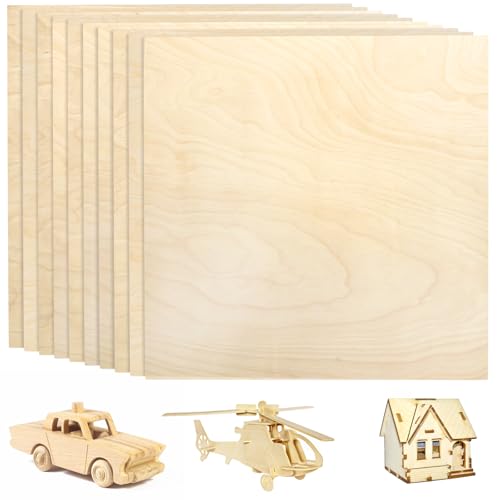
Best Wood for Laser Cutting (Comparison Table)

Choosing the right wood makes a bigger difference than most people expect. The type of wood affects cut quality, speed, burn marks, and even whether the laser cuts through at all.
Here’s a clear, practical comparison:
Wood Types Comparison Table
Wood Type | Ease of Cutting | Edge Quality | Best Use Cases |
|---|---|---|---|
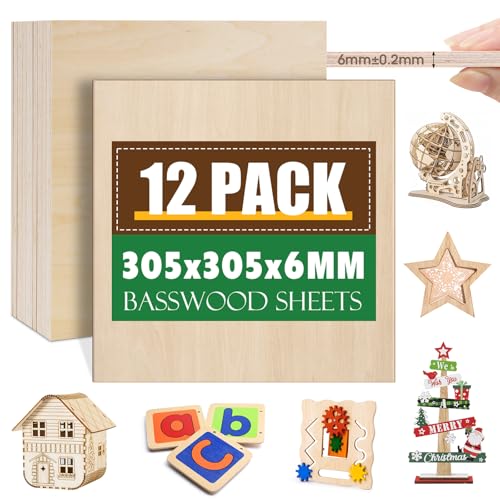
Basswood | Very easy | Very clean | Crafts, models, engraving |
Balsa | Extremely easy | Clean but soft edges | Prototypes, lightweight builds |
Poplar Plywood | Easy | Clean | Signs, panels |
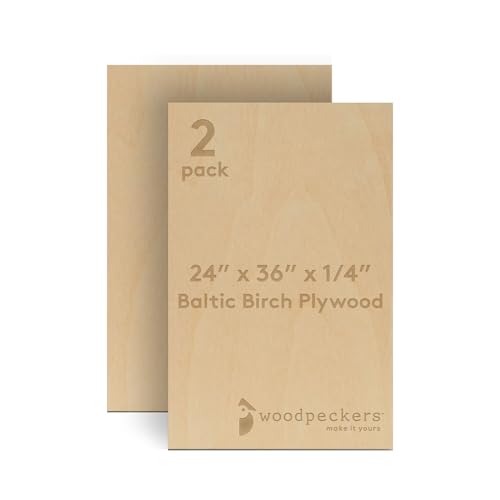
Birch Plywood | Medium | Very clean (if high quality) | Furniture parts, premium projects |
MDF | Easy | Smooth but darker edges | Signs, engraving boards |
Pine | Medium | Slight burn marks | General woodworking |
Oak | Hard | More charring | Decorative pieces |
Hard | Dark edges | Fine engraving |
Our Recommendations
Expert Tips for Laser Cutting Thick Wood
Cutting thicker wood with a laser is possible, but it’s where most machines start to struggle. Whether you’re using a diode machine like the xTool S1 Diode Laser or a CO₂ system, the difference comes down to technique.
Here’s how to get clean, reliable results without wasting material.
1. Don’t Force It in One Pass
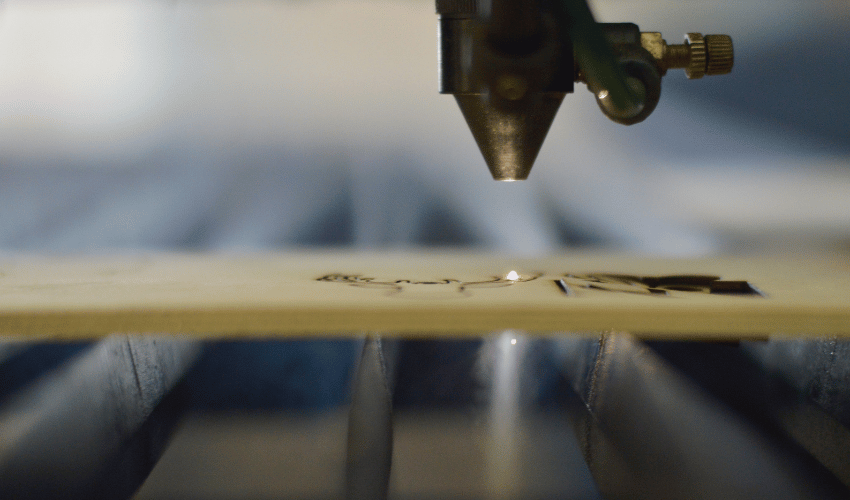
Trying to cut thick wood in a single pass is the fastest way to get:
- Burned edges
- Incomplete cuts
- Excess smoke
Instead:
- Use multiple passes
- Keep power moderate
- Let the laser gradually work through the material
This gives you cleaner edges and more consistent cuts.
2. Use Strong Air Assist (Non-Negotiable)
Air assist makes a huge difference when cutting thicker wood.
It helps by:
- Blowing away debris and smoke
- Reducing charring
- Allowing deeper penetration
Without it, the laser beam gets blocked by smoke and residue.
Should you need to upgrade your air assist, we recommend the Ortur 0-50L/min Air Assist Pump, which is an excellent option.

- 💐 Applicable Laser Engraver - Applicable to Ortur LU2-4-LF & LU2-10A & LU3-20A Laser Module, including Laser Master 2 S2-LU2-4-LF, 2 PRO-S2-LU2-4-LF, 2 PRO-S2-LU2-10A, Laser Master 3 10W and 20W.

3. Slow Down Your Speed
Thicker wood needs more exposure time.
- Reduce speed gradually
- Don’t immediately jump to 100% power
- Find a balance between speed and passes
A slower cut often works better than max power.
4. Choose the Right Wood
Material choice can make or break your cut.
Best options:
- Basswood
- Poplar plywood
- High-quality birch plywood
Avoid:
- Cheap plywood (glue layers block the laser)
- Dense hardwoods unless you have a powerful machine
Sometimes switching wood is more effective than changing settings.
5. Check and Adjust Focus
Focus becomes critical with thicker materials.
- Make sure the laser is focused at the surface for the first pass
- For deeper cuts, consider refocusing between passes
Even a small focus error reduces cutting power significantly.
6. Use Moderate Power, Not Always 100%
Running at full power all the time can:
- Burn edges
- Overheat the material
- Reduce cut quality
Try:
- 80–90% power
- Combine with slower speeds and multiple passes
This often produces better results.
7. Keep Your Optics Clean
A dirty lens or mirror reduces laser efficiency.
- Clean lenses regularly
- Check for smoke residue buildup
Even a slight loss of power matters when cutting thick wood.
8. Elevate Your Material
Don’t place wood flat on a solid surface.
Use a honeycomb bed or risers to:
- Improve airflow underneath
- Reduce back burn marks
- Help smoke escape
This small change improves cut quality a lot.
9. Expect Some Charring (and Plan for It)
Thicker cuts naturally produce more heat.
- Light sanding can clean edges
- Masking tape can reduce surface burn
- Air assist helps minimize damage
Perfect edges are harder to achieve at maximum thickness.
10. Know When to Switch Tools
If you’re consistently cutting:
- Wood thicker than 10–15 mm (3/8-5/8″)
- Dense hardwoods
- Large volumes
A CO₂ laser will save time and frustration.
Quick Summary
- Use multiple passes, not brute force
- Always enable air assist
- Slow down your cutting speed
- Choose better wood, not just stronger settings
- Keep everything clean and properly focused
Final Thoughts
It is a good idea to test out some waste wood and keep fine-tuning the settings on the laser cutter until you have the perfect setup. You can then move to the real material after you are sure of the results.
In addition to testing, get the right laser cutter and the appropriate wood, and your project will be a success.
Frequently Asked Questions
What type of wood is easiest to cut with a laser cutter?
Softwoods like balsa, basswood, and birch are the easiest to cut because they are less dense. They require less power and produce cleaner results compared to hardwoods like oak or maple.
Can I cut hardwood with a low-powered laser like 40W or 5W?
Yes, but with limitations. A 40W CO₂ laser can cut very thin hardwood (1/8″ or less) with slower speeds and multiple passes. A 5W diode laser is better suited for engraving or cutting thin softwood; hardwood is often too dense for full cuts.
What helps improve wood cutting performance with a laser?
Key factors include correct focus, clean lenses, aligned mirrors, using air assist, and flat, well-supported material. Slowing down the speed or making multiple passes can also help with thicker cuts.
Why won’t my laser cutter cut through thicker wood?
Common reasons include incorrect focus, insufficient power, dirty optics, poor material quality, or lack of air assist. Also, the wood may be too thick or dense for your machine’s wattage. Always test with recommended speed/power settings and ensure your machine is properly maintained.