
Diode laser engravers have become a go-to option for hobbyists and small business owners due to their affordability, versatility, and precision.
Among the range of diode lasers, the 10W category is an excellent balance of power, affordability, and capability.
Whether you’re working with wood, acrylic, leather, or even light metals, a 10W diode laser engraver can handle a variety of tasks.
Table of Contents
Here’s your ultimate guide to the best 10W diode laser engravers available today.
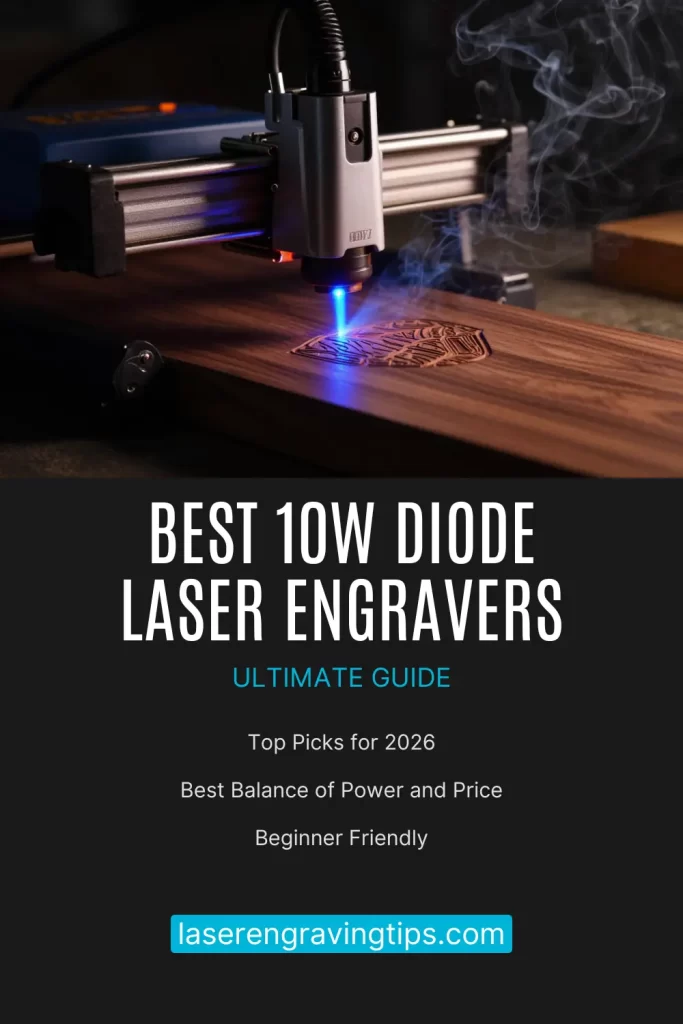
What Is a 10W Diode Laser Engraver?
A 10W diode laser engraver uses a high-power blue diode laser (typically around 445–455 nm) to engrave and cut materials. Unlike entry-level 5W models, a 10W diode laser offers:
- Faster engraving speeds
- Deeper cuts in fewer passes
- Cleaner detail with ultra-fine laser spots
- Better performance on harder materials
These machines are ideal for DIY projects, Etsy shops, signage, personalization, and light production work.
Why Choose a 10W Diode Laser Engraver?
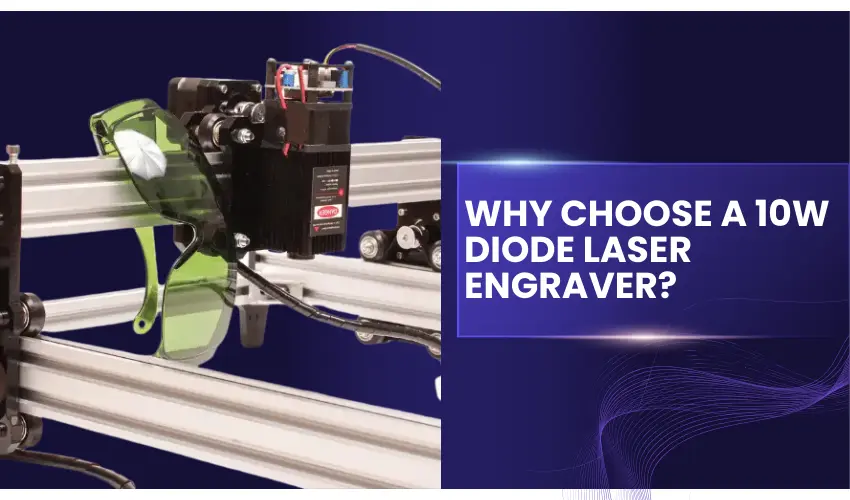
Best Balance of Power and Price
10W diode lasers offer significantly more power than entry-level units while remaining far more affordable than CO₂ lasers.
Excellent Detail Quality
Most 10W models feature 0.06mm laser spots, making them perfect for photo engravings, fine text, and detailed artwork.
Compact & Desktop-Friendly
They fit easily into home workshops, studios, or garages—no large ventilation systems required.
Beginner-Friendly
Modern models include auto-focus, material presets, safety enclosures, and intuitive software.
What Can a 10W Diode Laser Engrave or Cut?
Engraving Materials
- Wood
- Dark Acrylic
- Leather
- Rubber
- Paper & cardboard
- Slate & stone
- Glass (with coating or marking spray)
- Anodized aluminum
- Painted & coated metals
Cutting Capabilities
- 3–8 mm (3/32-5/16″) wood
- 3–5 mm (3/32-3/16″) dark acrylic
- Leather and fabric
Note: Clear acrylic and bare metals are better suited for CO₂ or fiber lasers
Comparison Table: Best 10W Diode Laser Engravers
Feature | xTool M2 10W | Creality Falcon A1 10W | Longer Ray5 10W |
|---|---|---|---|
Laser Power | 10W (10,000mW) | 10W (10,000mW) | 10W (10,000mW) |
Laser Type | Diode Laser | Diode Laser | Diode Laser |
Laser Spot Size | 0.04 × 0.06 mm 0.0016 × 0.0024″ | 0.06 × 0.08 mm 0.00236 × 0.00315″ | 0.06 × 0.06 mm 0.00236 × 0.00236″ |
Maximum Engraving Speed | Up to 600 mm/s Up to 23.62 in/s | Up to 600 mm/s Up to 23.62 in/s | Up to 167 mm/s Up to 6.57 in/s |
Working Area | 15.16 × 11.81″ 385 × 300 mm | 15 × 12″ 381 × 304.8 mm | 15.75 × 15.75″ 400 × 400 mm |
Safety Class | Class 1 (Fully Enclosed) | Class 1 (Fully Enclosed) | Class II (Open Frame) |
Camera System | Built-in Dual Cameras | Built-in HD Smart Camera | Optional (Additional Purchase) |
Software Compatibility | xTool Creative Space (XCS), LightBurn | Creality Laser Software | LaserGRBL, LightBurn |
Ease of Use | Beginner-friendly, camera positioning, auto material alignment | Zero assembly, beginner-focused | DIY-friendly, manual setup |
Connectivity | USB | USB | USB, TF Card, WiFi, App |
Best For | Precision engraving, print-and-cut workflows, home businesses | Speed, safety & home use | Budget DIY engraving |
Quick Comparison Summary
- Best Overall for Beginners & Small Businesses: xTool M2 10W
- Fast Beginner Friendly Engraver: Creality Falcon A1 10W
- Best Budget Choice: Longer Ray5 10W
The Best 10W Diode Laser Engravers
1. xTool M2 10W Laser Engraver
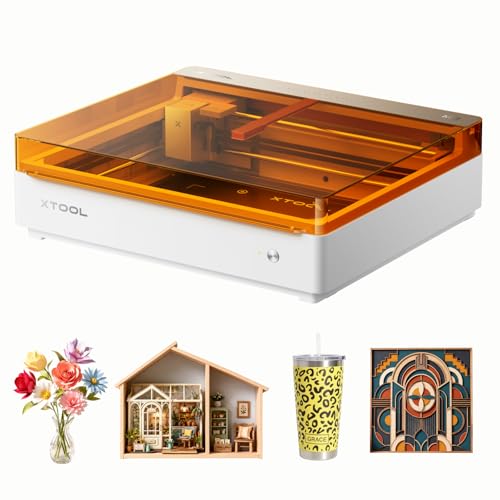
- NOTE: CMYK Inkjet module and RA3 Lite Rotary are not included in this M2 standalone, available separately as add-ons.
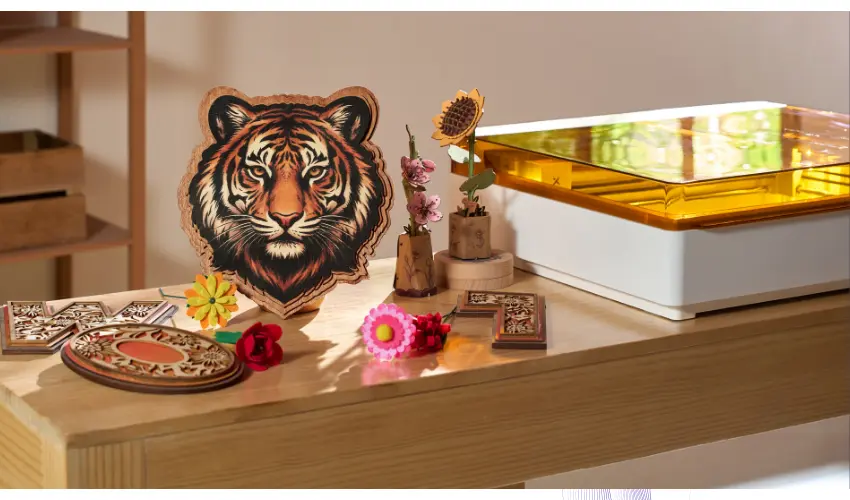
The xTool M2 10W is one of the best enclosed diode laser engravers for beginners, hobbyists, and small business owners.
Its Class 1 safety enclosure, built-in dual-camera system, and intuitive xTool Studio software make it incredibly easy to start creating professional-quality projects with minimal setup.
The 10W diode laser delivers clean engraving and precise cutting on materials like wood, leather, paper, felt, fabric, cardboard, and dark acrylic.
The dual-camera system provides a live preview of the work area for accurate “Place & Go” positioning, helping to reduce waste and speed up production.
Another major advantage is its modular design. Users can later expand the machine by adding the CMYK Inkjet Module for full-color print-and-cut projects or the 3W IR Laser Module for engraving metals and certain plastics, making the M2 a versatile long-term investment.
Overall, the xTool M2 combines safety, ease of use, precision, and upgradeability into a compact desktop machine that is ideal for home workshops and creative businesses.
Pros
- Fully enclosed Class 1 design for safe home use
- Built-in dual cameras for accurate material positioning
- Excellent engraving quality and clean cutting performance
- Beginner-friendly xTool Studio software with AI design tools
- Upgradeable with optional CMYK Inkjet and 3W IR laser modules
- Supports over 300 materials
- Compact, quiet, and easy to operate
Cons
- 10W laser is slower than higher-powered 20W or 40W models when cutting thicker materials
- Rotary attachment and optional modules are sold separately
- Limited metal engraving capability without purchasing the optional 3W IR laser
- Smaller working area than some larger desktop laser engravers
Rating: ⭐⭐⭐⭐⭐ 4.8/5
If you’re looking for the best 10W enclosed diode laser engraver, the xTool M2 10W is an excellent choice.
Its combination of safety, smart camera positioning, modular upgrades, and excellent engraving quality makes it one of the most beginner-friendly and versatile laser engravers available today.
2. Creality Falcon A1 10W Diode Laser Engraver

- 600mm/s Ultra-Fast Speed: Speed and precision define the Falcon A1, thanks to its CoreXY motion system. This advanced dual-motor setup enables speeds of up to 600mm/s, allowing for rapid engraving without sacrificing detail. It achieves instant acceleration from 0 to 600mm/s in just 0.03 seconds, ensuring quick turnaround times. Additionally, automatic belt tensioning prevents slippage, maintaining a precision level of 0.01mm. This combination of speed and accuracy makes it ideal for intricate designs and large-scale projects alike

The Creality Falcon A1 10W is a fast, highly beginner-friendly enclosed diode laser engraver in its class.
With engraving speeds of up to 600 mm/s (23.62 in/s), a built-in HD camera, and a fully enclosed Class 1 safety design, it’s an excellent choice for hobbyists, home users, and small businesses looking for a safe and easy-to-use laser engraver.
Powered by a 10W diode laser with an ultra-fine 0.06 × 0.08 mm (0.00236 × 0.00315″) laser spot, the Falcon A1 produces crisp, detailed engravings on wood, leather, paper, acrylic, and many other materials.
It can also cut up to 9.6 mm (0.38″) black acrylic and 5 mm (0.20″) wood in a single pass, making it surprisingly capable for a 10W machine.
The built-in HD camera allows users to preview their work area, accurately position designs, and quickly fill multiple objects for batch engraving.
Combined with zero assembly and intuitive software, it’s a machine that lets beginners start creating almost immediately.

Pros
- Extremely fast engraving speeds up to 600 mm/s (23.62 in/s)
- Fully enclosed Class 1 safety design
- Built-in HD camera with live preview and batch engraving
- Zero assembly required
- Excellent engraving precision with a 0.06 × 0.08 mm laser spot
- Compact footprint that’s ideal for home workshops
- Beginner-friendly software and automatic material recognition
Cons
- Smaller work area than some competing desktop laser engravers
- Limited to a 10W diode laser, so thicker materials require multiple passes
- Rotary attachment sold separately
- Software ecosystem isn’t as mature as some competitors
Rating: ⭐⭐⭐⭐☆ 4.4/5
If you’re looking for a fast, enclosed, and beginner-friendly 10W diode laser engraver, the Creality Falcon A1 is an excellent option.
Its impressive speed, smart camera system, and Class 1 safety make it ideal for creators who want professional results with minimal setup and a smooth learning curve.
3. Longer Ray5 10W Diode Laser Engraver
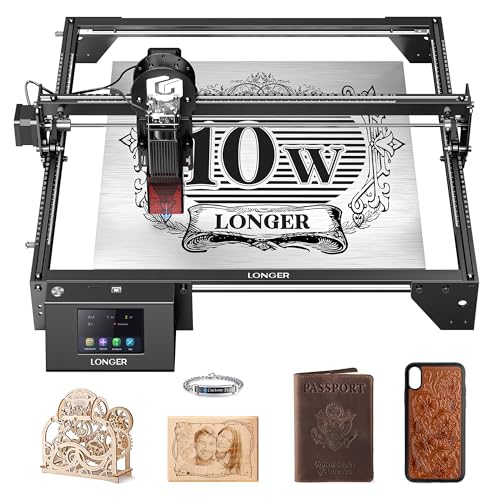
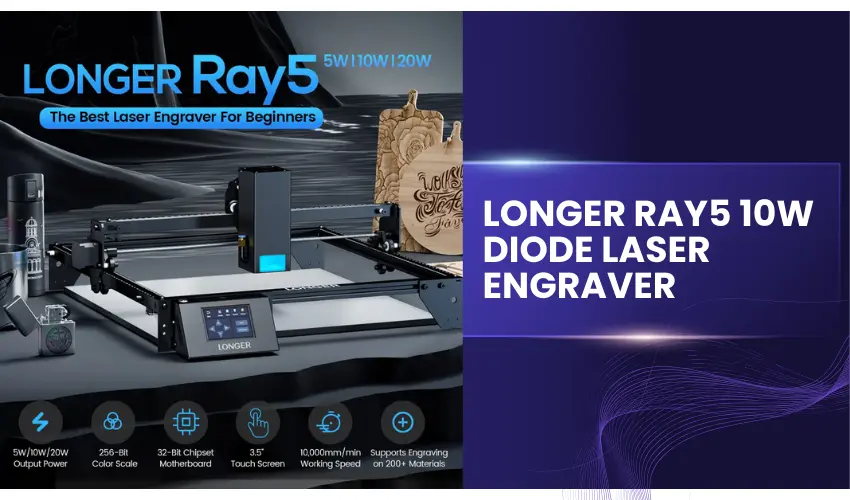
The Longer Ray5 10W is one of the best budget-friendly diode laser engravers for makers who want a large work area and plenty of connectivity options without spending a fortune.
Featuring a 10W diode laser with a fine 0.06 × 0.06 mm (0.00236 × 0.00236″) laser spot, it delivers sharp engravings on wood, leather, dark acrylic, coated glass, stainless steel, and other popular materials.
With a generous 400 × 400 mm (15.75 × 15.75″) work area and engraving speeds of up to 10,000 mm/min (166.7 mm/s or 6.56 in/s), the Ray5 is well suited for larger DIY projects, signs, home décor, and personalized gifts.
It also supports USB, Wi-Fi, TF card, and app control, giving users plenty of flexibility when running jobs.
Compatibility with both LaserGRBL and LightBurn is another major advantage for users who want professional design and workflow options.
While it offers impressive cutting capabilities for its price, the Ray5 is an open-frame Class II laser, meaning users will need to provide proper eye protection, laser enclosure, and ventilation.
Assembly also takes longer than enclosed plug-and-play machines.
Pros
- Excellent value for money
- Large 400 × 400 mm (15.75 × 15.75″) working area
- Fine 0.06 × 0.06 mm laser spot for detailed engraving
- Supports USB, Wi-Fi, TF card, and app connectivity
- Compatible with LaserGRBL and LightBurn
- Good cutting performance for wood and acrylic
- Built-in emergency stop and motion protection
Cons
- Open-frame design requires an enclosure
- Manual assembly required
- Slower engraving speed than premium enclosed models
- No built-in camera or automatic positioning
- Air assist sold separately
Rating: ⭐⭐⭐⭐☆ 4.2/5
If you’re looking for an affordable 10W diode laser engraver with a large workspace and excellent software compatibility, the Longer Ray5 10W is one of the best values available.
It’s an ideal choice for DIY enthusiasts, hobbyists, and small businesses that want solid performance at a budget-friendly price.
What to Look for When Shopping for the Best 10W Diode Laser Engravers

A 10W diode laser engraver is an excellent choice for hobbyists and professionals alike, offering a balance of power, precision, and versatility.
However, with various models available, it’s crucial to know what features and factors to consider when selecting the best one for your needs.
Here’s a comprehensive guide to help you make an informed decision.
Laser Power and Spot Size
What to Check:
- The advertised power output (10W for diode lasers).
- The spot size, which affects engraving precision and cutting ability.
Why It Matters:
A smaller laser spot size (e.g., 0.06 x 0.06mm) ensures finer details, sharper engravings, and cleaner cuts.
Working Area
What to Check:
- Dimensions of the engraver’s workbed (e.g., 400mm x 400mm).
- Whether the working area is extendable for larger projects.
Why It Matters:
A larger or expandable workspace provides flexibility for handling oversized materials and intricate designs.
Cutting and Engraving Capability
What to Check:
- Materials the engraver can handle (e.g., wood, acrylic, metal, leather).
- Maximum cutting thickness for various materials.
Why It Matters:
Versatility in material handling allows you to work on diverse projects, from simple engravings to deep cuts on thicker materials.
Air Assist System
What to Check:
- Availability of air assist and whether it’s automated.
Why It Matters:
Air assist improves cutting quality by reducing burn marks, ensuring cleaner edges, and minimizing smoke buildup during operation.
Speed and Precision
What to Check:
- Maximum engraving speed (e.g., 10,000-20,000mm/min).
- Precision specifications, like the smallest focus point or compression spot size.
Why It Matters:
Higher speeds save time on large projects, while precision determines the quality of intricate designs and photo engravings.
Safety Features
What to Check:
- Features like flame detection, emergency stop, and protective covers.
- Whether the design filters harmful laser light.
Why It Matters:
Safety is paramount, especially when using high-powered lasers in shared spaces or around children and pets.
Software Compatibility
What to Check:
- Supported engraving software (e.g., LightBurn, LaserGRBL).
- Availability of proprietary software with pre-tested material settings.
Why It Matters:
User-friendly software with extensive features ensures a smoother setup and better control over engraving projects.
Build Quality and Durability
What to Check:
- Materials used in the engraver’s frame (e.g., aerospace-grade aluminum).
- Reports of long-term reliability and wear resistance.
Why It Matters:
A sturdy and well-built machine lasts longer and maintains precision even with frequent use.
Connectivity Options
What to Check:
- USB, Wi-Fi, SD card, and app-based control.
Why It Matters:
Flexible connectivity options simplify the process of uploading designs and controlling the machine remotely.
Expandability and Accessories
What to Check:
- Support for additional modules like rotary tools, infrared laser modules or higher-power lasers.
- Bundles that include air assist or honeycomb workbeds.
Why It Matters:
Expandability ensures the machine can grow with your skill level and project complexity.
Price and Value
What to Check:
- The balance between cost and features.
- Warranty and customer support availability.
Why It Matters:
While budget is a consideration, investing in a feature-rich machine saves money and effort in the long run.
Pros and Cons of 10W Diode Laser Engravers
Pros | Cons |
|---|---|
Affordable and beginner-friendly | Limited cutting depth compared to CO2 lasers |
Portable and easy to set up | Slower speeds than more powerful lasers |
Works on a variety of materials | Requires proper ventilation for safe operation |
High precision for fine details | You will need to invest in the Infrared Laser Module for reflective metals |
10W Diode Laser Engravers vs CO₂ Laser: Which Is Better?
Feature | 10W Diode Laser | CO₂ Laser |
|---|---|---|
Cost | Lower | Higher |
Size | Compact | Larger |
Ease of Use | Beginner-friendly | Moderate |
Glass Engraving | Surface only With Coating | Excellent (No Coating Required) |
Acrylic Cutting | Limited | Excellent |
Metal Engraving | Coated only | Limited |
Choose a 10W diode laser if you want affordability, portability, and versatility.
Choose CO₂ if you need acrylic cutting and deep glass engraving.
Who Should Buy a 10W Diode Laser Engraver?
A 10W diode laser engraver is perfect for:
- Beginners starting laser engraving
- Etsy and small business sellers
- DIY enthusiasts and makers
- Personalized gift creators
- Sign makers and crafters
Final Thoughts
A 10W diode laser engraver offers a great balance of power, precision, and affordability for woodworking, crafting, and light industrial tasks.
Models like the xTool M2, Longer Ray5, and the Creality Falcon A1 lead the market in terms of performance. Choose the one that aligns with your needs, and start creating!
Frequently Asked Questions
What materials can a 10W diode laser engraver work with?
A 10W diode laser engraver can engrave and cut a wide range of materials, including wood, leather, paper, cardboard, rubber, fabric, painted metals, anodized aluminum, slate, stone, acrylic (dark/opaque), and glass (usually with a coating or marking spray). Bare metals typically require marking compounds or anodized surfaces.
Can a 10W diode laser cut materials, or is it only for engraving?
Yes, a 10W diode laser can cut thin materials in addition to engraving. It can typically cut 3–8 mm wood, 3–5 mm acrylic (dark colors), and leather in one or multiple passes. However, it is not designed for cutting thick materials or clear acrylic like a CO₂ laser.
Is a 10W diode laser engraver good for beginners?
Absolutely. Many 10W diode laser engravers are beginner-friendly, offering features like auto-focus, pre-tested material settings, enclosed safety designs, and easy-to-use software such as LightBurn or LaserGRBL. They are an excellent choice for hobbyists, DIYers, and small business startups.
How fast is a 10W diode laser engraver?
Engraving speeds vary by model, but most 10W diode lasers operate between 5,000 and 10,000 mm/min, with some high-end models reaching even higher speeds. Actual speed depends on material type, engraving depth, and detail level.
Is a 10W diode laser safe to use at home?
Yes, when used properly. Many modern 10W diode laser engravers include Class 1 safety enclosures, emergency stop buttons, flame detection, motion protection, and eye-protection covers. Proper ventilation and following manufacturer safety guidelines are essential, especially when engraving indoors.