
When it comes to laser engraving, having access to high-quality vector files is essential.
Vector files are scalable, precise, and ideal for use in laser engraving projects, whether you’re working on personalized gifts, intricate designs, or large-scale production.
Table of Contents
Whether you’re looking for free resources or willing to invest in premium designs, there are several websites where you can find a wide range of vector files tailored for laser engraving.
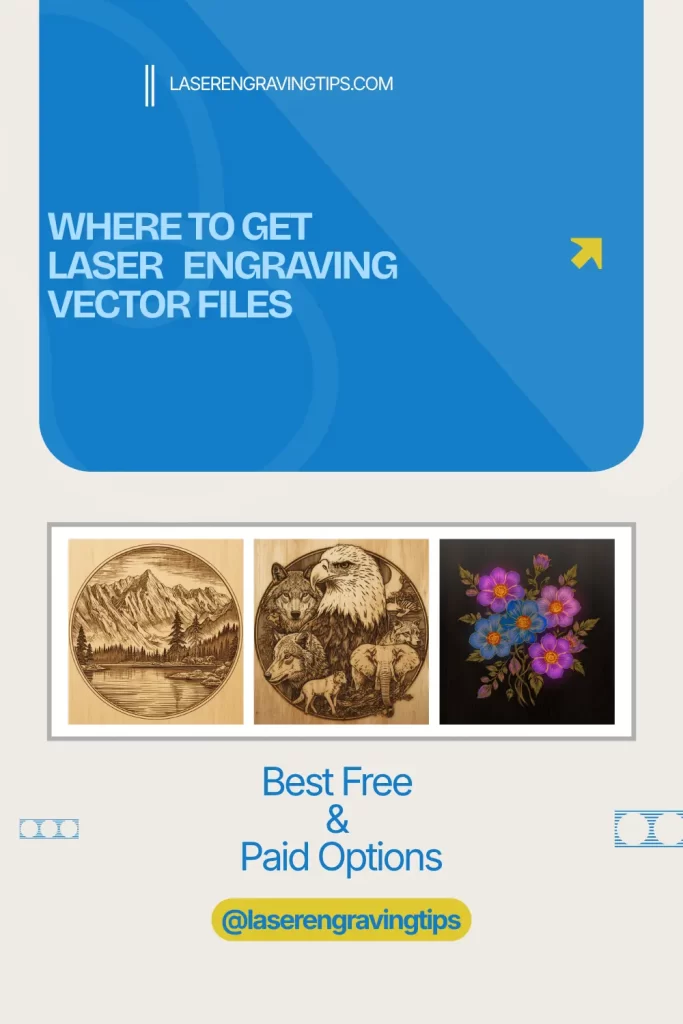
What are Laser Engraving Vector Files?
Laser engraving is a precise and versatile technique used to etch designs, patterns, and text onto various materials.
One of the key elements that ensure high-quality engravings is the use of vector files. But what exactly are laser engraving vector files, and why are they so important?
Understanding Vector Files
A vector file is a type of digital graphic that uses mathematical equations to define shapes, lines, curves, and colors. Unlike raster images, which are made up of pixels and can become blurry when scaled up, vector files are resolution-independent.
This means they can be resized to any dimension without losing clarity or detail, making them ideal for applications where precision is key—such as laser engraving.
How Vector Files Differ from Raster Files
To understand the importance of vector files in laser engraving, it’s essential to compare them with raster files, the other common type of digital image.
- Raster Files: These are made up of tiny squares called pixels. Common formats include JPEG, PNG, and BMP. Raster images are great for photographs and detailed color images, but when enlarged, they can become pixelated, leading to a loss of detail.
- Vector Files: Vector graphics use mathematical formulas to create shapes and lines. Common formats include SVG, AI, EPS, and PDF. Because they are not made up of pixels, they can be scaled to any size without losing sharpness, making them ideal for logos, text, and other designs that require crisp, clean lines.
Why Vector Files Are Crucial for Laser Engraving
1. Precision and Clarity: Laser engraving requires high precision to produce clean and detailed engravings. Vector files ensure that every line, curve, and shape is rendered accurately, no matter how much the design is scaled or adjusted. This precision is particularly important when engraving intricate designs or small text.
2. Scalability: With vector files, you can easily resize your design to fit different engraving surfaces, from small jewelry pieces to large plaques. The scalability of vector files means you can use the same design across multiple projects without worrying about loss of quality.
3. Efficient Processing: Laser engraving machines often process vector files more efficiently than raster files. Since vector files contain instructions for creating shapes rather than pixel-by-pixel data, the engraving machine can follow the paths more smoothly, resulting in faster and more accurate engravings.
4. Versatility: Vector files can be easily edited and manipulated. Whether you need to change the size, color, or specific details of a design, vector files offer the flexibility to make adjustments without compromising quality. This versatility is especially useful for custom engraving projects where designs need to be tailored to specific client requests.
Common Formats for Laser Engraving Vector Files
When working with laser engraving, certain vector file formats are commonly used:
- SVG (Scalable Vector Graphics): A widely supported format that is compatible with most laser engraving software. SVG files are lightweight and easily edited, making them a popular choice for both simple and complex designs.
- AI (Adobe Illustrator): A proprietary format used by Adobe Illustrator, AI files are favored by professional designers for their robust editing capabilities.
- EPS (Encapsulated PostScript): A versatile format that is widely supported by various design and engraving software. EPS files are ideal for sharing and printing vector designs.
- PDF (Portable Document Format): Although primarily known as a document format, PDFs can also contain vector graphics. They are useful for sharing designs that need to retain their vector properties across different platforms.
6 Websites That Offer The Best Laser Engraving Vector Files
Whether you are looking for simple and easy images, or want to create new images with intricate details, the list below will help you with your search. Here are a couple of websites that will give you access to some amazing vector templates for your laser engraving projects.
1.Vecteezy (Free + Paid)
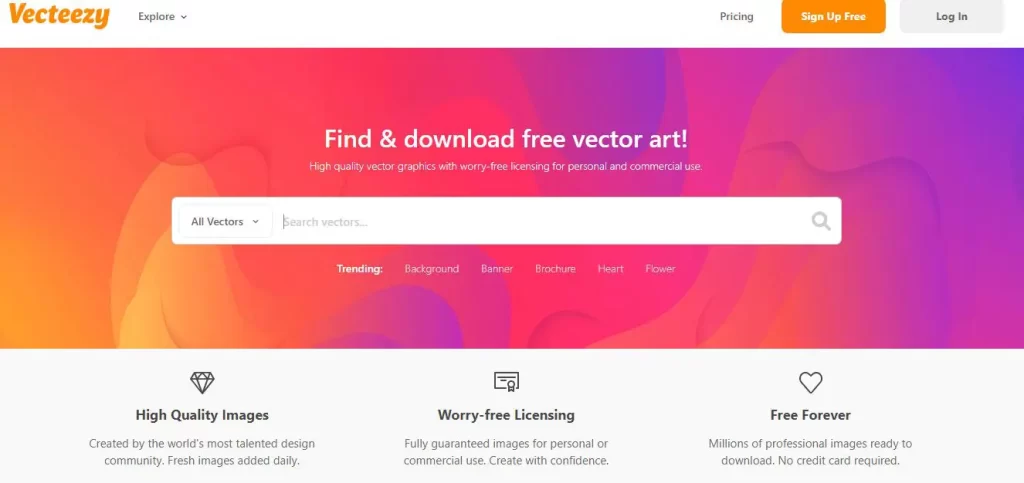
Vecteezy is a popular and user-friendly platform offering a large library of high-quality vector files suitable for laser engraving. It provides both free and paid (Pro) options, making it accessible to beginners, hobbyists, and professionals alike.
The platform is an excellent option for its wide design variety, scalable and editable vectors, powerful search and filtering tools, and affordable Pro subscription with unlimited premium downloads.
While free files are plentiful, users should pay close attention to licensing restrictions—especially for commercial use—and note that watermarked previews and widely used designs may limit exclusivity.
Why We Recommend Vecteezy Pro for Laser Engraving & Cutting

Vecteezy Pro is one of the best premium sources for laser-ready vector files, making it an excellent choice for laser engraving and cutting projects.
High-quality SVG, EPS, and AI files ensure clean engraves and precise cuts with minimal file cleanup. Designs feature smooth paths, closed shapes, and professional detail—ideal for wood, acrylic, leather, and more.
With millions of editable vectors, Vecteezy Pro saves time and boosts productivity. Files work seamlessly with popular laser software like LightBurn, xTool Creative Space, Inkscape, and Illustrator.
Another major advantage is the commercial-use license, allowing you to legally sell engraved products, take on client work, and scale your laser business with confidence.
Bottom line: Vecteezy Pro offers consistent quality, clear licensing, and huge design variety—making it a smart investment for both hobbyists and professional laser engravers.
2. Laser Ready Templates (Paid)

Laser Ready Templates is a premium platform offering high-quality, ready-to-use vector files specifically designed for laser engraving. It caters to professionals and serious hobbyists by providing laser-optimized designs across a wide range of categories, from decorative patterns to functional items like signs and boxes.
The platform’s strengths include professional-grade file quality, time-saving pre-optimized designs, detailed product information, and reliable customer support. However, it offers paid content only, comes at a higher price point than general vector marketplaces, and is highly specialized with limited built-in customization.
Overall, Laser Ready Templates is considered one of the best resources for paid laser engraving vector files, delivering precision, efficiency, and consistent results for users who prioritize quality and professional performance.
3. Etsy (Paid)

Etsy is a popular online marketplace offering a vast selection of paid laser engraving vector files created by independent designers and small businesses.
It features a wide range of designs—from decorative and artistic patterns to functional templates like boxes and signage—available as instant downloads and often with customization options.
Key advantages include its huge variety, unique and original designs, generally high-quality files, and direct communication with sellers for support or custom requests. However, quality, pricing, and licensing terms can vary between sellers, and navigating the large marketplace may take time.
![CorelDRAW Graphics Suite | 1 Year Subscription | Graphic Design Software for Professionals | Vector Illustration, Layout, and Image Editing [PC/Mac Download]](https://m.media-amazon.com/images/I/41jeqbai3jL.jpg)
- What’s new: Text-to-image & content-to-image AI generation, AI image remix with Nano Banana, AI background removal & masking tools, refreshed UI, significant performance & stability improvements, new brushes and templates, CorelDRAW Web updates, & more
Overall, Etsy is an excellent resource for finding creative, customizable laser engraving vector files, making it a strong choice for both hobbyists and professionals willing to research sellers to ensure quality and proper usage rights.
4. The Hungry JPEG (Paid+ Free)

The Hungry JPEG is a popular digital marketplace offering a large collection of vector files suitable for laser engraving, with both free and affordable paid options.
It features a wide variety of design styles, high-quality files created by professional designers, frequent discounts and bundles, and many vectors that include commercial-use licenses.
Key strengths include its extensive library, beginner-friendly free files, reasonable pricing, and an easy-to-navigate website. However, free file quality can vary, customization options are limited, and the platform isn’t exclusively focused on laser engraving, meaning some designs may need adjustment.
Overall, The Hungry JPEG is an excellent resource for both hobbyists and professionals looking for quality laser engraving vector files at good value, making it a reliable choice for personal and commercial projects alike.
5. 3axis.co (Free)
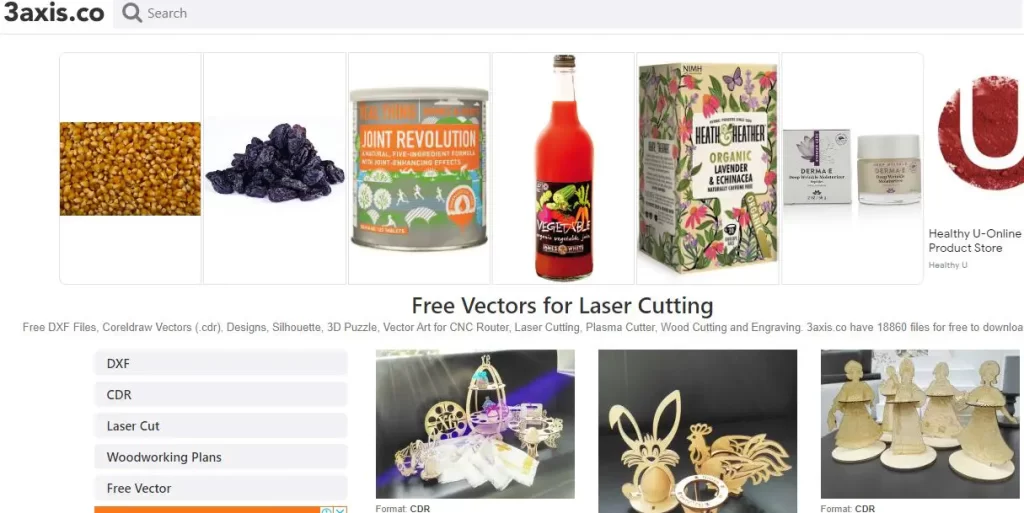
3axis.co is a dedicated platform offering a large collection of completely free vector files optimized for laser engraving, laser cutting, and CNC projects.
It’s highly popular among hobbyists and professionals who want ready-to-use designs without any cost or registration.
The site is great for a diverse, high-quality library, an easy-to-use interface, and regularly updated content. Most files are well-designed for clean, precise laser results, and the platform also fosters a supportive community with basic tutorials for beginners.


While customization must be done independently, file formats can vary, and quality may differ slightly between designs, 3axis.co remains an excellent free resource. Overall, it’s one of the best websites for free laser engraving vector files, offering exceptional value and accessibility for creators at all skill levels.
6. Epilog Laser (Free)

The Epilog Laser Sample Club is a free resource from Epilog Laser that offers professionally designed vector files specifically optimized for laser engraving and cutting.
It’s especially valuable for beginners and Epilog users thanks to its high-quality designs paired with detailed, step-by-step project instructions, including material recommendations and machine settings.
The library covers a wide range of projects—from decorative items and gifts to functional products—and is regularly updated with new content. In addition to being a design library, it also serves as an educational tool that helps users improve their laser engraving skills.
While the collection is more limited than large vector marketplaces and primarily tailored to Epilog machines, the files can be adapted for other lasers. Overall, the Epilog Laser Sample Club is one of the best sources for free, professional-grade laser engraving vector files, offering exceptional quality, guidance, and value at no cost.
Comparison Table: Best Laser Engraving Vector Files
Here’s a clear comparison table of 6 websites that offer some of the best laser engraving vector files, highlighting what each platform is best for, pricing, and key strengths.
Website | Free / Paid | Best For | Key Strengths | Ideal User |
|---|---|---|---|---|
Vecteezy | Free & Paid | General laser engraving vectors | Large library, high-quality scalable vectors, easy search filters | Beginners to professionals needing variety |
Laser Ready Templates | Paid only | Professional laser-ready designs | Pre-optimized files, clean cuts, time-saving, detailed instructions | Businesses & serious engravers |
Etsy | Paid (mostly) | Unique & custom designs | One-of-a-kind artwork, customizable files, instant downloads | Personalized gifts & branded products |
The Hungry JPEG | Free & Paid | Budget-friendly vector bundles | Affordable pricing, free files, commercial licenses, bundles | Hobbyists & small businesses |
3axis.co | Free | Laser-specific vector files | 100% free, laser-optimized, no registration required | Beginners & budget-conscious users |
Epilog Laser Sample Club | Free | Educational & professional projects | Professionally designed files, step-by-step instructions | Learning-focused users & Epilog owners |
Quick Takeaways
- Best Free Resource: 3axis.co
- Best Paid Professional Files: Laser Ready Templates
- Best Unique & Custom Designs: Etsy
- Best Budget Option with Commercial Licenses: The Hungry JPEG
- Best Learning Resource: Epilog Laser Sample Club
- Best All-Around Library: Vecteezy
Best Laser Engraving File Types by Material
Material | Recommended File Type |
|---|---|
Wood | SVG, DXF |
Acrylic | SVG (layered) |
Leather | SVG, AI |
Metal | SVG (clean paths) |
Glass | SVG (simple line art) |
CNC + Laser | DXF |
What to Look for in Laser Engraving Vector Files
Before downloading or purchasing, check for:
- Clean paths (no overlapping lines)
- Minimal nodes for smoother engraving
- Layer separation for multi-depth jobs
- Commercial license if selling products
- LightBurn compatibility
Free vs Paid Vector Files: Which Is Better?
Free vector files are great for:
- Practice
- Personal projects
- Testing materials
Paid vector files are better for:
- Selling engraved products
- Time-saving production
- Professional-quality results
- Legal commercial use
Most engraving businesses use a mix of both.
Bonus Tip: Create Your Own Laser Vector Files
If you want full control, you can design your own vectors using:
- Inkscape (Free)
- Adobe Illustrator
- CorelDRAW
- LightBurn’s built-in vector tools
This is especially useful for custom logos, text, and personalized orders.
Conclusion
Whether you’re a beginner just starting with laser engraving or a seasoned professional looking for high-quality vector files, there’s a resource out there for you.
From free options like 3axis.co and the Epilog Laser Sample Club to premium choices like Vecteezy, Etsy, and Laser Ready Templates, these websites provide a wealth of vector files that can help you create stunning laser-engraved products.
By exploring these platforms, you can find the perfect vector files to match your project’s needs, ensuring your laser engraving work is precise, creative, and top-notch.
Whether you prefer free resources or are willing to invest in premium designs, the options are plentiful and varied, giving you the flexibility to choose what works best for your specific requirements.
Frequently Asked Questions
What file format is best for laser engraving?
SVG is the most widely used and recommended format for laser engraving. It’s fully supported by LightBurn, scales without losing quality, and works well for both engraving and cutting. DXF is also excellent, especially for CNC-style or mechanical designs.
Can I use PNG or JPG files for laser engraving?
Yes, but with limitations. PNG and JPG files are raster images, not vectors, so they don’t scale cleanly and are better suited for photo engraving rather than cutting. For clean lines and precise cuts, you should convert them to vector formats like SVG or DXF first.
Are free laser engraving vector files safe to use commercially?
Not always. Some free vector files are personal-use only, while others allow commercial use. Always check the license terms before selling engraved products. If you plan to sell items, marketplaces like Etsy, Creative Fabrica, and Design Bundles are safer options because they usually include commercial licenses.
Why do some vector files engrave poorly?
Poor engraving results are usually caused by:
Overlapping or duplicate paths
Too many nodes in the design
Open or broken vectors
Files not optimized for lasers
Cleaning the file in LightBurn, Inkscape, or Illustrator before engraving can significantly improve results.
Can I create my own laser engraving vector files?
Absolutely. Many users design their own vectors using:
Inkscape (free)
Adobe Illustrator
CorelDRAW
LightBurn’s built-in drawing tools
Creating your own files gives you full control over sizing, layers, and customization—perfect for logos, text, and personalized products.