
If you’re looking for a portable laser engraver that can handle more than basic wood and leather projects, the xTool F2 deserves a close look.
The xTool F2 combines a 15W diode laser and 5W IR laser in one compact machine, giving creators access to two different laser technologies without needing two separate engravers.
It also offers engraving speeds of up to 6,000 mm/s (236 in/s), a high-resolution 50MP camera, automatic focusing, curved-surface engraving, AI-assisted design tools, and optional batch-processing capabilities.
That combination makes the xTool F2 particularly interesting for hobbyists, makers, personalization businesses, and creators who need a laser engraver they can take to markets, events, craft fairs, or customer locations.
Table of Contents
But is the xTool F2 really the best portable dual laser engraver?
In this guide, we’ll look at its laser system, engraving performance, materials, working area, software, safety features, curved-surface capabilities, portability, and business potential to help you decide if the F2 is the right machine for you.
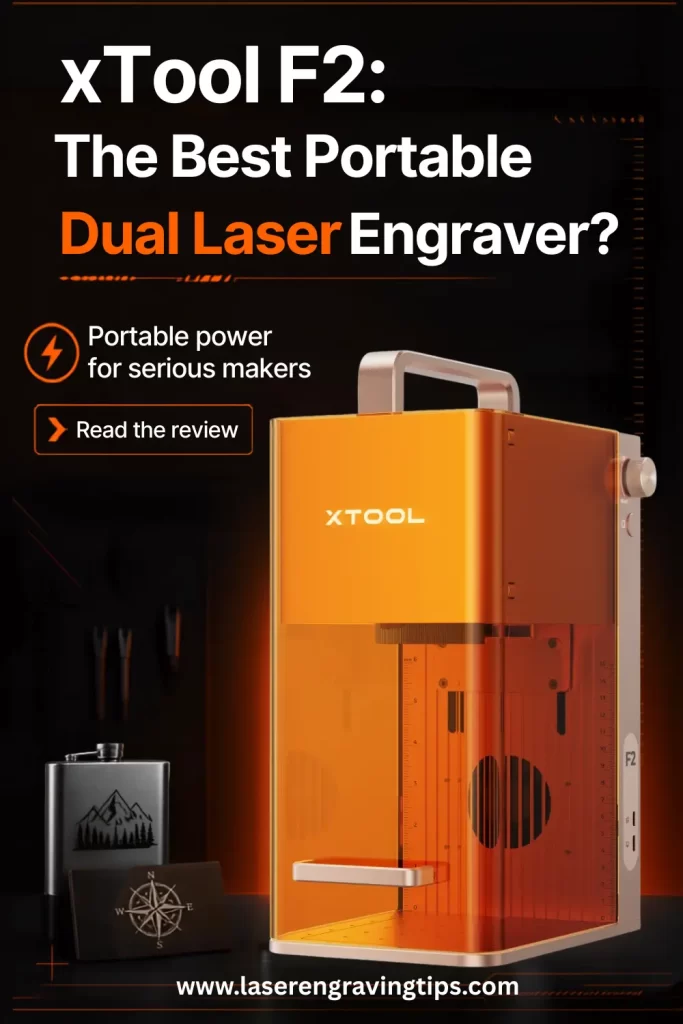
What Is the xTool F2?
The xTool F2 is a portable dual-laser engraving machine designed to combine the capabilities of a diode laser and an infrared laser in a compact desktop format.
Instead of relying on a single laser source, the F2 uses:
15W diode laser: Designed for engraving and cutting compatible materials such as wood, leather, paper, fabric, and certain acrylics.
5W IR laser: Designed for detailed marking and engraving on compatible metals and plastics.
This dual-laser architecture is the main reason the F2 stands out from many compact portable laser engravers.
A diode laser provides versatility across common craft materials, while the IR laser adds specialized marking capabilities for applications where infrared wavelengths perform better.
The result is a machine that can move between personalized wood products, leather goods, acrylic projects, metal cards, jewelry-style products, and other compatible materials without requiring a second laser engraver.
xTool F2 Key Specifications
Feature | xTool F2 |
|---|---|
Laser system | 15W diode + 5W IR |
Diode laser spot | Approximately 0.08 × 0.06 mm |
IR laser spot | Approximately 0.03 × 0.03 mm |
Maximum engraving speed | Up to 6,000 mm/s Up to 236 in/s |
Standard work area | 115 × 115 mm 4.53 × 4.53″ |
Extended work area | Up to approximately 115 × 400 mm 4.53 × 15.75″ with Slide Extension |
Camera | 50MP high-resolution camera |
Autofocus | Yes |
Curved-surface engraving | Yes |
Batch processing | Supported with Slide Extension |
Software | xTool Studio |
Portability | Compact desktop design |
Best suited for | Personalization, crafts, small businesses, mobile engraving |
Actual performance depends on the material, design, laser source, resolution, power, speed, and other operating parameters.
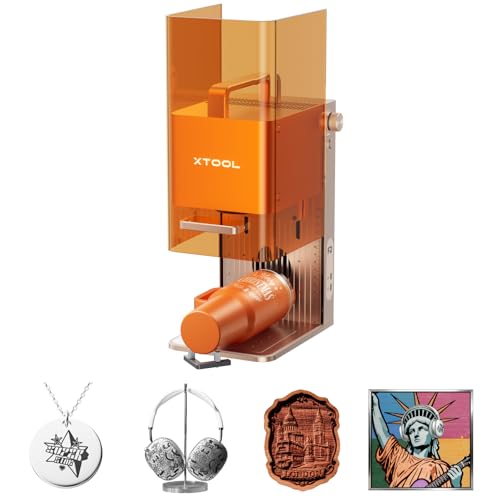
- Dual-Laser Versatility, Endless Creation: Our 15W Diode & 5W IR dual-laser combo makes this laser engraver truly versatile, unlocking more possibilities on 300+ materials. The 5W IR delivers deep, dark, vivid color marking on metal, while the 15W diode expertly handles 3D embossing and cutting through thick materials.

Why Is the xTool F2 a Dual Laser Engraver?
The biggest advantage of the xTool F2 is its ability to use two different laser sources.
A 15W diode laser is well suited to many organic and craft materials. It can engrave and cut compatible wood, leather, paper, fabric, and acrylic products.
The 5W IR laser works differently. Infrared laser technology is particularly useful for marking compatible metals and plastics, making it valuable for personalization applications involving metal products.
This gives the F2 a broader range of applications than a portable laser equipped with only a diode laser.
For example, a small personalization business could use the diode laser for wooden ornaments and leather wallets, then switch to the IR laser for compatible metal cards or other metal products.
That versatility is one of the biggest reasons to consider a dual-laser machine.
15W Diode Laser: What Can the xTool F2 Do?
The 15W diode laser is the F2’s primary workhorse for many craft and personalization applications.
It is particularly useful for materials such as:
Wood, plywood, leather, paper, cardboard, fabric, felt, and compatible acrylics can all be used for a variety of engraving and cutting projects, provided the material is known to be laser-safe.
The higher power of the 15W diode compared with lower-powered portable lasers also gives the F2 useful cutting capability.
For small businesses, this can be important because the machine isn’t limited to surface engraving. It can also produce cut products such as ornaments, tags, bookmarks, signs, templates, and personalized craft pieces.
As always, cutting performance varies significantly by material thickness, density, color, composition, and laser settings.
5W IR Laser for Metal Marking
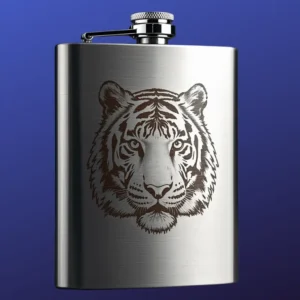
The second laser source is the 5W IR laser, which gives the xTool F2 a major advantage for metal personalization.
The IR laser has an approximately 0.03 × 0.03 mm spot size, providing a very fine beam for detailed marking.
It can be useful for compatible metals and metal products where a diode laser may not provide the desired result.
Potential applications include personalized metal cards, tools, accessories, jewelry-style products, nameplates, and other compatible metal items.
The important distinction is that the F2’s 5W IR laser is primarily a marking and engraving solution, not a replacement for a high-power fiber or MOPA fiber laser.
If you need deep engraving, industrial metal cutting, or high-volume production on thick metal, a dedicated fiber or MOPA fiber machine will generally be a better choice.
For portable personalization work, however, the 5W IR laser adds a useful level of versatility.
xTool F2 Engraving Speed
Speed is another major selling point.
The xTool F2 can reach a maximum engraving speed of 6,000 mm/s (236 in/s) under supported conditions.
That’s exceptionally fast for a compact portable laser engraver.
Of course, maximum advertised speed shouldn’t be confused with the speed you’ll use for every project. The optimal speed depends on the material, artwork, resolution, power, laser type, and desired finish.
Nevertheless, a high maximum speed gives the F2 plenty of performance headroom.
For businesses producing personalized products, faster engraving can translate into more orders processed during a working day.
This becomes especially useful for applications such as:
Personalized gifts, name tags, wooden ornaments, leather accessories, promotional products, event merchandise, and small-batch products can all benefit from efficient production workflows.
How Large Is the xTool F2 Work Area?
The standard xTool F2 work area measures approximately 115 × 115 mm (4.53 × 4.53″).
That’s relatively compact, which is both a strength and a limitation.
The smaller work area keeps the machine portable and reduces its overall footprint. However, it also means the F2 isn’t designed for large signs, oversized artwork, or large-format production straight out of the box.
For larger projects, xTool offers a Slide Extension, which can expand the usable processing area to approximately 115 × 400 mm (4.53 × 15.75″).
The extension can also make batch processing more practical for small businesses.
If portability is your priority, the standard work area may be perfectly adequate. If you regularly process longer objects or multiple blanks, the Slide Extension becomes a much more attractive accessory.
50MP Camera and Precise Design Positioning
One of the most useful features of the xTool F2 is its high-resolution 50MP camera.
The camera provides a visual representation of the work area, allowing you to position your artwork over the material before starting the engraving.
This is especially useful when working with irregularly positioned blanks or expensive materials where mistakes can become costly.
Instead of repeatedly measuring the material and manually calculating the engraving position, you can use the camera view to place your artwork more precisely.
This is one of the features that helps make the F2 more beginner-friendly.
Automatic Focusing
The xTool F2 also includes automatic focusing.
Correct focus is essential for producing sharp engraving and consistent cutting results. Manual focusing can become tedious when processing multiple materials or switching between different product sizes.
The F2’s automated workflow is designed to simplify this process.
Combined with the camera system and xTool Studio software, autofocus reduces the number of manual steps required before starting a project.
For businesses processing many small orders, these small workflow improvements can make a significant difference over time.
Curved-Surface Laser Engraving
One of the more advanced features of the xTool F2 is its ability to engrave curved surfaces.
Traditional flat-bed laser engravers work best when the material remains at a consistent distance from the laser.
Curved products create a problem because the surface height changes across the engraving area.
The xTool F2 addresses this using camera-based surface detection and 3D modeling.
The machine can collect surface information from the engraving area, allowing xTool Studio to create a representation of the curved surface. During engraving, the system can then dynamically adjust focus according to the surface profile.
This opens up applications involving curved products such as bowls, containers, certain accessories, and other compatible objects.
For personalization businesses, curved-surface engraving can be a valuable capability because many commercially popular products aren’t completely flat.
- Dual-Laser Versatility, Endless Creation: Our 15W Diode & 5W IR dual-laser combo makes this laser engraver truly versatile, unlocking more possibilities on 300+ materials. The 5W IR delivers deep, dark, vivid color marking on metal, while the 15W diode expertly handles 3D embossing and cutting through thick materials.
xTool F2 for Small Businesses
The xTool F2 is particularly interesting for entrepreneurs.
Its compact size, dual-laser architecture, fast engraving, and automated workflow make it suitable for businesses that produce customized products.
A creator could use the F2 to offer:
Personalized wooden gifts, leather products, metal accessories, custom nameplates, ornaments, promotional products, event merchandise, personalized home décor, and small-batch products.
The machine is also portable enough to take to customer-facing events.
That opens up the possibility of offering on-site laser engraving at markets, weddings, corporate events, craft fairs, trade shows, and retail locations.
Instead of engraving everything in advance, a business can potentially allow customers to choose a name, message, or design and produce the personalized item on the spot.
This type of service can command a premium because the customer receives a unique product immediately.
xTool F2 for Mobile Engraving Businesses

Portability is one of the F2’s biggest advantages.
Large CO₂ and fiber laser machines can be powerful, but transporting them isn’t practical for most mobile businesses.
The F2 takes a different approach.
Its compact footprint makes it much easier to move between locations, while the dual-laser system provides greater material flexibility than a single-laser portable engraver.
For an entrepreneur starting a mobile personalization business, this combination can be particularly attractive.
Imagine setting up at a weekend market with a selection of wooden, leather, acrylic, and metal blanks. Customers choose their product and personalization, and you create the finished item while they wait.
That’s where the F2’s combination of portability, speed, camera positioning, and dual-laser technology becomes especially valuable.
xTool Studio Software
Hardware is only part of the laser engraving experience.
The software determines how easy it is to prepare designs, position artwork, select settings, and start production.
The xTool F2 works with xTool Studio, which is designed to make the overall workflow accessible to beginners while providing tools for more experienced users.
The software combines functions such as design preparation, camera positioning, autofocus, material settings, image processing, and production controls.
Users can also access templates and AI-assisted design tools.
This is particularly useful for people who don’t have an extensive library of laser-ready artwork.
Instead of spending hours creating every design from scratch, you can start with an existing template or use AI-assisted tools to create a starting point.
AI-Assisted Design
The F2’s workflow also includes AI-assisted design capabilities.
If you have an idea but don’t have the design skills to create the artwork yourself, AI tools can help generate an image from a text prompt.
The resulting design can then be imported into the engraving workflow.
This can be especially useful for personalization businesses because customers often request unique designs that don’t already exist in your product catalog.
AI doesn’t eliminate the need for design judgment. You may still need to adjust contrast, remove unwanted details, simplify artwork, or optimize the design for the chosen material.
However, it can significantly speed up the initial creative process.
Batch Processing With the Slide Extension
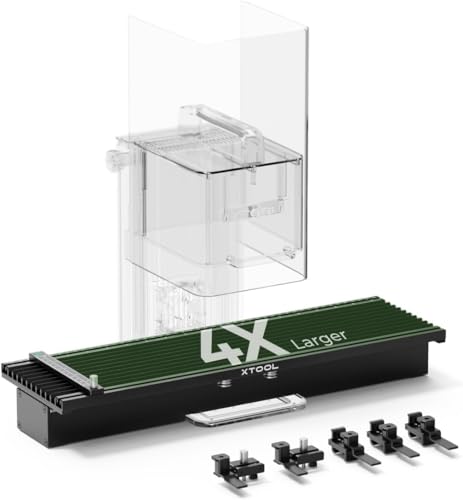
- [4X Larger Working Area, Perfect for Batch Process] Use xTool F1 Slide Extension for expanding your working area to 115*400mm. Not only can you meet the needs of large-area engraving and bigger project cutting, but you can also multiply the number of engraved items, making it perfect for the batch process.
For businesses, batch production can be more important than maximum single-job speed.
The optional Slide Extension helps turn the F2 from a compact personalization machine into a more practical small-batch production system.
The camera can help identify similarly shaped objects and assist with design placement.
This means you can process multiple products without manually positioning every individual item.
For example, a business could produce a batch of personalized bookmarks, tags, ornaments, coasters, or other small products.
Reducing repetitive setup work can make the production process faster and more consistent.
Is the xTool F2 Good for Beginners?

Yes, the xTool F2 is designed with beginners in mind.
Its camera positioning, autofocus, automatic parameter suggestions, templates, and guided software workflow reduce much of the complexity traditionally associated with laser engraving.
That doesn’t mean there is no learning curve.
New users still need to understand material safety, ventilation, laser settings, image preparation, and the difference between engraving and cutting.
You should also never assume that an automatic material profile is perfect for every material. Different brands and batches can react differently to laser energy.
Testing is still an important part of achieving consistent results.
xTool F2 Safety
Laser safety should always be a priority.
The xTool F2 incorporates an enclosed design and safety features intended to make desktop operation more practical.
However, users should still follow the manufacturer’s safety instructions and only process materials known to be suitable for laser engraving.
Some materials can release dangerous fumes or particles when exposed to laser energy. PVC and materials containing chlorine, for example, should never be treated as ordinary laser materials.
Proper ventilation and smoke extraction are also important.
An enclosed laser machine can reduce exposure to laser radiation, but it does not eliminate the need to manage smoke and fumes appropriately.
xTool F2 vs. xTool F1
The xTool F2 builds on the compact concept introduced by the F1.
The most important upgrade is the laser configuration.
The F2 uses a 15W diode + 5W IR combination, giving it more diode power while retaining an IR laser for compatible metal and plastic marking applications.
The F2 also increases maximum engraving speed to approximately 6,000 mm/s and adds a higher-resolution camera system.
For someone deciding between the two, the F2 is the more capable choice if you want additional cutting power, faster engraving, and improved workflow automation.
The F1 can still make sense for users who find its capabilities sufficient and don’t need the F2’s additional performance.
xTool F2 vs. Fiber Laser Engravers
It’s important not to confuse the xTool F2 with a dedicated fiber laser.
Fiber and MOPA fiber lasers are designed specifically for demanding metal marking and engraving applications.
A dedicated fiber laser will generally be a better choice for deep engraving, industrial metal work, annealing, high-volume production, and more demanding metal applications.
The F2’s advantage is versatility and portability.
Instead of being optimized almost exclusively for metal, it combines a diode laser and IR laser in a compact machine that can handle a much wider range of creative applications.
For a personalization business working with wood, leather, acrylic, and compatible metals, that versatility can be more useful than having a specialized metal-only machine.
xTool F2 vs. CO₂ Laser Engravers
CO₂ lasers remain excellent machines for larger-format cutting and engraving.
They are particularly useful for materials such as wood, acrylic, glass, and other compatible non-metal materials.
However, CO₂ machines are usually much larger and less portable than the F2.
The xTool F2 isn’t designed to replace a 60W, 80W, or 100W CO₂ laser in a production workshop.
Instead, it fills a different role.
If you need large-format production and heavy cutting, choose a CO₂ laser.
If you need portability, personalization, compact operation, and dual-laser versatility, the F2 can be a better fit.
Pros and Cons of the xTool F2
Pros
The dual 15W diode and 5W IR laser system provides excellent versatility for a compact machine.
The maximum engraving speed of up to 6,000 mm/s (236 in/s) is impressive for a portable laser engraver.
The 50MP camera makes design positioning easier and more accurate.
Automatic focusing and material parameter suggestions simplify setup.
Curved-surface engraving expands the range of products you can personalize.
The optional Slide Extension supports larger projects and batch production.
Its compact size makes it suitable for mobile engraving businesses.
xTool Studio provides an accessible workflow with templates and AI-assisted design tools.
Cons
The standard 115 × 115 mm (4.53 × 4.53″) work area is relatively small.
The Slide Extension is required for longer projects and more efficient batch processing.
The 5W IR laser isn’t intended to replace a high-power fiber or MOPA laser for deep metal engraving.
The 15W diode isn’t a replacement for a high-power CO₂ laser when cutting thick materials.
Users still need to test materials and optimize settings for consistent production results.
- Dual-Laser Versatility, Endless Creation: Our 15W Diode & 5W IR dual-laser combo makes this laser engraver truly versatile, unlocking more possibilities on 300+ materials. The 5W IR delivers deep, dark, vivid color marking on metal, while the 15W diode expertly handles 3D embossing and cutting through thick materials.
Who Should Buy the xTool F2?
The xTool F2 is a strong choice for several types of users.
Beginners can benefit from the camera-based workflow, autofocus, templates, and automated settings.
Hobbyists get access to two laser technologies in one relatively compact machine.
Etsy sellers and online creators can use the F2 to produce personalized gifts and small product batches.
Small businesses can take advantage of faster engraving and batch-processing features.
Mobile personalization businesses benefit from its compact and portable design.
Event vendors can use it for on-site customization at markets, weddings, festivals, and corporate events.
The F2 is less suitable for someone whose primary requirement is industrial-scale metal engraving, large-format cutting, or high-volume manufacturing.
Final Verdict: Is the xTool F2 the Best Portable Dual Laser Engraver?
The xTool F2 makes a strong case for being one of the best portable dual laser engravers for creators and small businesses.
Its biggest advantage isn’t any single specification. It’s the combination of features.
You get a 15W diode laser, a 5W IR laser, engraving speeds of up to 6,000 mm/s (236 in/s), a 50MP camera, autofocus, curved-surface engraving, AI-assisted design, and optional batch processing in a compact machine.
That makes the F2 much more than a basic portable laser engraver.
For hobbyists, it provides plenty of room to experiment. For small businesses, it can become a versatile personalization tool. And for mobile entrepreneurs, it offers a realistic way to bring laser engraving directly to customers.
The F2 isn’t the right choice for every application. A CO₂ laser remains better for large-format cutting, while a fiber or MOPA fiber laser is better for serious metal engraving.
But if your goal is to find a portable laser engraver that can work across multiple materials while offering two laser sources, fast engraving, smart positioning, and business-friendly features, the xTool F2 is an impressive option.
Our Rating: ⭐⭐⭐⭐⭐ 4.8/5
Best for: Portable personalization, small businesses, craft products, metal marking, wood engraving, mobile engraving, and creators who want diode + IR laser capabilities in one machine.
Bottom line: The xTool F2 successfully combines portability, speed, versatility, and automation in a way that makes it particularly attractive for modern personalization businesses.
Frequently Asked Questions
What materials can the xTool F2 engrave and cut?
The xTool F2 can engrave and cut 300+ materials thanks to its dual-laser system. The 15W diode laser works best on wood, leather, acrylic, rubber, coated metals, and some plastics, while the 5W 1064nm infrared (IR) laser is ideal for marking bare metals, stainless steel, anodized aluminum, and engraving hard plastics.
Can the xTool F2 mark metal?
Yes. The 5W infrared laser is specifically designed for metal marking. It produces deep, dark, high-contrast marking on stainless steel, aluminum, brass, and other metals, and it also supports color marking on stainless steel.
Is the xTool F2 suitable for small businesses and on-site customization?
Absolutely. The xTool F2 is lightweight, fully enclosed, and highly portable, making it perfect for craft fairs, pop-up shops, retail personalization, and workshops. Its 50MP smart camera allows precise positioning, so customers can preview designs before engraving.
What is the working area of the xTool F2?
The standard working area is 4.53″ × 4.53″ (115mm × 115mm). With the optional Slide Extension, the working area expands to 15.75″ × 4.53″ (400mm × 115mm), making batch processing and longer designs possible.
Does the xTool F2 require assembly or advanced setup?
No. The xTool F2 arrives fully assembled and ready to use. Setup takes only a few minutes using xTool Studio, which includes built-in material presets, camera-based positioning, and automatic focusing, making it beginner-friendly while still powerful enough for experienced users.