
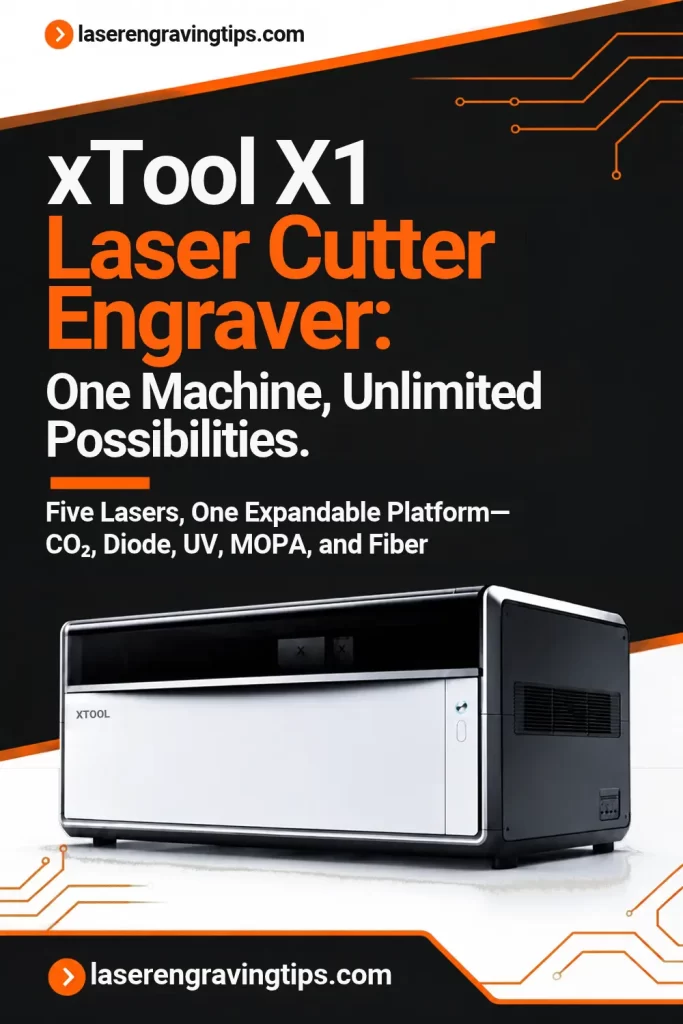
The xTool X1 Laser Cutter Engraver is a next-generation, multi-laser machine designed for makers, professional creators, and small businesses that want to handle a wider range of engraving and cutting projects with one expandable system.
Combining a powerful 55W CO₂ laser, high-speed Galvo technology, and an innovative modular laser platform, the X1 aims to bring several specialized laser machines together in one workspace.
What makes the xTool X1 particularly interesting is its LaserSwap technology. You can start with a CO₂ laser and add other laser sources as your business grows, including diode, UV, fiber, and MOPA options. This gives users the flexibility to work with materials ranging from wood and acrylic to glass, crystal, and metal.
The machine also introduces Hybrid Motion technology, an advanced camera system, automatic height measurement, and software-assisted workflows to make complex projects easier to set up and process.
Table of Contents
In this guide, we’ll explore everything you need to know about the xTool X1, including its features, laser options, capabilities, specifications, accessories, pricing considerations, and who should consider investing in this versatile laser cutter and engraver.
What Is the xTool X1 Laser Cutter Engraver?
The xTool X1 is an expandable laser processing platform that combines large-format CO₂ cutting with high-speed Galvo engraving.
Unlike traditional laser machines that are limited to one laser source, the X1 is designed to support multiple laser technologies through its LaserSwap platform.
Every X1 comes with a 55W CO₂ laser, which is primarily designed for cutting and engraving materials such as wood, acrylic, leather, and paper. Users can also add a 20W Diode Galvo Module for faster, more detailed engraving.
Once the Diode Galvo Module is installed, the platform can be expanded with additional laser sources:
- 5W UV Laser: Designed for fine engraving on glass, crystal, and a wide variety of other materials.
- 30W Fiber Laser: Suitable for metal marking and deep engraving.
- 60W MOPA Laser: Designed for advanced metal processing, including color engraving and embossing.
The idea is to let users expand their capabilities without purchasing a separate machine for every material or application.
Key Features of the xTool X1 Laser Cutter Engraver
1. Hybrid Motion Technology
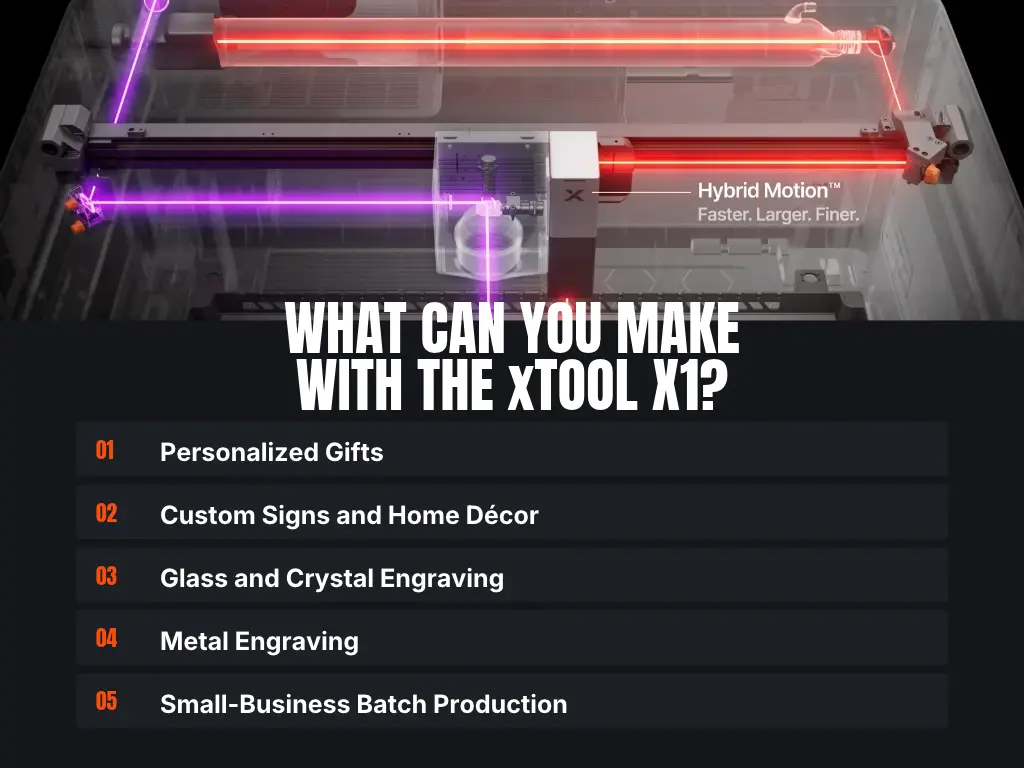
One of the most important features of the xTool X1 is its Hybrid Motion system. This technology combines a moving gantry with Galvo laser movement, allowing the machine to handle both large projects and detailed, high-speed engraving.
Traditional CO₂ laser cutters generally use a gantry system, where the laser head moves across the working area. Galvo machines use fast-moving mirrors to direct the laser beam, making them particularly effective for detailed engraving at high speeds.
The X1 combines these approaches through a synchronized four-axis motion system.
Its maximum Galvo processing speed reaches 6,000 mm/s (236.22 in/s), while the CO₂ laser can process at speeds of up to 600 mm/s (23.62 in/s). The maximum surface working area is approximately 615 × 320 mm (24.2 × 12.6 inches).
This combination makes the X1 suitable for both larger cutting jobs and detailed engraving projects. For small businesses, it can help reduce processing time while providing more flexibility in the types of products they can manufacture.
2. LaserSwap Modular Platform
The LaserSwap platform is arguably the biggest selling point of the xTool X1. Instead of being limited to a single laser technology, the machine can support five different laser options.
Each laser is designed for specific materials and applications, allowing users to select the most suitable source for each project.
The available laser options include:
55W CO₂ Laser
The included CO₂ laser is designed for cutting and engraving non-metallic materials. It is particularly useful for woodworking, acrylic signs, personalized gifts, leather products, and decorative items.
20W Diode Galvo Laser
The optional diode Galvo module provides high-speed engraving with fine detail. It is suitable for applications involving wood, leather, dark acrylic, cardstock, and other compatible materials.
5W UV Laser
The UV laser is designed for ultra-fine engraving, especially on glass and crystal. It uses a shorter wavelength and low-heat processing approach, making it useful for delicate applications such as glass engraving and crystal keepsakes.
30W Fiber Laser
The fiber laser is designed primarily for metal marking and deep engraving. It is a useful option for manufacturers and businesses producing customized metal products, tools, nameplates, and industrial identification items.
60W MOPA Laser
The MOPA laser offers more advanced metal-processing capabilities. It is designed for applications such as color engraving, detailed metal marking, and 3D metal embossing.
The important thing to remember is that the CO₂ laser is included with every X1, but the 20W Diode Galvo Module is required to unlock expansion to the UV, Fiber, and MOPA laser sources.
3. Large Working Area
The xTool X1 offers a maximum surface working area of 615 × 320 mm (24.2 × 12.6 inches).
This provides more room for larger projects and batch production compared with many compact Galvo laser engravers.
A larger workspace is particularly useful for businesses producing:
- Personalized wooden signs
- Acrylic displays and lettering
- Custom home décor
- Promotional products
- Personalized gifts
- Leather accessories
- Large-format engraved designs
The X1 also supports specialized processing areas for applications such as glass inner engraving and metal embossing. These areas vary depending on the installed laser source and the type of processing being performed.
4. High-Speed Engraving
With Galvo processing speeds of up to 6,000 mm/s (236.22 in/s), the xTool X1 is designed to handle detailed engraving jobs quickly.
Galvo technology is particularly useful when producing small graphics, text, logos, patterns, and intricate designs. Instead of moving an entire laser head across the work area, the system uses mirrors to direct the beam.
The X1’s Hybrid Motion system takes this further by combining Galvo movement with gantry positioning. This allows users to work on larger surfaces while benefiting from the speed of Galvo engraving.
For businesses producing customized products in batches, faster processing can help improve productivity and increase daily output. Actual processing times will depend on the material, design, laser settings, and engraving depth.
5. Advanced Camera Positioning and ACS Automation
The xTool X1 features an advanced camera system designed to simplify material positioning and project setup.
Its ACS automation system combines three cameras:
- 8MP overview camera: Provides a wider view of the working area.
- 12MP close-up camera: Helps with precise positioning of smaller designs.
- Ranging camera: Works with the dot laser system to measure material height and surface variations.
These cameras help users position artwork accurately without relying entirely on manual measurements.
The machine also includes an AutoLift Base, which helps adjust the working height to accommodate different material thicknesses.
Other automation features include Variable Batch Fill, EasySet, and AI Matrix Analysis. Together, these tools are designed to simplify repetitive production tasks and make it easier to find suitable settings for different materials.
6. Precision Dot Laser Ranging
Material surfaces are not always perfectly flat. Wood can be warped, acrylic sheets may have slight variations, and thicker objects can create focusing challenges.
The xTool X1 addresses this with a dot laser ranging system that measures surface height variations.
Its ranging camera works with the laser measurement system to create a height map of the material. This helps the machine compensate for uneven surfaces and maintain more consistent processing conditions.
According to xTool, the system can scan the full working area in approximately 34 seconds, with 99.4% of measured points within ±0.5 mm.
This feature can be particularly useful when engraving larger materials where uneven surfaces might otherwise affect focus and engraving consistency.
7. UniCast Frame and Vibration Control
High-speed engraving requires a stable machine structure. Vibration can affect line quality, positioning accuracy, and the overall appearance of detailed designs.
The xTool X1 uses a rigid UniCast frame manufactured using large-scale die-casting technology. It is designed to provide a stable foundation for the machine’s gantry and optical systems.
The machine also incorporates intelligent vibration suppression algorithms to help reduce unwanted movement during processing.
This combination of structural rigidity and motion control is intended to support consistent engraving results, particularly when operating at higher speeds.
8. xTool Studio and Atomm AI
The xTool X1 works with xTool Studio, the company’s design and laser-processing software.
The software allows users to import artwork, prepare designs, adjust processing settings, and control laser operations.
It also integrates with Atomm AI, which provides AI-powered design tools and project inspiration. Atomm AI includes more than 130 generators, over 60,000 projects, and 10,000 exclusive creations.
Some of the available tools include:
- Structure Build
- 3D Model Generator
- Commemorative Coin Generator
- TypeWeave
These features can help users create designs without having to build everything from scratch. They may be especially useful for small businesses that regularly need fresh product ideas and customized artwork.
What Materials Can the xTool X1 Cut and Engrave?
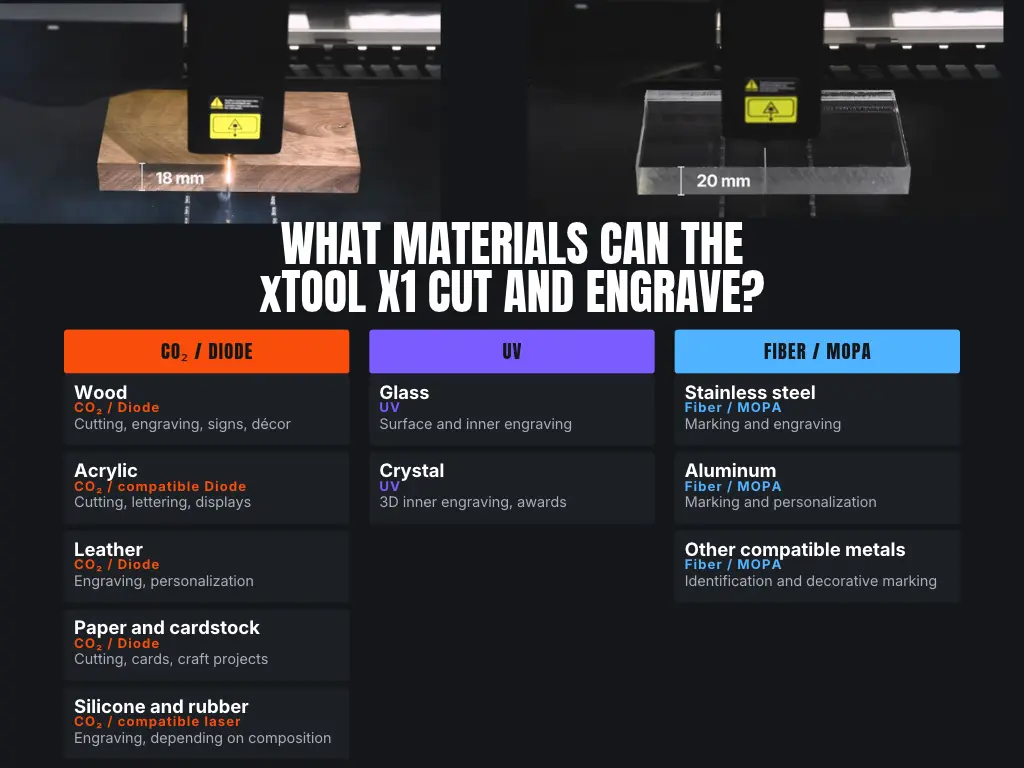
One of the main advantages of the xTool X1 is its ability to work with different materials by selecting the appropriate laser source.
However, not every laser can process every material. The best results depend on the laser wavelength, power, material composition, thickness, and processing settings.
Here’s a general overview:
Material | Suitable Laser | Typical Applications |
|---|---|---|
Wood | CO₂ / Diode | Cutting, engraving, signs, décor |
Acrylic | CO₂ / compatible Diode | Cutting, lettering, displays |
Leather | CO₂ / Diode | Engraving, personalization |
Paper and cardstock | CO₂ / Diode | Cutting, cards, craft projects |
Glass | UV | Surface and inner engraving |
Crystal | UV | 3D inner engraving, awards |
Stainless steel | Fiber / MOPA | Marking and engraving |
Aluminum | Fiber / MOPA | Marking and personalization |
Other compatible metals | Fiber / MOPA | Identification and decorative marking |
Silicone and rubber | CO₂ / compatible laser | Engraving, depending on composition |
Important: Always check material compatibility before processing. Some plastics and rubber compounds can release hazardous fumes when exposed to laser energy. Never laser-cut or engrave PVC, vinyl, or unknown materials. Use appropriate ventilation and filtration, and follow the manufacturer’s material-safety guidance.
What Can You Make With the xTool X1 Laser Cutter Engraver?
The combination of multiple laser sources makes the X1 suitable for a wide range of creative and commercial applications.
Personalized Gifts
The CO₂, diode, and UV laser options open up opportunities for producing personalized gifts. Examples include engraved wooden keepsakes, leather accessories, acrylic gifts, glass awards, and crystal ornaments.
Custom Signs and Home Décor
The 55W CO₂ laser can cut and engrave compatible wood and acrylic materials, making it useful for producing signs, decorative lettering, wall art, and customized home décor.
Glass and Crystal Engraving
With the optional 5W UV laser, users can explore glass and crystal engraving, including inner engraving for personalized awards and commemorative gifts.
Metal Engraving
The Fiber and MOPA options make the X1 suitable for businesses that want to produce customized metal products. Applications include metal tags, nameplates, promotional items, personalized accessories, and decorative metal pieces.
Small-Business Batch Production
The large working area, camera positioning, and high-speed Galvo system can help businesses process multiple items in a single workflow.
For example, a business could produce batches of personalized wooden products using the CO₂ laser, then expand into glass or metal products by adding the appropriate laser source.
xTool X1 Laser Cutter Engraver Technical Specifications
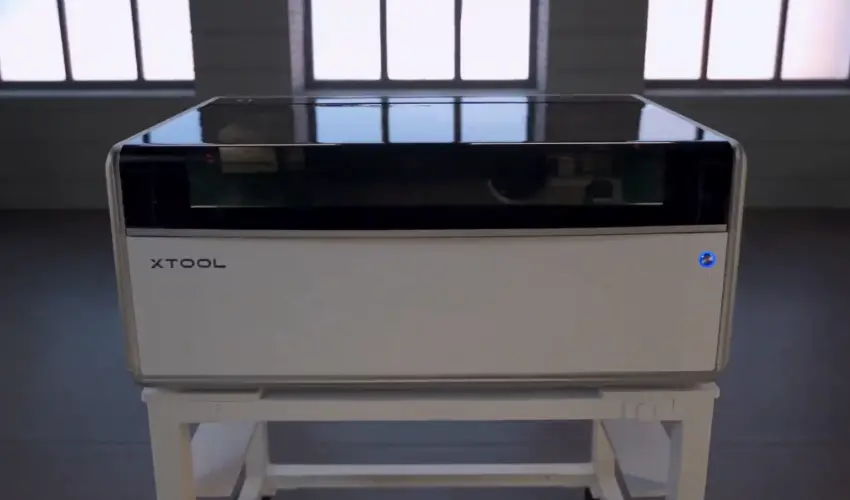
The following table summarizes the main specifications and capabilities of the xTool X1 platform.
Specification | Details |
|---|---|
Machine type | Modular laser cutter and engraver |
Included laser | 55W CO₂ |
Optional laser sources | 20W Diode Galvo, 5W UV, 30W Fiber, 60W MOPA |
Maximum Galvo speed | 6,000 mm/s (236.22 in/s) |
Maximum CO₂ processing speed | 600 mm/s (23.62 in/s) |
Maximum surface working area | 615 × 320 mm (24.2 × 12.6″) |
Inner engraving workspace | Specialized area for glass and crystal |
Metal embossing workspace | Up to 415 × 225 mm (16.34 × 8.86″) |
Camera system | Triple-camera ACS |
Height measurement | Dot laser ranging |
Frame | UniCast structure |
Maximum rotary diameter | 110 mm (4.33″) |
Maximum processing height | 150 mm (5.91″) (CO₂); 140 mm (5.51″) (other laser sources) |
Machine dimensions | 1,000 × 580 × 420 mm 39.37 × 22.83 × 16.54″ |
Machine weight | Approximately 60 kg Approximately 132.28 lbs |
Input voltage | 100–240V AC, 50/60Hz |
Software | xTool Studio |
Specifications and working areas can vary depending on the laser module and processing method. Check the official xTool specifications for the exact configuration you plan to purchase.
xTool X1 Accessories
The xTool X1 supports several accessories designed to expand its capabilities and make production more convenient.
Intelligent Conveyor Feeder
The Intelligent Conveyor Feeder allows users to process longer materials than the standard working area can accommodate.
It is designed for continuous production of items such as long signs, decorative panels, and other extended projects. It can handle materials up to 118 inches long.
RA3 Rotary Attachment
A rotary attachment makes it possible to engrave compatible cylindrical and curved objects. This can be useful for customizing tumblers, bottles, and other round products.
Check the compatibility and required setup for the specific rotary attachment before purchasing.
AutoLift Base
The AutoLift Base helps adjust the working height to accommodate different material thicknesses. It also works with the machine’s positioning and automation features to simplify setup.
Honeycomb Panel and Workplate
The honeycomb panel and workplate provide support for different cutting and engraving applications. Choosing the correct work surface can help improve airflow, reduce unwanted marks, and support the material during processing.
Fire Safety Set 2
Laser processing involves heat and potential fire hazards. The Fire Safety Set 2 is designed to provide additional fire monitoring and suppression support.
It should be treated as an additional safety measure rather than a replacement for supervision, proper ventilation, and safe operating procedures.
SafetyPro AP2 Air Purifier
The SafetyPro AP2 is an optional air filtration system designed to help manage smoke and particles produced during laser processing.
Proper extraction and filtration are important, particularly when working with materials that generate smoke, odors, or fine particles.
xTool X1 Safety Features
Safety is an important consideration when choosing a powerful laser cutter and engraver.
The xTool X1 includes multiple sensors designed to monitor operating conditions such as flame activity, temperature, water cooling, enclosure access, and optical components.
Its safety system is intended to help identify potential problems during operation. The optional Fire Safety Set 2 adds further fire detection and suppression capabilities.
However, automated safety features do not eliminate the risks associated with laser processing.
Always follow these precautions:
- Never leave the machine running unattended.
- Use suitable ventilation and air filtration.
- Check material safety before engraving or cutting.
- Keep the working area clear of combustible materials.
- Follow the manufacturer’s instructions for laser alignment and maintenance.
- Use the required protective measures for the installed laser source.
- Keep suitable fire safety equipment nearby.
Laser classification note: xTool specifies that certain configurations have additional safety requirements. When the 5W UV Galvo source is installed, Class 3B laser radiation can be accessible during optical alignment. When used with the Intelligent Conveyor Feeder, the X1 operates as a Class 4 laser device. These configurations are intended for trained professionals and require the specified protective measures.
Is the xTool X1 Worth Buying?
The xTool X1 is an interesting option for users who want more than a conventional desktop laser cutter. Its combination of CO₂ cutting, Galvo engraving, and expandable laser technology makes it suitable for a broad range of applications.
The biggest advantage is its modular design. Rather than purchasing separate machines for wood, acrylic, glass, and metal projects, users can expand the X1 with additional laser sources as their needs change.
The Hybrid Motion system is another major benefit, combining a large working area with high-speed Galvo engraving. Features such as camera positioning, dot laser ranging, and automated material handling can also help simplify repetitive work.
However, the X1 is a substantial investment. Its price, size, weight, and advanced features make it more suitable for established makers and businesses than casual hobbyists who only need occasional engraving.
Who Should Buy the xTool X1?
The xTool X1 may be a good choice for:
- Small businesses producing customized gifts and promotional products.
- Makers who regularly work with wood, acrylic, leather, and other materials.
- Businesses looking to expand into glass and crystal engraving.
- Metalworking businesses that need laser marking and engraving capabilities.
- Professional creators who want a modular laser platform.
- Users who need both large-format cutting and fast, detailed engraving.
If you only need a basic machine for occasional wood or acrylic projects, a less expensive laser engraver may be more practical.
Final Thoughts
The xTool X1 Laser Cutter Engraver represents a move toward more flexible, expandable laser processing. Its 55W CO₂ laser provides the foundation for cutting and engraving, while the optional Diode Galvo, UV, Fiber, and MOPA laser sources open up additional applications.
Hybrid Motion technology, the large working area, triple-camera positioning, dot laser ranging, and software-assisted automation make it an appealing platform for makers and small businesses looking to increase productivity.
Its biggest strength is the ability to expand without replacing the entire machine. You can start with the capabilities you need today and add specialized laser technology as your projects and business grow.
Although the X1 is not an inexpensive entry-level engraver, it could be a worthwhile investment for serious creators who need a versatile machine capable of handling a wide range of materials and production requirements.
Frequently Asked Questions
What laser comes standard with the xTool X1?
Every xTool X1 comes with a 55W CO₂ laser. This laser is designed primarily for cutting and engraving materials such as wood, acrylic, leather, and paper.
Can the xTool X1 engrave metal?
Yes. The X1 can be expanded with an optional 30W Fiber or 60W MOPA laser source for metal marking and engraving. The MOPA option is particularly suited to more advanced metal applications, including color engraving.
Can the xTool X1 engrave glass?
Yes. The optional 5W UV laser is designed for glass and crystal engraving, including inner engraving applications.
What is the maximum working area of the xTool X1?
The maximum surface working area is approximately 615 × 320 mm (24.2 × 12.6 inches). Specialized applications, including inner glass engraving and metal embossing, have different processing areas.
How fast is the xTool X1?
The X1’s maximum Galvo processing speed is 6,000 mm/s. Its CO₂ processing speed reaches up to 600 mm/s. Actual speeds depend on the material, laser source, design, and selected settings.
Can I upgrade the xTool X1 later?
Yes. The LaserSwap platform is designed to let users expand their machine with additional laser sources. However, the 20W Diode Galvo Module is required before adding the optional UV, Fiber, or MOPA laser sources.
Is the xTool X1 suitable for beginners?
The X1 offers automation and software features that can make laser processing easier, but its price and advanced capabilities make it a substantial investment. Beginners with a serious business plan may appreciate its expandability, while casual hobbyists may be better served by a simpler and less expensive machine.
What software does the xTool X1 use?
The X1 works with xTool Studio for preparing designs and controlling laser operations. It also integrates with Atomm AI, which offers AI-assisted design tools and project inspiration.
Is the xTool X1 suitable for business use?
Yes. Its large working area, high-speed Galvo engraving, multiple laser options, and batch-production features make it suitable for businesses producing personalized gifts, signs, promotional products, glass awards, and customized metal items.
Related Posts: