
Choosing between a CNC router and a laser cutter is one of the most common questions makers, small business owners, and workshops face.
Both machines are powerful digital fabrication tools, but they serve different purposes.
Table of Contents
In this guide, we’ll break down the key differences, advantages, disadvantages, costs, materials, and ideal use cases so you can confidently decide which machine is better for your needs.
What Are CNC Routers?
A CNC router is a computer-controlled cutting machine that uses rotating cutting bits to carve, drill, and shape materials. It removes material through physical contact, making it ideal for deep cuts and thick materials.
Common CNC Router Uses
- Furniture and cabinetry
- Sign making and 3D relief carving
- Aluminum and metal machining
- Foam molds and prototypes
- Wood joinery and panels
What Are Laser Cutters?
A laser cutter uses a high-powered laser beam to cut or engrave materials with extreme precision. It removes material using heat rather than physical force, allowing for detailed designs and smooth edges.
Common Laser Cutter Uses
- Engraving logos and artwork
- Cutting acrylic and thin wood
- Custom gifts and personalization
- Jewelry and leather goods
- Fine-detail signage
CNC Router vs Laser Cutter – What’s the Difference?
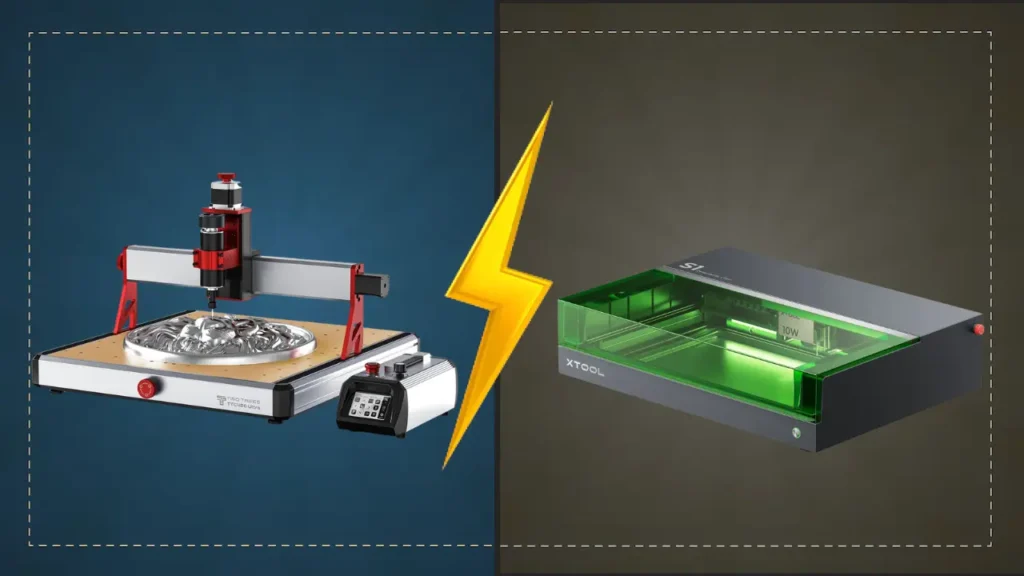
We talked about the similarities between the two technologies and how they operate, but how exactly do they differ?
Feature | CNC Router | Laser Cutter |
|---|---|---|
Cutting Method | Spinning cutting bit | Focused laser beam |
Material Contact | Physical contact | No contact |
Cut Depth | Very deep cuts | Limited by laser power |
Precision | High | Extremely high |
Edge Finish | May need sanding/flame polishing | Clean, polished edges |
Noise Level | Loud | Quiet |
Dust & Debris | Chips and dust | Smoke and fumes |
Materials Comparison
CNC Router Materials
- Wood (hardwood, plywood, MDF)
- Aluminum and soft metals
- Foam and composites
- Plastics
- Acrylic (requires finishing)
Laser Cutter Materials
- Wood and plywood
- Acrylic (excellent results)
- Leather and fabric
- Rubber
- Glass (engraving)
- Coated and anodized metals (engraving only)
Winner: CNC routers handle thick and structural materials, while laser cutters excel at thin, detailed materials
Precision and Detail
- Laser cutters are unmatched when it comes to fine detail, small text, intricate patterns, and photo engraving.
- CNC routers are better for 3D carving and structural cuts but struggle with ultra-fine details.
Winner: Laser cutter
Speed and Workflow
- CNC routers remove more material per pass but often require tool changes and post-processing.
- Laser cutters can engrave and cut complex designs in a single setup with minimal cleanup.
Winner: Laser cutter for engraving, CNC router for heavy cutting
Safety and Maintenance
CNC Router
- Requires hearing protection
- Risk of tool breakage
- Regular bit replacement
- Produces dust and chips
Laser Cutter
- Requires eye safety and ventilation
- Fire risk if unattended
- Minimal mechanical wear
- Requires smoke extraction
Winner: Laser cutter (less mechanical maintenance)
Cost Comparison
Machine Type | Entry-Level Cost | Professional Cost |
|---|---|---|
CNC Router | $300 – $2,500 | $5,000+ |
Laser Cutter | $300 – $2,500 | $5,000+ |
Operating costs for CNC routers include bits and dust collection, while laser cutters may require lens cleaning, filters, and tubes (CO₂).
CNC Router vs Laser Cutter: Which One Is Better for Small Businesses?
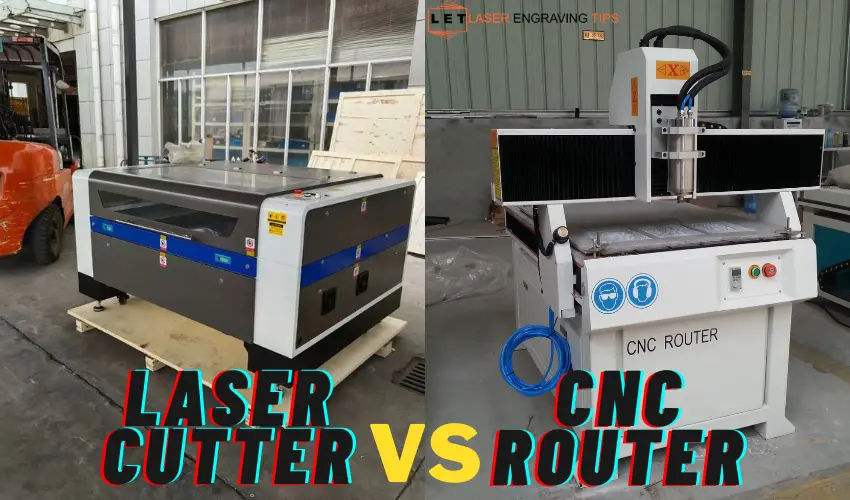
Choose a CNC Router if you:
- Build furniture or cabinetry
- Need deep cuts in thick wood or aluminum
- Want 3D carving and shaping
Choose a Laser Cutter if you:
- Sell personalized products
- Work with acrylic, leather, or thin wood
- Need high-speed engraving and fine detail
- Want minimal cleanup and fast setup
Can You Own Both?
Many professional workshops use both CNC routers and laser cutters together. The CNC handles structural work, while the laser handles detailing, engraving, and finishing. If budget allows, this combination offers maximum flexibility.
CNC Router vs Laser Cutter: Decision Flowchart
Use this step-by-step flow to quickly determine which machine fits your needs best.
Start Here ⬇️
1️⃣ Do you mainly want to engrave, personalize, or cut thin materials (wood, acrylic, leather, fabric)?
- Yes → Choose a Laser Cutter
- No → Go to Question 2
2️⃣ Do you need to cut thick wood, MDF, or create 3D carvings and deep pockets?
- Yes → Choose a CNC Router
- No → Go to Question 3
3️⃣ Do you want high-detail designs, photos, or fine line engraving?
- Yes → Laser Cutter
- No → Go to Question 4
4️⃣ Do you need to machine aluminum, foam, or structural parts?
- Yes → CNC Router
- No → Go to Question 5
5️⃣ Is fast setup, clean workflow, and low learning curve important?
- Yes → Laser Cutter
- No → CNC Router
6️⃣ Do you plan to run a small business with personalized products?
- Yes → Laser Cutter
- Furniture, cabinetry, or woodworking → CNC Router
CNC Router vs Laser Cutter: Beginner Machine Recommendations
Best Beginner Laser Cutters
xTool S1 (10W–40W Diode Laser)

Best for: Beginners, home businesses, personalization
Why it’s great:
- Enclosed design for safety
- Easy setup and software (xTool Creative Space + LightBurn support)
- Works on wood, leather, acrylic (black), glass, coated metals
Ideal projects:
Signs, coasters, leather goods, gifts, branding
xTool P2S (55W CO₂ Laser)
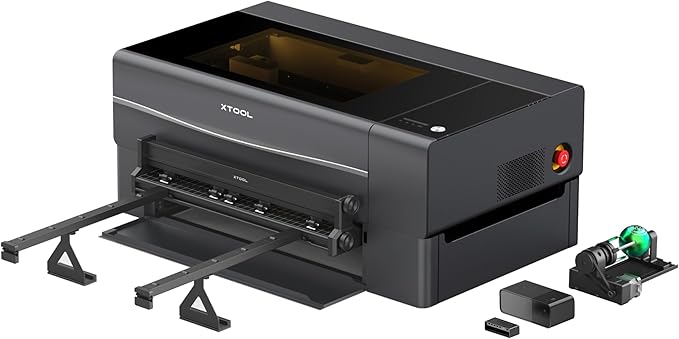
Best for: Beginners who want professional power
Why it’s great:
- Cuts thick acrylic and wood in one pass
- Large working area with passthrough
- Dual cameras + autofocus
Ideal projects:
Acrylic signage, glass engraving, batch production
Best Beginner CNC Routers
LUNYEE 3018 PRO MAX
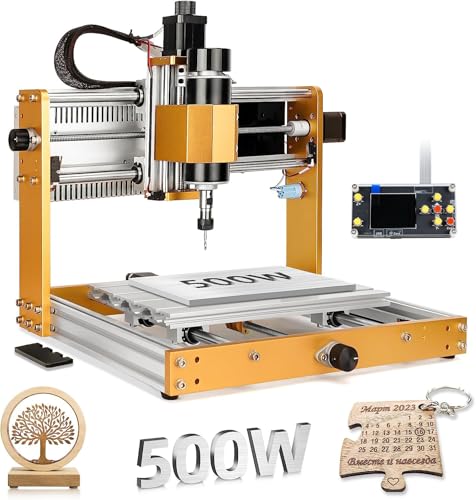
Best for: Entry-level CNC learning
Why it’s great:
- Affordable and compact
- Easy to understand CNC fundamentals
- Good for soft wood, plastics, PCB engraving
Ideal projects:
Small signs, nameplates, learning CAM software
OUYANG TTC 450 Ultra
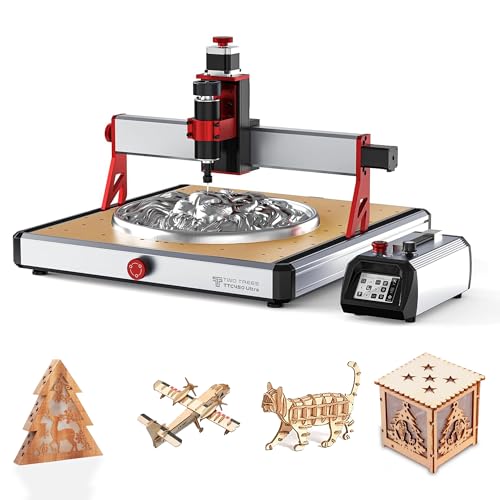
Best for: Serious hobbyists and small shops
Why it’s great:
- Rigid frame and strong support community
- Cuts hardwood and aluminum
- Expandable and upgrade-friendly
Ideal projects:
Furniture parts, 3D carvings, woodworking
Quick Recommendation Summary
Your Goal | Best Choice |
|---|---|
Gifts & personalization | Laser Cutter |
Furniture & deep carving | CNC Router |
Home business startup | Laser Cutter |
Thick hardwood & aluminum | CNC Router |
Low noise & clean workflow | Laser Cutter |
All Things Considered
Both CNC routers and laser cutters have their own unique advantages and are suited for different types of projects. If you require versatility and the ability to work with thicker materials, a CNC router might be the better option. On the other hand, if precision, speed, and working with delicate materials are your priorities, a laser cutter could be the ideal choice.
Ultimately, the decision comes down to the specific requirements of your projects and your budget. By understanding the strengths and limitations of each tool, you can make an informed choice that will best meet your needs.
Frequently Asked Questions
Is a CNC router better than a laser cutter for wood?
It depends on thickness and detail.
A CNC router is better for thick wood, structural cuts, and 3D carving, such as furniture parts or signs with depth. A laser cutter is better for thin wood, plywood, and fine details, producing clean edges and intricate designs without sanding.
Can a laser cutter replace a CNC router?
No, not completely.
Laser cutters cannot handle deep cuts, thick hardwood, or heavy machining like a CNC router can. However, for engraving, cutting thin materials, and high-detail work, a laser cutter can replace many light-duty CNC tasks.
Which machine is better for small businesses?
Laser cutters are usually better for small businesses.
They are faster to set up, require less cleanup, and excel at personalized products like gifts, signs, leather goods, and acrylic items. CNC routers are better suited for businesses focused on woodworking, cabinetry, or furniture production.
What materials can a CNC router cut that a laser cutter cannot?
A CNC router can cut:
Thick hardwood and plywood
Aluminum and soft metals
Foam and composites
MDF and construction materials
Laser cutters struggle or cannot cut thick materials or raw metals, especially without industrial-grade power.
Which is safer and easier to maintain: CNC router or laser cutter?
Laser cutters are generally easier to maintain.
They have fewer moving parts and no cutting bits to replace. CNC routers are louder, produce more debris, and require regular bit changes. However, laser cutters require proper ventilation and fire awareness, while CNC routers require dust management and hearing protection.