
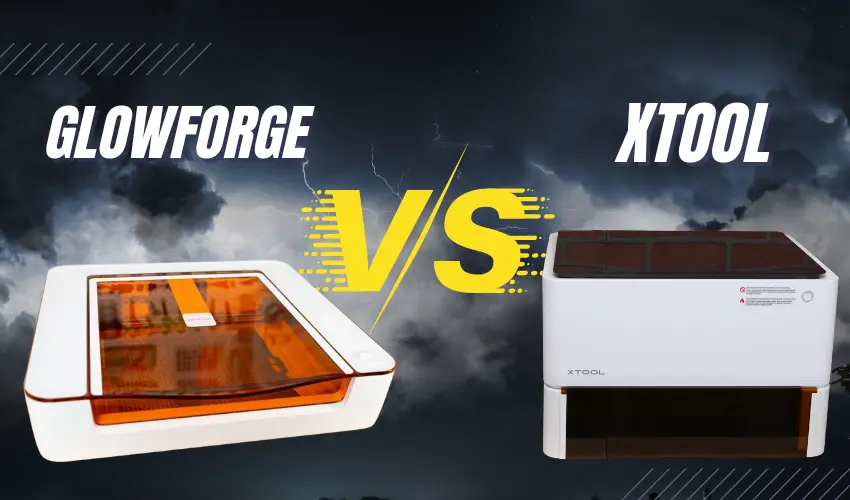
If you’re shopping for a laser cutter & engraver, one of the biggest comparisons is Glowforge vs xTool. Both brands offer laser systems designed for makers, small businesses, and educators — but they differ in performance, features, pricing, and flexibility.
Table of Contents
In this complete guide, we’ll compare Glowforge vs xTool side-by-side to help you decide which laser cutter is better for your needs.
Glowforge vs xTool Brand Overview
Glowforge
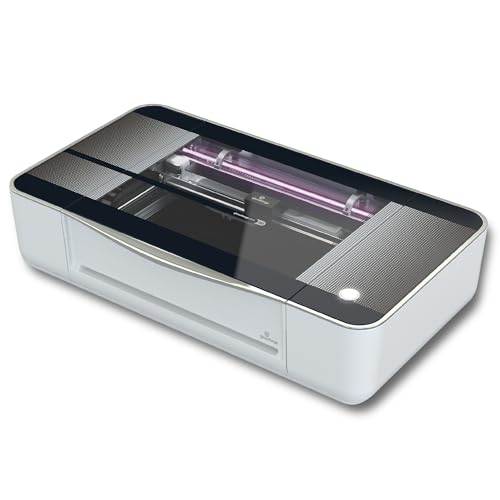
Glowforge is a US-based company known for sleek, fully enclosed CO₂ and Diode laser cutters that operate primarily through cloud-based software. Their machines are popular with Etsy sellers, teachers, and creative entrepreneurs.
Popular model:
- Glowforge Pro
xTool
xTool is a brand owned by Makeblock, a technology company founded in Shenzhen, China. xTool operates globally with operations in the United States, including a U.S. office and warehouse facilities (commonly based in California). They provide U.S.-based customer support, local shipping, and service for American customers.
xTool offers a wider range of laser technologies (diode, CO₂, fiber, and hybrid systems). Their CO₂ and Diode desktop machines compete directly with Glowforge but often provide more advanced hardware features.
Popular model:
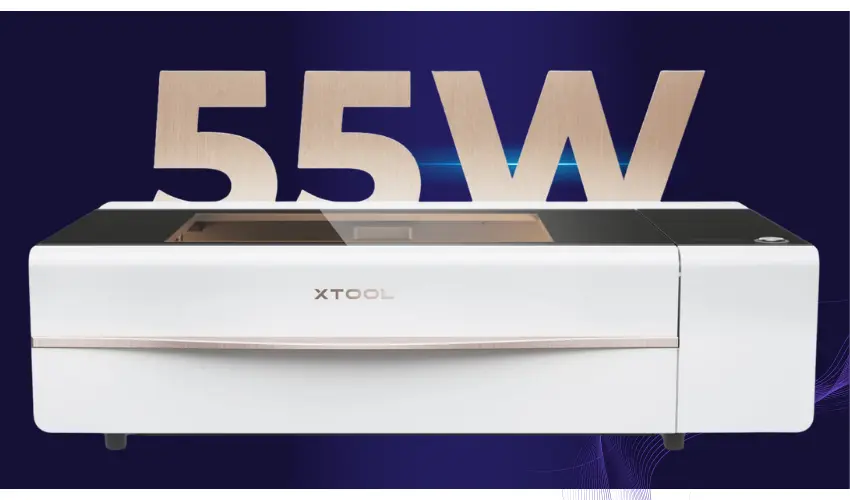
- xTool P2S
Check Amazon Price Below
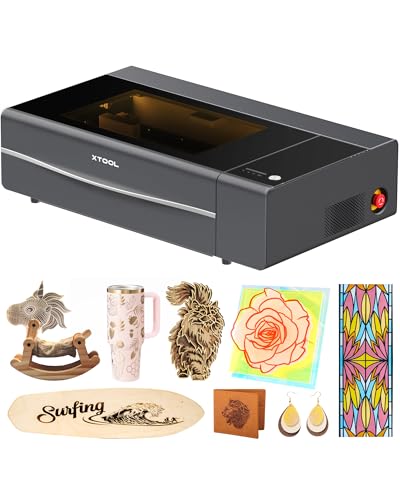
Glowforge Pro vs xTool P2S: Which CO₂ Laser Cutter Is Better?
Feature | Glowforge Pro | xTool P2S |
|---|---|---|
Laser Power | 45W CO₂ | 55W CO₂ |
Max Engraving Speed | ~1,000 mm/s | ~600 mm/s |
Workspace | 20″ × 12″ | 23.6″ × 12.1″ |
Passthrough | Yes | Yes |
Camera System | Single top camera | Dual 16MP cameras |
Autofocus | Yes | Yes |
Software | Cloud-based only | Local + LightBurn compatible |
Internet Required | Yes | No |
Rotary Attachment | Not officially supported | RA2 Pro and RA3 supported |
Metal Engraving | With coating | With coating |
Price Range | Premium | Mid-to-Premium |
Laser Power & Cutting Performance
The xTool P2S offers 55W, compared to Glowforge Pro’s 45W. That extra power translates to:
- Faster cutting on thick wood
- Better performance on acrylic
- Cleaner single-pass cuts
Glowforge still delivers strong performance for standard crafting materials, but xTool holds the advantage in raw cutting strength
Software & Workflow
This is one of the biggest differences.
Glowforge:
- Fully cloud-based
- Requires constant internet connection
- Easy-to-use browser interface
- Optional paid premium features
xTool:
- Uses xTool Creative Space (local software)
- Compatible with LightBurn
- No internet required
- Greater control over advanced settings
If you prefer independence from cloud systems, xTool offers more flexibility
Camera & Precision
Glowforge uses a wide-angle camera for material placement preview.
The xTool P2S includes dual high-resolution cameras for more accurate positioning and detailed previews.
For alignment precision and small business production workflows, xTool has a slight technical edge.
Glowforge vs xTool Material Compatibility
Both machines can cut and engrave:
- Wood
- Acrylic (non-PVC)
- Leather
- Paper
- MDF
Neither machine engraves bare metal without marking spray.
For true metal engraving, you’d need a fiber laser from xTool’s F-series lineup — something Glowforge does not offer.
Expandability & Accessories
xTool supports:
- Rotary attachments (RA2 Pro + RA3)
- Riser base for taller objects
- Dedicated air purifier
- Conveyor feeder
Glowforge supports passthrough materials but does not officially support rotary engraving
For tumblers, bottles, and cylindrical engraving, xTool is the better option
Glowforge vs xTool Ease of Use
Glowforge is often praised for:
- Beginner-friendly setup
- Minimal technical adjustments
- Clean industrial design
xTool offers:
- Smart autofocus
- Built-in air assist
- Local control
- More manual tuning options
If you want plug-and-play simplicity → Glowforge
If you want more control and power → xTool
Glowforge vs xTool Price Comparison
Glowforge Pro typically sits at a higher price point, especially when factoring in:
- Premium subscription costs
- Replacement parts
xTool P2S generally offers:
- Higher wattage
- No required subscription
- More included features
For value per watt, xTool often wins
Pros & Cons Summary
Glowforge Pros
- Extremely beginner-friendly
- Strong brand recognition
- Clean user interface
- Reliable for crafting businesses
Glowforge Cons
- Internet required
- No rotary support
- Lower wattage
- Premium software fees
xTool Pros
- Higher laser power
- LightBurn compatibility
- Rotary engraving support
- No cloud dependency
- More expandability
xTool Cons
- Slightly more technical learning curve
- Interface less polished than Glowforge
Glowforge Aura vs xTool S1: Which Enclosed Diode Laser Is Better?
If you’re deciding between the Glowforge Aura and the xTool S1, you’re likely looking for a safe, enclosed laser cutter for home crafting or a small business. While both machines use diode laser technology, they differ significantly in power, expandability, and long-term capability.
Here’s a detailed comparison to help you choose the right one.
Product Overview
Glowforge Aura

A compact, beginner-focused diode laser from Glowforge designed for home crafters who want simple, cloud-based operation.
xTool S1
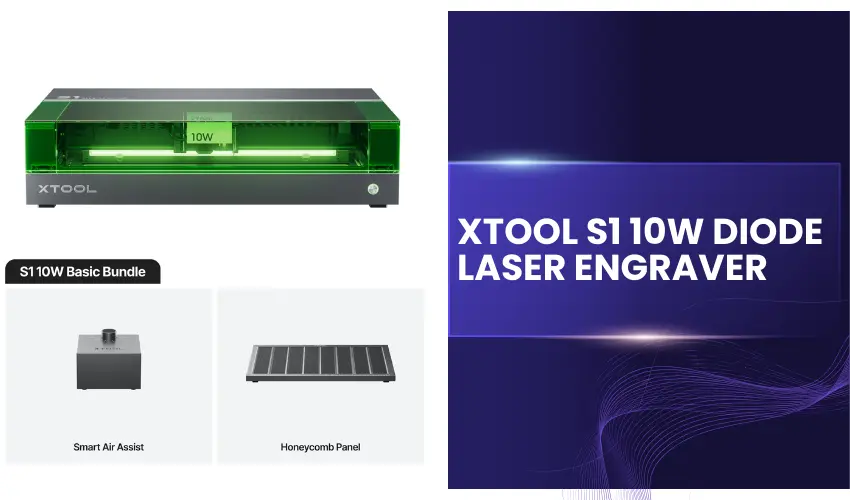
Check Amazon Price Below

A fully enclosed, higher-powered diode laser from xTool built for makers and small businesses who want more power and expandability.
Glowforge Aura vs xTool S1
Feature | Glowforge Aura | xTool S1 |
|---|---|---|
Laser Type | Diode | Diode |
Laser Power | ~6W | 10W / 20W / 40W options |
Enclosure | Fully enclosed | Fully enclosed |
Max Cutting Thickness | Thin craft materials | Thicker wood & acrylic (varies by wattage) |
Software | Cloud-based only | Local software (offline capable) |
Internet Required | Yes | No |
Rotary Attachment | Not supported | Supported |
Expandability | Limited | Modular & upgradeable |
Target User | Hobbyists & beginners | Makers & small businesses |
Power & Cutting Capability
This is the biggest difference.
The xTool S1 offers significantly higher wattage options (up to 40W diode), compared to the 6W diode in the Glowforge Aura.
Higher wattage means:
- Faster cutting speeds
- Ability to cut thicker wood
- Improved performance on acrylic
- Cleaner single-pass cuts
If you plan to sell products or cut thicker materials, the xTool S1 has a major advantage
Software & Workflow
Glowforge Aura:
- Runs entirely in a web browser
- Requires constant internet connection
- Beginner-friendly interface
- Optional paid premium subscription
xTool S1:
- Uses xTool Creative Space (installed locally)
- Works offline
- More advanced control options
- LightBurn compatibility
If you want more design flexibility and no cloud dependency, xTool offers greater control
Expandability & Accessories
The xTool S1 supports:
- Rotary engraving attachments
- Riser base for taller objects
- Optional air purifier
- Interchangeable laser modules
Glowforge Aura does not officially support rotary engraving and offers limited hardware expansion
For engraving tumblers or cylindrical objects, the xTool S1 is the better choice
Safety & Enclosure
Both machines are fully enclosed and suitable for home use. However:
- Both still require proper ventilation or a filtration system
- The S1 includes advanced safety sensors and flame detection features
For higher-powered diode systems, airflow and ventilation become even more important
Material Compatibility
Both machines can engrave:
- Wood
- Leather
- Paper
- Fabric
- Acrylic (non-PVC)
Neither can engrave bare metal without marking spray
With higher wattage, the S1 handles thicker materials more efficiently
Pros & Cons
Glowforge Aura Pros
- Extremely beginner-friendly
- Sleek design
- Cloud simplicity
- Great for light craft work
Glowforge Aura Cons
- Lower power
- Internet required
- Limited expandability
- No rotary support
xTool S1 Pros
- Much higher power options
- Expandable system
- Offline use
- Rotary support
- Better for business scaling
xTool S1 Cons
- Slightly more technical setup
- Larger footprint
Choose Glowforge Aura if:
- You want the simplest crafting experience
- You mainly cut thin materials
- You prefer browser-based operation
Choose xTool S1 if:
- You want significantly more power
- You plan to grow a small business
- You want rotary engraving
- You prefer offline software control
For serious makers and sellers, the xTool S1 offers more performance, flexibility, and long-term value.
Glowforge vs xTool: Buyer Decision Checklist
Use this quick checklist to determine which brand fits your needs best.
1. What’s Your Experience Level?
- ☐ I’m a complete beginner and want the simplest setup possible
- ☐ I’m comfortable learning software and adjusting settings
If you prefer ultra-simple, browser-based design → Glowforge
If you want more control and customization → xTool
2. Do You Want Offline Capability?
- ☐ I’m okay with cloud-based software and constant internet
- ☐ I want to run my machine without internet access
Glowforge requires internet.
Many xTool machines allow local/offline operation.
3. Do You Need More Power for Thicker Materials?
- ☐ I mainly cut thin craft materials (wood sheets, leather, paper)
- ☐ I want to cut thicker wood and acrylic efficiently
Higher wattage options from xTool typically provide better performance for thicker materials and faster production speeds.
4. Do You Plan to Engrave Tumblers or Cylindrical Objects?
- ☐ No, I only engrave flat materials
- ☐ Yes, I want to engrave bottles, tumblers, or rings
xTool supports rotary attachments.
Glowforge does not officially support rotary engraving.
5. Are You Starting a Small Business?
- ☐ Hobby use only
- ☐ I plan to sell products regularly
- ☐ I want room to scale
For hobby crafting, Glowforge is very user-friendly.
For scaling production, expandability, and hardware upgrades, xTool typically offers more flexibility.
6. Do You Want Access to Multiple Laser Technologies?
- ☐ I only need a CO₂ or Diode craft laser
- ☐ I may want diode, fiber, UV, MOPA, or dual laser engraving options in the future
xTool offers diode, CO₂, hybrid, UV and fiber laser systems.
Glowforge focuses on CO₂ and diode craft lasers.
Quick Decision Summary
Choose Glowforge if:
- You want the easiest possible experience
- You prefer cloud-based simplicity
- You focus on light craft projects
Choose xTool if:
- You want higher power options
- You need rotary engraving
- You prefer offline control
- You plan to scale your business
- You want long-term expandability
Frequently Asked Questions
Is Glowforge better than xTool?
It depends on your needs. Glowforge is known for its beginner-friendly, cloud-based experience and sleek enclosed design. xTool offers more hardware variety, higher wattage options, rotary support, and offline software control.
If you want simplicity → Glowforge.
If you want power and flexibility → xTool.
Which has more laser power: Glowforge or xTool?
Most comparable xTool models offer higher wattage than Glowforge machines. For example, the Glowforge Pro has 45W, while the xTool P2S provides 55W. Higher wattage typically means faster cutting and better performance on thicker materials.
Do both Glowforge and xTool machines require internet access?
Glowforge machines require an active internet connection because they run entirely through cloud-based software. Many xTool machines can operate offline using locally installed software, which offers more independence and flexibility.
Can Glowforge and xTool engrave metal?
Neither standard CO₂ machine can engrave bare metal directly. Both brands can mark coated metal or use marking spray. For true metal engraving, xTool offers fiber laser models, while Glowforge does not currently provide a fiber laser option.
Which is better for small businesses Glowforge or xTool?
For light craft businesses and simple workflows, Glowforge works well. For scaling production, rotary engraving (tumblers), higher power cutting, and long-term expandability, xTool generally offers more versatility and upgrade potential.