
A camera kit might look like a small upgrade, but it can completely change how you use your laser engraver. Instead of guessing placement or running test frames over and over, you can see exactly where your design will land before you hit start.
If you want faster setup, better accuracy, and less wasted material, a laser engraver camera kit is worth understanding.
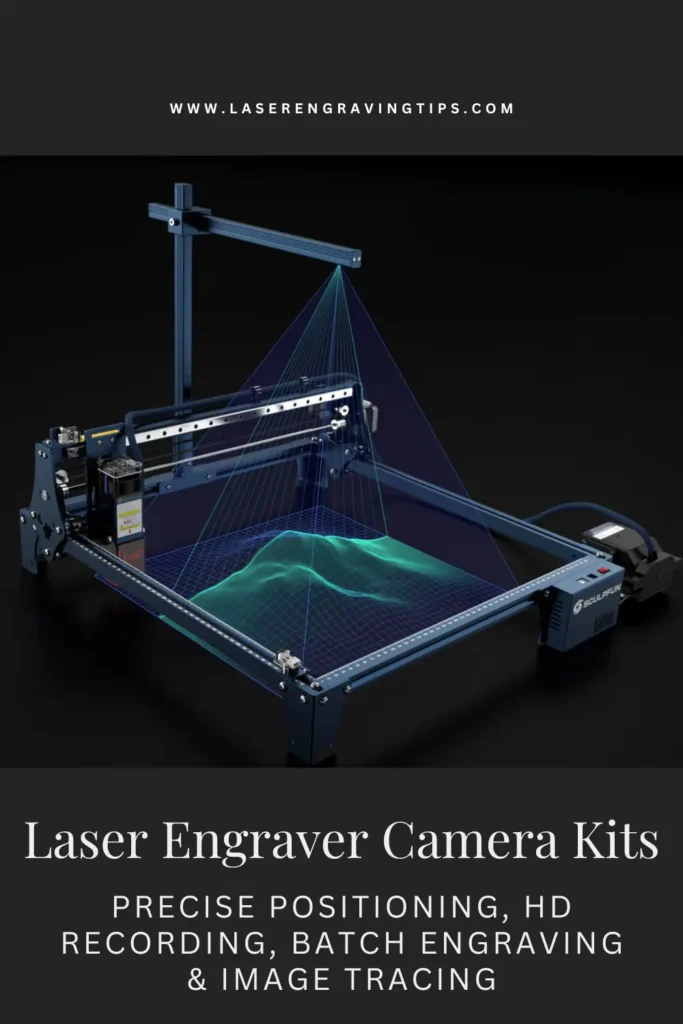
Table of Contents
In this guide, we’ll break down what laser engraver camera kits do, why they matter, how they work with LightBurn, and the best options available today.
What is a Laser Engraver Camera Kit?
A laser engraver camera kit is a top-mounted camera system that integrates with laser software (most commonly LightBurn) to give you a real-time view of your laser bed. Instead of guessing placement or using jigs for everything, you can:
- See your material directly inside the software
- Drag and drop designs exactly where you want them
- Preview engravings before firing the laser
- Align multiple objects for batch engraving
Think of it as adding “eyes” to your laser engraver.

Why Camera Kits Matter for Laser Engraving
Without a camera, laser engraving relies heavily on:
- Manual measurements
- Physical jigs
- Trial-and-error test burns
A camera kit dramatically reduces mistakes and setup time.
Key Benefits
- Precise positioning (often under 1mm accuracy)
- Faster setup for single and batch jobs
- Less wasted material
- Better workflow for odd-shaped or pre-made items
- Visual previews before engraving or cutting
For production work, camera kits aren’t just convenient—they’re a profit-saving tool.
Types of Laser Engraver Camera Kits
Not all camera kits work the same way. The right type depends on your machine, budget, and how precise you need your setup to be.
Here are the main types you’ll come across:
1. Built-In Camera Systems
These come pre-installed in certain laser engravers.
How they work:
The camera is already mounted and calibrated by the manufacturer, often integrated with the machine’s software.
Best for:
- Beginners
- Plug-and-play users
- Minimal setup workflows
Pros:
- No installation required
- Pre-calibrated and accurate
- Seamless software integration
Cons:
- Limited to specific machines
- Less flexibility for upgrades
2. External LightBurn Camera Kits
These are add-on cameras designed to work with software like LightBurn.
How they work:
Mounted above the laser bed, they provide a live top-down view for positioning and alignment.
Best for:
- Most hobbyists and small businesses
- Batch engraving
- General-purpose use
Pros:
- Widely compatible
- Improves workflow and accuracy
- Supports features like tracing and batch layout
Cons:
- Requires calibration
- Setup takes some time
3. Global Shutter Cameras
A more advanced option for higher precision.
How they work:
They capture the entire image at once (instead of scanning line by line), reducing distortion.
Best for:
- Precision engraving
- Professional workflows
- High-accuracy alignment
Pros:
- Minimal distortion
- More accurate positioning
- Better performance in dynamic setups
Cons:
- More expensive
- Usually requires DIY mounting
4. Wide-Angle (Fisheye) Cameras
These cameras use a wide lens to capture the entire workspace.
How they work:
A single camera covers a large area, often mounted higher above the bed.
Best for:
- Large work areas
- General positioning
Pros:
- Covers entire bed
- Fewer mounting constraints
Cons:
- Image distortion (needs calibration)
- Slightly less accurate at edges
5. Low-Distortion Lens Cameras
Designed to reduce the warping effect of wide-angle lenses.
How they work:
They use a more controlled field of view to maintain better geometry.
Best for:
- Accurate placement
- Smaller work areas
Pros:
- Better alignment accuracy
- Less calibration error
Cons:
- Smaller coverage area
- Needs precise mounting position
6. DIY USB Camera Modules
Basic camera boards used for custom setups.
How they work:
Connected via USB and mounted manually, often used with LightBurn.
Best for:
- Budget setups
- Custom rigs
- Tinkerers
Pros:
- Affordable
- Flexible mounting
- Wide compatibility
Cons:
- No mounting system included
- More setup and calibration required
Choosing the right type depends on how much setup you’re willing to do and how precise your projects need to be.
How a Laser Engraver Camera Kit Works with LightBurn
Most laser engraver camera kits are designed specifically for LightBurn, the industry-standard laser control software.
Once installed, the camera:
- Mounts above your laser work area
- Connects via USB to your computer
- Is calibrated once inside LightBurn
- Displays a live image of your work surface
From there, you can overlay your design directly onto the camera image and engrave with confidence.
Important: LightBurn software is required and not usually included with camera kits
Best Laser Engraver Camera Kits – Comparison Table
Camera Kit | Resolution | Lens Type | Key Feature | Best For | Pros | Cons |
|---|---|---|---|---|---|---|
SCULPFUN CAM500 LightBurn Camera Kit 5MP | 5MP | 120° Wide Angle | LightBurn integration, batch engraving | All-around users | Easy positioning, good coverage, batch workflow | Needs calibration, slight distortion |
ELP 5MP Global Shutter USB Camera Module 100° Lens | 5MP | 100° Low Distortion | Global shutter for accuracy | Precision work | Minimal distortion, high frame rate, stable image | DIY setup, no mount included |
SVPRO 8MP USB Camera Module 102 Degree LightBurn | 8MP | 102° Wide Angle | High resolution budget option | Beginners | Affordable, sharp image, plug-and-play | Fixed focus, manual mounting |
Quick Takeaways
- Best overall: SCULPFUN CAM500 LightBurn Camera Kit 5MP – balanced features and ease of use
- Best for precision: ELP 5MP Global Shutter USB Camera Module 100° Lens – minimal distortion and high accuracy
- Best budget option: SVPRO 8MP USB Camera Module 102 Degree LightBurn – high resolution at a low price
Best Laser Engraver Camera Kit Reviews
1. Sculpfun Cam500 Laser Engraver Camera Kit
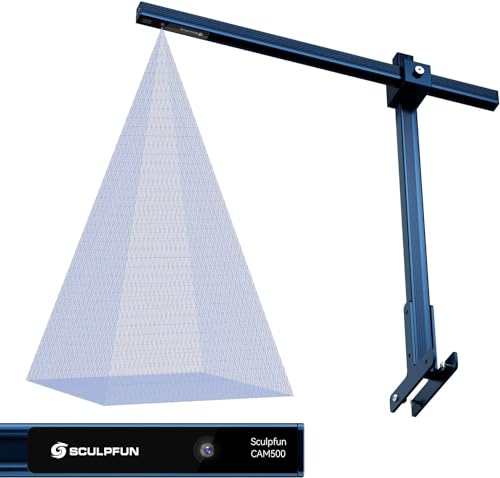
- Industrial Camera for Laser Engraver: SCULPFUN CAM500 Lightburn Camera is specially designed for laser engraving machines. With a true high-definition 5MP, the camera can capture clearer images and identify more accurate positioning.
The SCULPFUN CAM500 LightBurn Camera Kit 5MP is an excellent mid-range option if you want to improve accuracy and speed up your laser engraving workflow.
The 5MP camera delivers clear image quality, which makes positioning designs much easier compared to manual alignment. When paired with LightBurn, it allows you to place designs directly onto your material with good accuracy, typically within about 1 mm after proper calibration.
One of the most useful features is batch engraving. You can arrange multiple items on your workspace and process them in one run, which saves time if you’re doing small production jobs. The image tracing feature is also handy for turning simple shapes or patterns into vector files quickly.
The 120° wide-angle lens covers a 15.75 x 15.75″ working area, which is enough for most desktop machines. However, like most wide-angle cameras, it requires careful calibration to reduce distortion and get accurate results.
Pros:
- Clear 5MP image improves positioning accuracy
- Works well with LightBurn
- Supports batch engraving and image tracing
- Wide coverage for standard work areas
- Compatible with many laser engravers
Cons:
- Calibration takes time to get right
- Wide-angle lens can introduce distortion
- Mounting stability is important for consistent results
Overall, it’s a practical upgrade for hobbyists and small business users who want better alignment, faster setup, and more efficient batch work without spending on high-end built-in camera systems.
2. ELP 5MP Laser Engraver Camera Kit

- Ultra HD: still picture resolution: 2592x1944 Max.
The ELP 5MP Global Shutter USB Camera Module 100° Lens is a great choice if you want higher precision and smoother performance from a laser engraver camera setup.
A key feature of this camera is the global shutter sensor. Unlike standard cameras, it captures the entire frame at once, which reduces distortion and makes positioning more accurate, especially if your setup moves slightly or you’re doing fast workflows.
Paired with LightBurn, it gives a noticeably cleaner and more stable preview compared to cheaper webcam-style options.
Image quality is another highlight. With up to 2592×1944 resolution and high frame rates (50–60fps), the feed is sharp and responsive. The 100° low-distortion lens strikes a good balance between coverage and accuracy, avoiding the heavy warping you often get with fisheye lenses.
Its compact size makes it easy to mount on different machines, and the UVC USB connection means it works plug-and-play with most systems.
Pros:
- Global shutter reduces distortion and improves accuracy
- High resolution with smooth, fast frame rates
- Low-distortion lens for better alignment
- Works well with LightBurn
- Compact and flexible for custom mounting
Cons:
- Requires DIY mounting setup
- Calibration still needed for best accuracy
- No built-in enclosure or mounting kit
Overall, it’s a great option if you want more precision than typical budget camera kits. It takes a bit more setup, but the improved accuracy and image quality make it worth it, especially for detailed or repeat engraving work.
3. SVPRO 8MP USB Camera
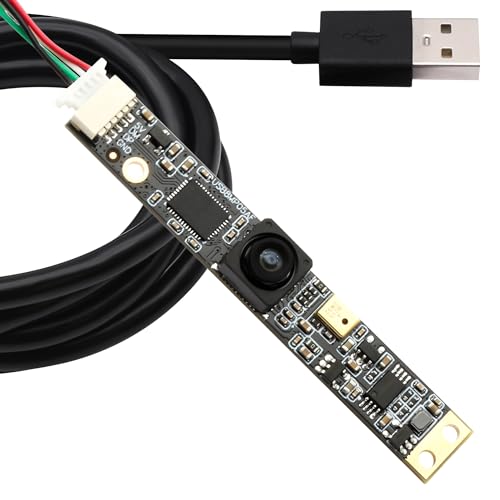
- Ultra HD: Recording max 3264x2448 video and still picture
The SVPRO 8MP USB Camera Module 102 Degree LightBurn is a budget-friendly option for adding a camera setup to your laser engraver without spending much.
For the price, the image quality is impressive. The 8MP sensor delivers sharp visuals, which helps when positioning designs in LightBurn. The 102° wide-angle lens gives you good coverage of the work area while keeping distortion fairly controlled compared to extreme fisheye lenses.
Setup is simple thanks to plug-and-play USB support. It works across Windows, macOS, Linux, and even Raspberry Pi, so it’s flexible if you’re running a custom setup. The compact size also makes it easy to mount in tight spaces.
That said, it’s clearly a DIY-style camera. You’ll need to figure out your own mounting solution, and calibration is essential to get accurate positioning. The fixed focus works fine for most engraving setups, but it’s not adjustable if your mounting distance changes.
Pros:
- High-resolution 8MP image for the price
- Good balance of wide view and low distortion
- Plug-and-play with multiple systems
- Compact and easy to mount
- Affordable entry point
Cons:
- No included mounting hardware
- Requires manual calibration and setup
- Fixed focus limits flexibility
Overall, it’s a great low-cost camera for hobbyists who want better positioning and workflow without investing in a premium kit.
Who Should Use a Laser Engraver Camera Kit?
Camera kits are especially useful for:
- Small business owners
- Etsy and craft sellers
- Batch production workflows
- Users engraving pre-made items
- Anyone tired of wasting materials
If accuracy and efficiency matter to you, a camera kit is one of the best upgrades you can make.
Is a Laser Engraver Camera Kit Worth It?
For most users—yes.
While a camera kit isn’t required to engrave, it:
- Saves time
- Reduces errors
- Improves confidence
- Speeds up production
For batch engraving and alignment-heavy work, it’s a game changer.
Final Thoughts: Best Laser Engraver Camera Kit
A laser engraver camera kit is one of the most practical upgrades you can make. It won’t increase your laser’s power, but it will make your workflow smoother, faster, and more accurate.
If you’re spending time lining up designs or wasting material on misaligned cuts, adding a camera system can quickly pay for itself.
Frequently Asked Questions
Do I really need a camera kit for my laser engraver?
A camera kit isn’t required to engrave, but it can dramatically improve accuracy and workflow. It allows you to visually position designs directly on your material, reduce setup time, minimize wasted material, and handle batch engraving more efficiently. If you engrave often or run production-style jobs, a camera kit quickly becomes worth it.
Are laser engraver camera kits compatible with all lasers?
Most camera kits are software-dependent rather than machine-specific. Many popular kits are designed to work with LightBurn, making them compatible with a wide range of diode, CO₂, and some fiber laser engravers. However, you should always check mounting compatibility, bed size coverage, and operating system support (Windows or macOS) before purchasing.
How accurate are laser engraver camera kits?
When properly calibrated, camera kits can achieve sub-millimeter positioning accuracy (often under 1 mm). Accuracy depends on factors such as camera resolution, mounting stability, lens quality, and calibration quality. A 5MP or higher camera typically provides excellent precision for most engraving applications.
Can I use a camera kit for batch engraving?
Yes. One of the biggest advantages of a laser engraver camera kit is batch engraving. After a one-time calibration, the camera can automatically align designs across multiple objects in a single job, making it ideal for engraving name tags, keychains, serial numbers, and other repeated designs with consistent spacing.
Is LightBurn required to use a laser engraver camera?
In most cases, yes. LightBurn is currently the most widely supported software for laser camera integration, offering features like real-time preview, camera alignment, auto positioning, and batch workflows. Some proprietary laser software supports cameras, but functionality is usually more limited compared to LightBurn.