
Laser engraving irregularly shaped objects and uneven surfaces can be one of the most frustrating parts of running a laser machine.
Flat materials like wood sheets, acrylic, and leather are easy to position, but curved, uneven, or oddly shaped items often require creative solutions to keep them stable and correctly aligned.
This is where the xTool Flexible Fixture becomes a useful accessory for laser engravers.
Designed as a universal pin-bed holding system, it helps secure objects with unusual shapes, uneven surfaces, and different sizes so they can be engraved more accurately and consistently.
Table of Contents
Whether you are engraving pens, jewelry, stones, tools, small metal parts, glass objects, or custom products for a small business, the xTool Flexible Fixture offers a simpler way to hold items without building custom jigs for every project.
What Is the xTool Flexible Fixture?
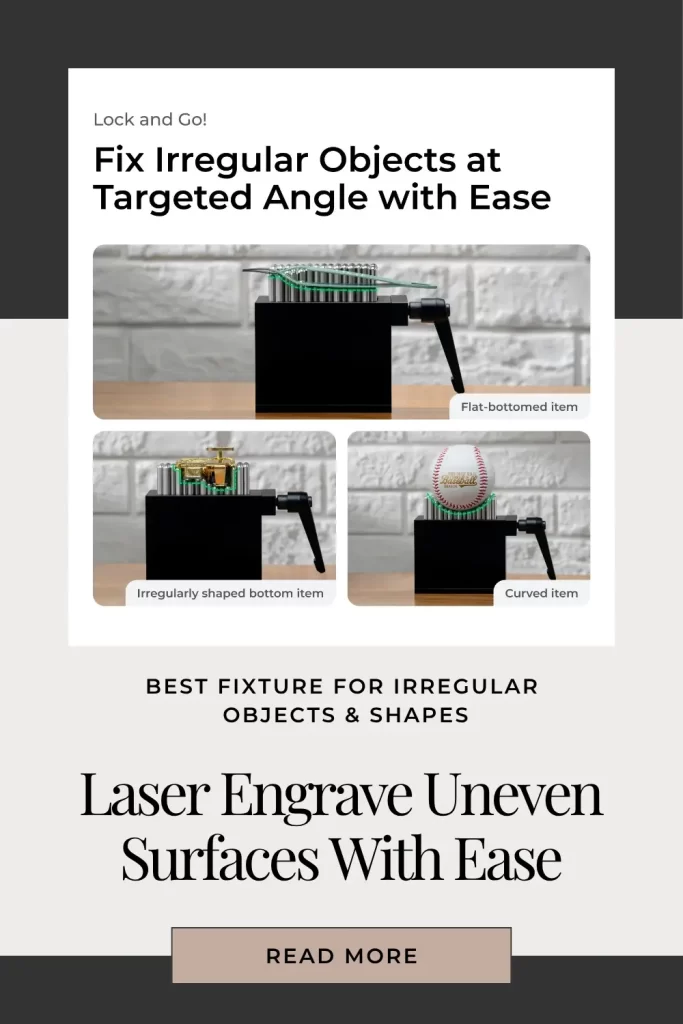
The xTool Flexible Fixture is a flexible positioning jig designed to hold irregular objects during laser engraving.
Instead of relying on clamps or fixed holders, it uses a bed of adjustable 304 stainless steel pins that move into position around the object.
The pins conform to the shape of the material, creating a stable support system for items that do not sit flat.
Unlike traditional fixtures that are designed for one specific product, the flexible pin system can be adjusted repeatedly for different shapes and sizes.
This makes it especially useful for makers who engrave a wide variety of products instead of producing only one type of item.
Why It Is One of the Best Options for Engraving Irregular Shapes
The biggest challenge with irregular objects is movement. Even a small amount of shifting during engraving can ruin alignment, especially when working on detailed designs, logos, or fine text.
The xTool Flexible Fixture solves this problem by creating a customized support structure around each object.
The press-and-twist adjustment system allows users to quickly position the pins and lock the item securely in place.
Once configured, the setup can be repeated for multiple identical products, making it useful for small business production.
Instead of spending time creating individual holders for every product, users can quickly adjust the fixture and start engraving.
Key Features of the xTool Flexible Fixture
Flexible Pin Bed Design
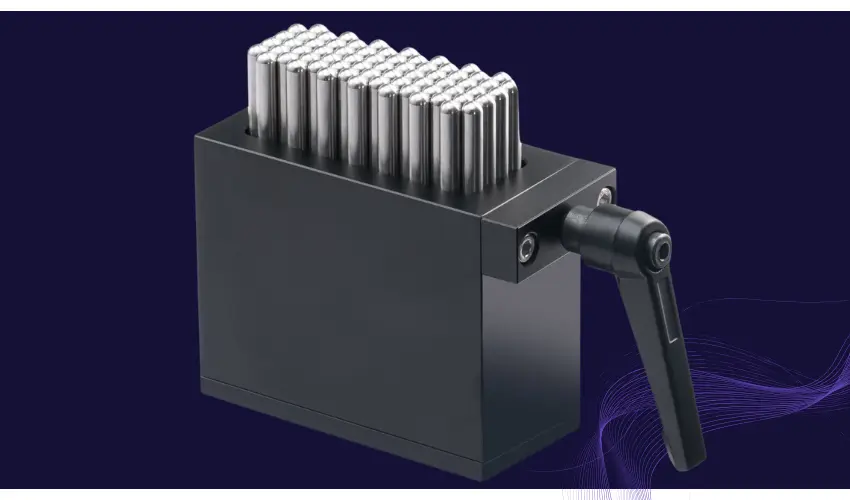
The main advantage of this fixture is the adjustable pin system.
The 304 stainless steel pin bed can adapt to objects with:
- Uneven bottoms
- Curved surfaces
- Different thicknesses
- Unique shapes
This makes it ideal for products that are difficult to hold with traditional clamps or flat work tables.
Better Stability During Engraving
A stable object is critical for accurate laser engraving.
The fixture helps reduce movement and vibration by supporting the object from multiple points. This improves engraving consistency and reduces failed projects caused by shifting materials.
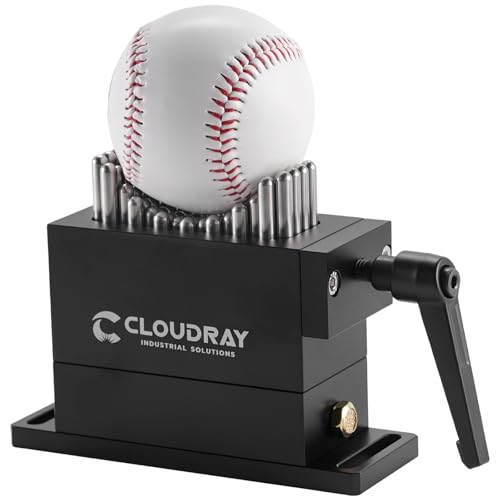
- Flexible Fixture Parameter : Using Area Size:30x79MM ,Pin Diameter :6MM,Pin Stroke : 21MM
Faster Batch Production
For businesses creating multiple customized products, setup time matters.
Once the fixture is adjusted for a specific item, the same position can be reused for additional pieces. This makes batch engraving faster because users do not need to manually reposition and test every product.
Examples include:
- Personalized gifts
- Jewelry pieces
- Promotional products
- Custom tools
- Small metal components
Durable Construction
The xTool Flexible Fixture is built with 304 stainless steel and aluminum components.
This provides:
- Strong pressure resistance
- Better durability
- Corrosion resistance
- Long-term reliability
The materials are designed to handle repeated use in a workshop environment.
What Can You Use the xTool Flexible Fixture For?
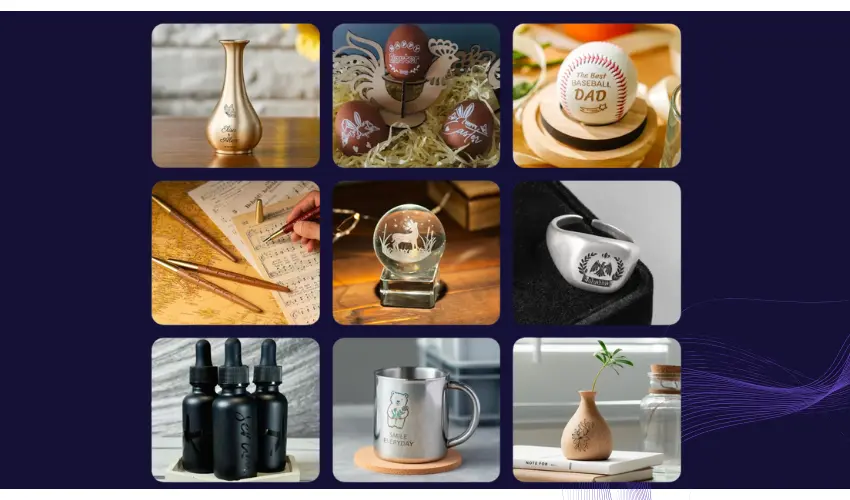
The flexible design makes it useful for many engraving projects.
Common applications include:
Project Type | Examples |
|---|---|
Jewelry | Rings, pendants, bracelets |
Accessories | Pens, keychains, small tools |
Gifts | Custom stones, ornaments, keepsakes |
Business Products | Promotional items, branded products |
Metal Items | Small parts and uneven surfaces |
Craft Projects | Unique handmade objects |
It works especially well for makers who frequently switch between different product types.
xTool Flexible Fixture vs Rotary Attachment
The xTool Flexible Fixture and a rotary attachment solve different problems.
A rotary attachment is designed for cylindrical objects that need engraving around the entire surface, such as:
- Tumblers
- Bottles
- Cups
- Round pipes
The flexible fixture is better for objects that are irregular, uneven, or non-cylindrical.
For example, a rock, bracelet, small sculpture, or oddly shaped metal part may be difficult to place on a rotary system but can be secured easily with flexible pins.
If your main goal is full-wrap engraving on round objects, a rotary tool is still the better choice.
Compatibility
The xTool Flexible Fixture is compatible with xTool laser machines and can also work with many desktop laser setups.
However, depending on the machine, it may require a riser base or additional height clearance.
This is important because the fixture raises the material above the normal work surface, giving room for the pin system and allowing better airflow underneath the object.
Pros and Cons
Pros | Cons |
|---|---|
Excellent for irregular shapes | Requires additional height clearance |
Reduces custom jig creation | Not a replacement for a rotary attachment |
Speeds up batch production | Requires some setup adjustment |
Strong stainless steel construction | Less useful for flat materials |
Works with many object types | Additional accessory cost |
How to Use the xTool Flexible Fixture for Laser Engraving
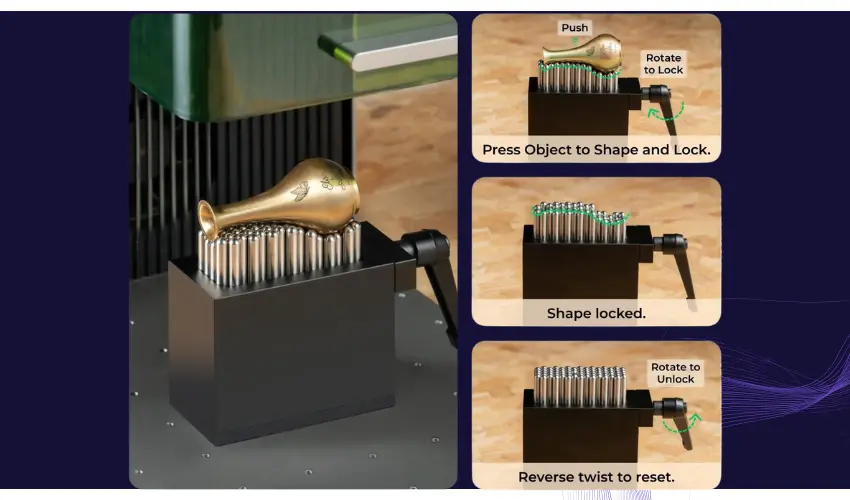
Here is how to use it step by step.
1. Install the xTool Flexible Fixture
First, place the flexible fixture inside your laser machine.
The fixture requires enough working height, so make sure your machine is compatible and has the necessary riser base or risers installed if required.
Secure the fixture so it sits flat and does not move during engraving.
2. Place Your Object on the Pin Bed
Put the item you want to engrave on top of the stainless steel pins.
The flexible fixture works best for objects such as:
- Pens
- Keychains
- Jewelry
- Bracelets
- Stones
- Small metal parts
- Curved or uneven products
Try to position the engraving area as flat and level as possible.
3. Adjust the Pins Around the Object
The fixture uses a press-and-twist adjustment system.
Push the pins down around the object and rotate the adjustment mechanism to lock them into place.
The pins will conform to the shape of the item, creating multiple support points that prevent movement.
The goal is to:
- Support the object firmly
- Prevent wobbling
- Keep the engraving surface stable
- Avoid blocking the laser path
4. Check Object Height and Focus
Before engraving, check that the engraving surface is within the correct focus range of your laser.
Because irregular objects sit at different heights, proper focus is important for engraving quality.
For best results:
- Use autofocus if your machine supports it
- Measure the highest engraving point
- Adjust the object position if needed
A small height difference can affect engraving sharpness.
5. Position Your Design
Open your laser software and place your design where you want it on the object.
Use your machine’s preview or framing feature to confirm placement.
This is especially important for:
- Logos
- Text
- Detailed artwork
- Small products
The flexible fixture keeps the object fixed, making alignment much easier.
6. Run a Test Engraving
For new materials or unusual shapes, it is recommended to run a small test first.
Test:
- Power settings
- Speed
- Focus height
- Engraving position
Different materials absorb laser energy differently, so testing helps avoid wasted products.
7. Repeat for Batch Production
One of the biggest advantages of the xTool Flexible Fixture is repeatability.
Once the pins are adjusted for a product, you can replace the item with another identical piece and maintain the same position.
This makes it useful for:
- Personalized gifts
- Product engraving
- Small business orders
- Custom accessories
Tips for Better Results
Use enough support points:
More contact points create better stability, especially for heavier or uneven objects.
Avoid over-tightening:
The fixture should hold the object securely without damaging softer materials.
Keep the engraving area clear:
Make sure no pins block the laser path or interfere with the engraving area.
Combine multiple fixtures for larger objects:
Multiple flexible fixtures can be used together for longer or larger products.
xTool Flexible Fixture vs Custom Jigs
Traditional laser engraving often requires making a separate jig for every unusual item. The xTool Flexible Fixture reduces that work by creating an adjustable holder that can be reused for many different shapes.
For makers who frequently engrave unique products, it can save setup time and improve consistency.
Is the xTool Flexible Fixture Worth It?
The xTool Flexible Fixture is worth considering if you regularly engrave objects that do not sit flat or if you produce customized items in batches.
For hobbyists who only engrave flat wood, acrylic, or standard materials, it may not be necessary.
However, for makers, Etsy sellers, and small businesses working with unique products, it can save significant setup time and improve engraving accuracy.
At around $149, it is not the cheapest laser accessory, but it solves a specific problem that traditional work holders cannot handle.
Final Thoughts
The xTool Flexible Fixture is one of the most practical accessories for laser engravers who work with irregular shapes.
Its adjustable pin system makes difficult objects easier to position, improves repeatability, and helps create a more efficient engraving workflow.
It is not designed to replace every jig or rotary attachment, but for unique-shaped products and small-batch production, it can become an essential tool in your laser engraving setup.