
Laser engraving slate coasters is a rewarding project that combines the natural beauty of stone with the precision of modern technology.
Whether you’re making custom gifts, selling personalized home decor, or simply exploring new materials with your laser machine, slate is a fantastic surface to work with.
Table of Contents
In this guide, we’ll walk you through everything you need to know—from materials and setup to design tips and engraving settings—so you can confidently start your own slate coaster projects.
Why Choose To Laser Engrave Slate Coasters?
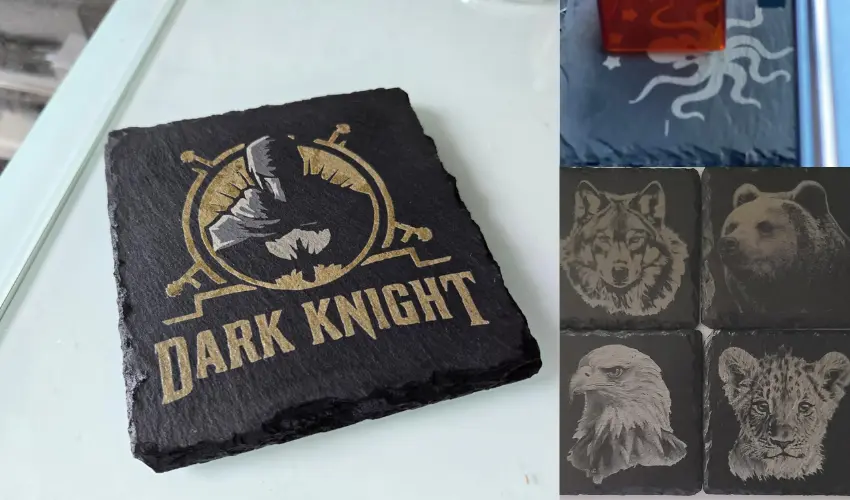
Slate is a natural metamorphic rock with a smooth, matte finish that contrasts beautifully when engraved. Here’s why slate is a popular choice for laser engraving:
- Striking contrast: The laser removes the top surface of the stone, revealing lighter gray markings.
- Durable: Slate is long-lasting, water-resistant, and heat-tolerant.
- Unique texture: Each piece has natural variations, adding character to every coaster.
- Great for gifting or selling: Personalized slate coasters are popular at craft fairs and online shops.
What You’ll Need To Laser Engrave Slate Coasters
Before you begin engraving slate coasters, make sure you have the right tools and supplies:
Materials:
- Blank slate coasters (round or square, smooth surface preferred)
- Laser engraver (CO₂ or diode laser)
- Design file (SVG, PNG, JPG, etc.)
- Microfiber cloth (for cleaning residue)
Recommended Laser Machines:
- xTool P2S CO₂ Laser (best for fast, high-contrast results)
- xTool S1 Diode Laser (slower but capable for budget-conscious users)
Best Blank Slate Coasters For Laser Engraving
24 Pieces Goh Dodd Slate Drink Coasters

- PERFECT FOR LASER ENGRAVING AND ETCHING: You can personalize each coaster to reflect your personality or match your décor. Whether it's a name, a special message, or a unique design, the possibilities are endless. You can also write on them with chalk, painting with acrylic paints, art-mosaics or other. This DIY feature adds a unique touch to the coasters, making them not just a functional item, but a piece of art.
The Goh Dodd 24 Pieces Slate Drink Coasters are one of the best budget-friendly blank slate coaster sets for laser engraving, especially for Etsy sellers, craft businesses, and bulk personalized gift projects.
These 4-inch square slate coasters produce crisp, high-contrast engravings that look professional right out of the laser. The smooth black stone surface works very well with both diode and CO2 lasers, making logos, family names, monograms, and custom artwork stand out clearly.
One of the biggest advantages is the value. With 24 coasters included at a low per-piece cost, this set is ideal for batch production, wedding favors, craft fairs, and small business orders. The anti-slip rubber feet also help protect furniture while giving the coasters a more finished and premium feel.
The natural slate texture adds character to each coaster, although slight variations in edges and surface finish are normal with real stone products. Applying mineral oil after engraving can dramatically improve contrast and give the slate a richer appearance.
12 Pieces Vibratite Round Slate Drink Coasters Set

- HANDMADE SLATE COASTERS WITH STEEL HOLDER - Made of 100% all natural slate, provide you with a high-end coaster, non-toxic and odorless, the irregular edge design makes slate coasters look more fashionable.

The Vibratite 12 Pack Slate Drink Coasters are an excellent choice for laser-engraving projects, especially for beginners and small businesses looking for affordable blank slate coasters with consistent results.
These natural slate coasters engrave beautifully with strong contrast and sharp detail, making logos, monograms, and custom artwork stand out nicely. The rough-cut natural edges give them a premium handcrafted appearance that works well for personalized gifts, wedding favors, and home décor products.
One of the best features is the included felt pads and anti-scratch backing, which make the finished coasters practical for everyday use while protecting tabletops. The included metal holder is also a nice bonus for packaging or displaying completed coaster sets.
The slate surface responds well to most diode and CO2 lasers, and applying a small amount of mineral oil after engraving really helps deepen the black color and enhance engraving contrast.
Design Tips To Laser Engrave Slate Coasters
Slate has a dark base color, which makes light designs pop. Here are some design tips for best results:
- Use bold vector graphics or high-contrast black & white images.
- Avoid tiny, intricate details that may be lost in slate’s natural texture.
- Center your design carefully—use your laser software’s camera view for alignment.
- For round coasters, circular or symmetrical designs often look best.
How to Laser Engrave Slate Coasters: Step-by-Step
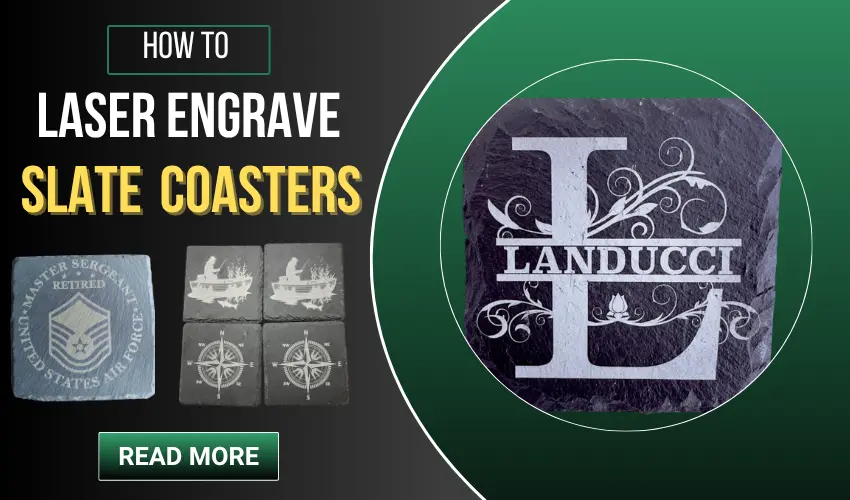
1. Prepare Your Slate Coaster
- Wipe the coaster to remove dust and surface particles.
- Make sure the surface is relatively smooth. Uneven textures can lead to inconsistent engraving.
2. Set Up the Design in Your Software
- Import your design into your laser software (e.g., LightBurn, xTool Creative Space, Glowforge App).
- Resize the design to fit your coaster—leave a small margin around the edge.
- Use the camera view (if available) to align the design with the coaster surface.
Setting Up Your Engraving in xTool Creative Space
xTool Creative Space (XCS) works seamlessly with the S1/P2S laser, though it’s also compatible with LightBurn.
Steps:
- Open XCS and refresh the canvas.
- Select “5mm Rock Coaster” as your material.
- Use the auto-measure/focus tool to set the correct laser distance.
- Import your image and resize it to fit your coaster. I recommend reducing it slightly to allow for edge variation.
- Use the close-up camera view to perfectly align your design—this feature is a lifesaver for positioning on dark materials like slate!
Tip: When engraving multiple coasters, use the Unite function to combine all designs into one layer. This makes engraving much faster.
3. Focus and Position
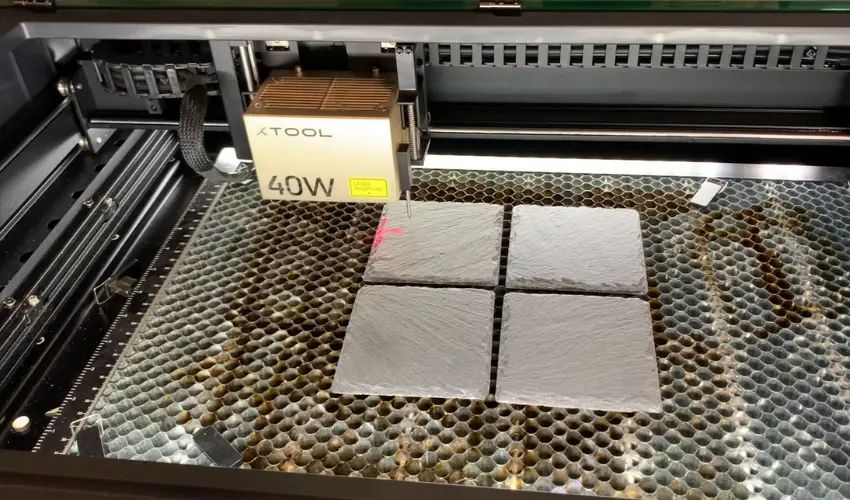
- Use the laser’s autofocus feature or manually adjust focus height.
- Test the position by framing or using a low-power outline preview to ensure correct placement.
4. Adjust Laser Settings
Settings vary based on your machine. Start with the following and tweak as needed:
CO₂ Laser (e.g., xTool P2S):
- Power: 12–20%
- Speed: 300–500 mm/s
- Lines per inch (LPI/DPI): 300–340
- Passes: 1
Diode Laser (e.g., xTool S1):
- Power: 100%
- Speed: 100–150 mm/min
- DPI: 254–300
Tip: Always test on a scrap piece first to dial in the perfect settings for your design and material.
5. Engrave the Design
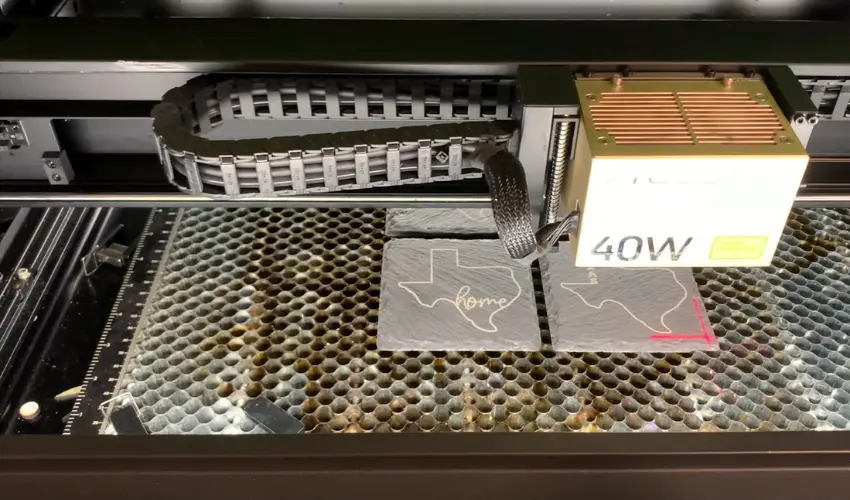
- Once everything is set, start the engraving process.
- Ensure good ventilation or use an exhaust system—engraving slate creates fine dust.
6. Clean the Coaster
- Wipe off the residue with a damp cloth or sponge.
7. Finishing Touches
A lot of people judge slate coasters too quickly right after engraving, but the dusty surface can be misleading. Freshly engraved slate often looks dull, faded, or unimpressive at first because engraving dust still covers the design. Once the dust is cleaned away, the real detail and contrast usually become much more visible.
The finishing stage is where the coaster really comes to life, and the best finish often depends on how the coaster will be used.
For decorative pieces, colored paint fill can create a bold, high-contrast look that makes the engraving stand out. But for coasters that will actually hold drinks or come into contact with food, many people prefer a more natural finish.
Keeping the slate natural or applying a light coat of mineral oil is often the better option for functional coasters. It avoids some of the durability concerns that can come with paint fill finishes over time.
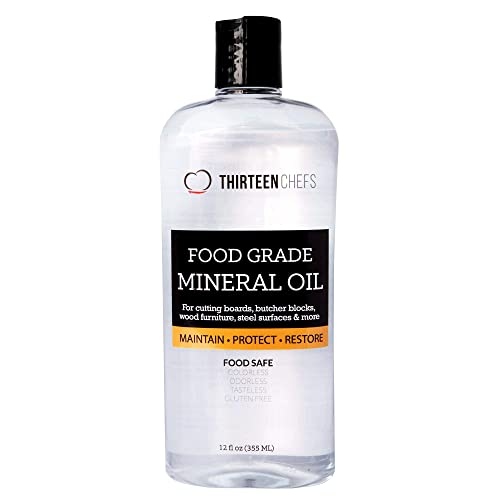
- NSF CERTIFIED FOOD GRADE - This premium mineral oil is NSF certified and lab-tested to meet the strictest food safety standards. Colorless, odorless, tasteless, and gluten-free — perfect for cutting boards, butcher blocks, and all food-contact surfaces.
We recommend using Thirteen Chefs Mineral Oil to enhance the natural color of laser engraved slate because it brings out the rich dark tones of the stone without adding a heavy artificial coating.
A light coat of this mineral oil restores depth and contrast almost instantly, helping engraved designs appear sharper and more detailed. The oil darkens the slate naturally, making white or light gray engravings stand out beautifully against the darker background.
One of the biggest advantages of this mineral oil is that it is food grade and odorless. Since slate coasters are commonly used around drinks and food, many laser users prefer a safer, more natural finish instead of chemical sprays or lacquer coatings. The finish looks clean and professional while keeping the natural texture of the slate intact.
Another reason we like this oil is its simple application. You only need a few drops on a soft cloth to evenly coat the coaster surface. It absorbs quickly, leaves very little residue, and helps reduce the dry, dusty appearance that engraved slate often has immediately after cleaning.
It also works well for maintaining slate over time. Reapplying a small amount occasionally helps keep coasters looking fresh while preserving the deep black finish that makes laser engravings pop.
How To Add Color to Laser Engraved Slate Coasters
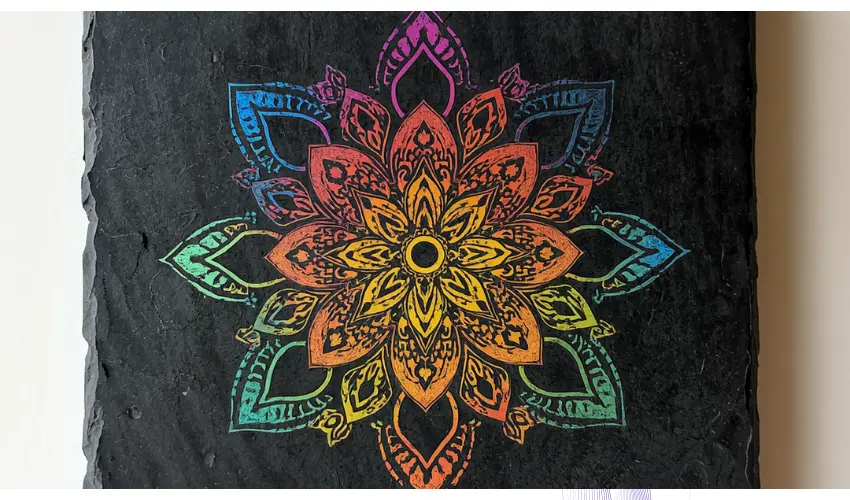
To begin the coloring process, choose the paint marker colors you want to use. Before applying the paint, shake the markers thoroughly and press the tip down until the paint starts flowing evenly.
We recommend using these Anyuke Oil-Based Paint Markers, 8 Colors Dual Tip Paint Pens for coloring laser-engraved slate coasters because they offer the precision, coverage, and durability needed to make engraved designs really stand out on dark stone surfaces.

- 【Permanent Waterproof Outdoor Paint Pens】: Paint Markers, oil based, great coverage. The paint flows smoothly, lightfast, smooth writing and dry quickly. Oil painting will last a longer time as it is waterproof, long lasting. So this set of paint pens is particularly suitable for use as an outdoor paint marker pen, which are waterproof and can be used on stone, fabric, metal, plastic, tire, etc.
There are a couple of ways to apply the paint. You can dab it carefully into the engraved sections using small dots, or simply sweep the marker back and forth over the design. Precision is not critical at this stage because the excess paint will be cleaned off later. The goal is simply to fully cover the engraved areas with wet paint.
Once the design is filled, grab an old cloth and apply a small amount of isopropyl alcohol to it. Then, using your finger behind the cloth, lightly wipe across the surface. This helps remove paint from the top of the slate while leaving color inside the engraving itself. Work slowly and gently to avoid pulling paint out of the recessed areas.
As you continue cleaning, switch to fresh sections of the cloth to avoid smearing colors together. Finish the coaster with a small amount of mineral oil. Rubbing mineral oil across the slate restores the deep black color and gives the coaster a rich natural shine.
It also helps blend the painted sections into the stone for a smoother overall appearance. While the oil slightly softens the brightness of the paint, it creates a much more polished and professional final look.
The end result is a custom laser engraved slate coaster with vibrant color accents, improved contrast, and a sleek black stone finish. Keeping the paint closer to the center of the engraving also helps avoid unwanted marks around the edges, making the final design look cleaner and more consistent.
Laser Engrave Slate Coasters: Common Problems and Fixes

Weak Engraving Contrast
Increase power slightly or reduce speed.
Chipped Slate
Some cheaper slate coasters naturally chip around edges. Use higher-quality coasters for cleaner results.
Uneven Engraving
Check focus height and make sure the coaster sits flat on the bed.
Excessive Dust
Slate creates fine engraving dust. Regularly clean your laser bed and ventilation system.
Best Products to Sell Using Slate Coasters
Laser engraved slate coasters are extremely popular for:
- Wedding gifts
- Housewarming gifts
- Corporate branding
- Restaurant décor
- Personalized bar accessories
- Holiday gifts
- Family name sets
- Real estate closing gifts
Selling coaster sets with custom engraving often increases profitability compared to individual coasters.
Final Thoughts
Laser engraving slate coasters is one of the easiest and most rewarding DIY projects you can do with a laser machine. They’re affordable, customizable, and perfect for gifts, home décor, or even selling online. Whether you use a CO₂ or diode laser, you’ll love the contrast and elegance slate provides.
So grab a blank coaster, upload your favorite design, and start creating!
Frequently Asked Questions
Can I laser engrave slate coasters with a diode laser?
Yes. Diode lasers like the xTool S1 can engrave slate coasters effectively. While not as fast as CO₂ lasers, diode lasers produce crisp, detailed engravings. Use slower speeds and higher power settings to achieve deeper contrast on the slate.
Do I need to seal slate coasters after engraving?
Not necessarily. Slate is naturally water-resistant and durable. However, applying a small amount of mineral oil or slate sealant can enhance the contrast of the engraved design and help protect it from wear over time. Sealing is optional but recommended for commercial or gift-ready coasters.
What laser settings work best for slate engraving?
Settings vary by machine, but a good starting point for CO₂ lasers is:
Power: 15-25%
Speed: 100-200 mm/s
DPI: 300–500
For diode lasers, try:
Power: 90-100%
Speed: 50-100 mm/min
Always test on a spare coaster first and adjust settings to your specific machine and desired engraving depth.
What kind of designs can I engrave on slate coasters?
You can engrave logos, names, mandalas, quotes, photos, and more. High-contrast black-and-white vector or raster designs work best. Slate’s natural texture adds depth and character, especially to minimal or elegant designs.
Do all slate coasters engrave the same way?
No. Slate is a natural material, so surface texture and color can vary. Some may have rougher areas or uneven coloration. Choose coasters with smoother surfaces for more consistent engraving results, and always preview the placement to avoid design misalignment.