
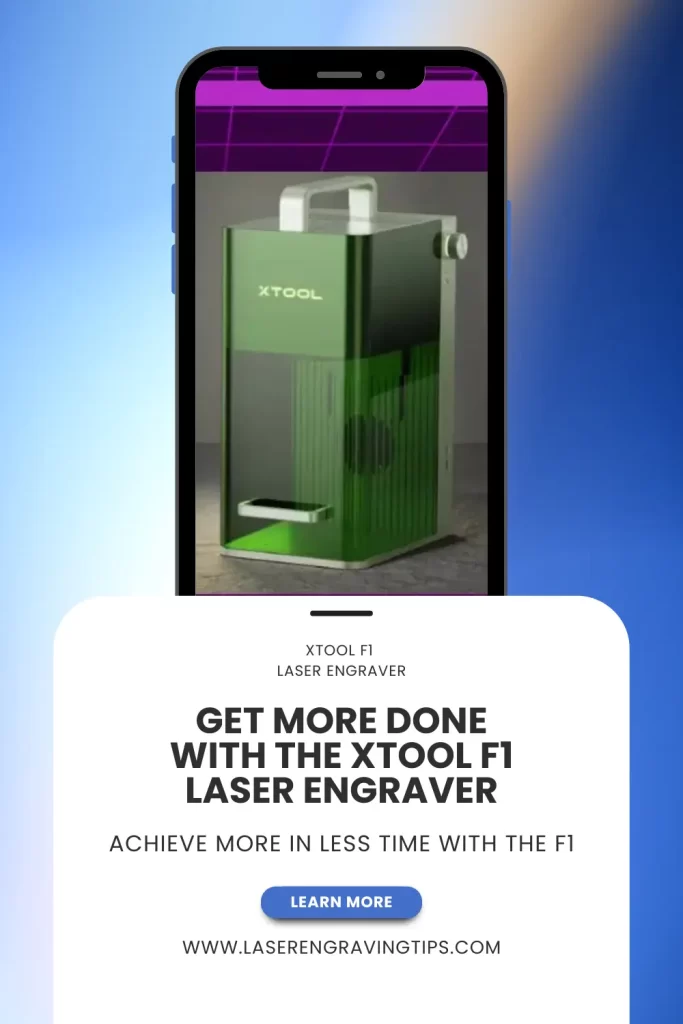
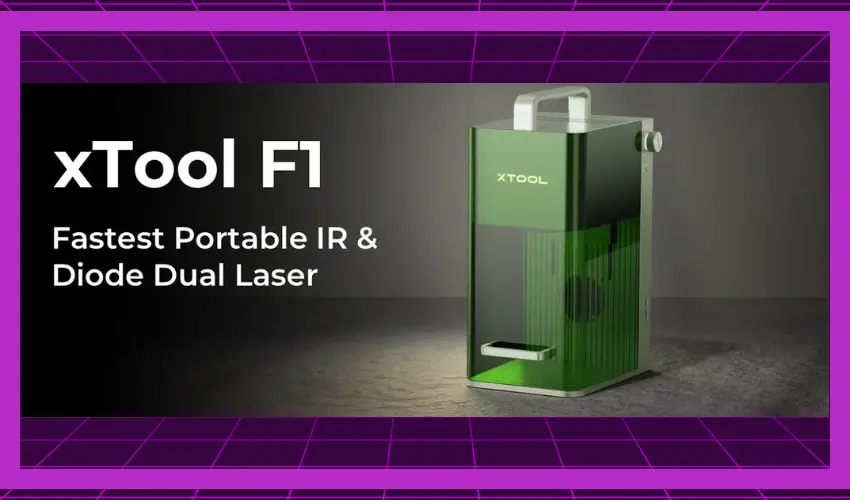
The xTool F1 is a portable, dual-laser engraver designed for high-speed, high-precision work on a variety of materials.
With both a 10W diode laser and a 2W infrared laser built in, it’s one of the most versatile compact machines on the market.
Whether you’re a hobbyist looking for a quick, precise engraver or a small business owner needing portable personalization capabilities, the F1 packs serious performance into a small footprint.
Table of Contents
In this guide, we’ll cover its features, performance, pros, cons, and ideal use cases — so you can decide if it’s the right laser engraver for your needs.
Key Features of the xTool F1 at a Glance
Feature | Specification |
|---|---|
Laser Types | 10W Diode (455 nm) + 2W Infrared (1064 nm) |
Work Area | 115 × 115 mm (4.5 × 4.5″) 5.75″ × 4.53″ (400mm × 115mm) with Extension |
Engraving Speed | Up to 4,000 mm/s (157 in/s) |
Max Engraving Height | 4.45″ (113mm) |
Material Compatibility | Metals, plastics, leather, acrylic, wood, paper, glass (marking), stone (marking) |
Portability | 4.6 kg (10 lbs) |
Connectivity | USB, Wi-Fi, Bluetooth |
Software | xTool Creative Space, LightBurn compatible |
Focus | Autofocus with built-in distance sensor |
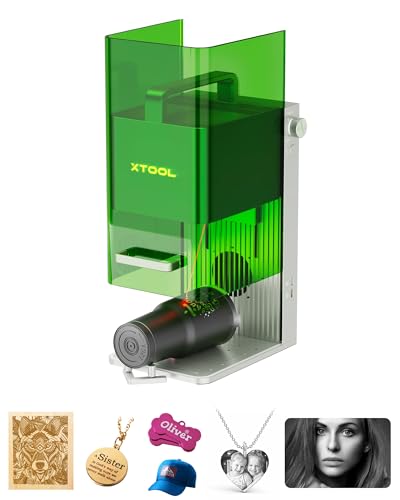
- Highest Speed, 10 X Productivity and Efficiency: The industrial-grade metal engraving machine can reach 4000mm/s. The laser engraver for metal can engrave complex vector graphics in just seconds, making it ideal for batch-processing metal business cards, dog tags engraved for pets, jewelry, and hip flasks.
Design & Build Quality
The xTool F1 is built for portability and ease of use. Its compact size makes it ideal for craft fairs, pop-up personalization booths, or small workshops where space is limited.
The enclosed design protects the user from direct laser exposure, while the built-in exhaust port allows connection to an air purifier for indoor use.
The F1’s casing is sturdy and well-finished, with a modern aesthetic that fits both home and professional environments. All controls are conveniently located, and the top viewing window allows you to monitor engraving progress safely.
Dual-Laser Versatility
The standout feature of the xTool F1 is its dual-laser system:
- 10W Diode Laser (455 nm) – Perfect for engraving and cutting organic materials such as wood, leather, coated metals, and dark acrylic.
- 2W Infrared Laser (1064 nm) – Optimized for metals and plastics, enabling permanent, high-contrast marking on stainless steel, aluminum, gold, silver, brass, and more.
Switching between the two lasers is seamless within the software, making it easy to handle mixed-material projects without changing machines.
Performance & Speed
The F1 is marketed as the fastest portable laser engraver in its class, with speeds up to 4,000 mm/s (157 in/s). This is achieved through its galvo-laser scanning system, which moves mirrors instead of the laser head for ultra-fast positioning.
In real-world use, this speed translates to:
- Quick turnaround for bulk engraving jobs (keychains, jewelry, promotional items)
- Reduced wait times for customers in live event settings
- Crisp, detailed engravings even at small sizes
The autofocus system ensures consistent results without manual fiddling, while the preview mode projects the design outline onto the workpiece for perfect alignment.
Material Compatibility
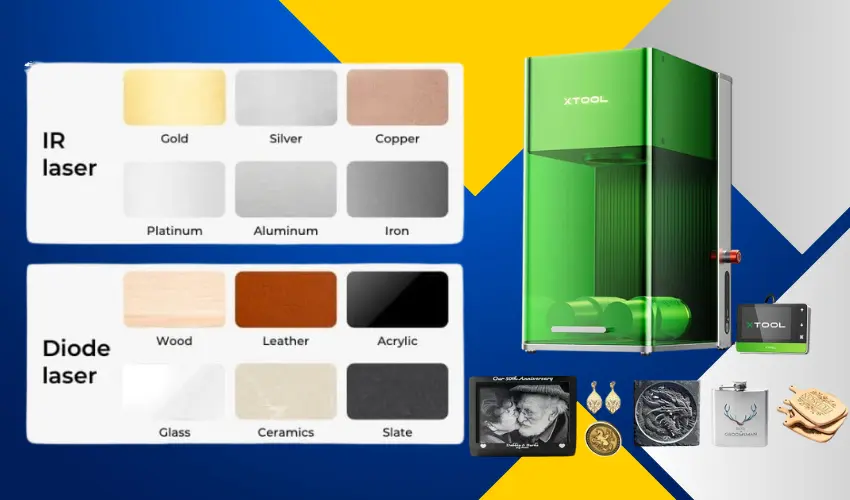
Thanks to its dual-laser system, the xTool F1 handles a wide variety of materials:
Diode Laser (10W)
- Wood (engraving & cutting)
- Leather (engraving)
- Acrylic (cutting, except transparent, mirror acrylic)
- Coated metals (engraving)
- Paper & cardboard (cutting)
Infrared Laser (2W)
- Stainless steel (engraving)
- Aluminum (engraving)
- Gold, silver, brass (engraving)
- Plastics (engraving without melting)
While it’s not meant for deep cutting metals or very thick materials, it’s excellent for precision engraving and light cutting.
- Highest Speed, 10 X Productivity and Efficiency: The industrial-grade metal engraving machine can reach 4000mm/s. The laser engraver for metal can engrave complex vector graphics in just seconds, making it ideal for batch-processing metal business cards, dog tags engraved for pets, jewelry, and hip flasks.
Software & Workflow
The F1 works with xTool Creative Space (XCS) — user-friendly software suitable for beginners — and is also compatible with LightBurn, preferred by advanced users for its greater control and design flexibility.
Workflow highlights:
- Import your design (SVG, PNG, JPG, DXF, etc.)
- Choose your laser type and material settings
- Use the preview projection to align your design
- Let the autofocus calibrate for you
- Start engraving
xTool F1 Pros & Cons
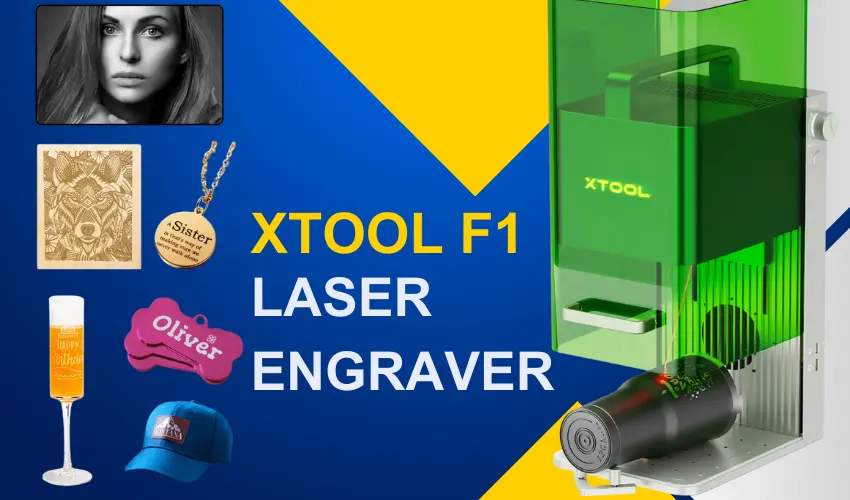
Pros
- Dual-laser system for metals, plastics, and organics
- Extremely fast engraving speeds
- Autofocus and projected preview for easy alignment
- Portable and compact design
- Enclosed for safety
- Works with beginner-friendly and advanced software
Cons
- Limited cutting ability on thick materials
- Smaller work area (best for small-to-medium projects)
- Higher price than basic diode-only engravers
Who Should Buy the xTool F1?
The F1 is ideal for:
- Craft fair vendors – Personalize items on the spot for customers
- Small businesses – Add branding or customization to products
- Hobbyists – Work with multiple materials without multiple machines
- Event personalization – Weddings, trade shows, corporate giveaways
If you need fast, precise engraving on metals and plastics in addition to standard laser materials, the xTool F1 is one of the most capable portable engravers available.
- Highest Speed, 10 X Productivity and Efficiency: The industrial-grade metal engraving machine can reach 4000mm/s. The laser engraver for metal can engrave complex vector graphics in just seconds, making it ideal for batch-processing metal business cards, dog tags engraved for pets, jewelry, and hip flasks.
What’s in the Box?
The xTool F1 comes with everything you need to get started right out of the box—no extra purchases required. You can literally unpack it, set it up, and begin creating within minutes.
What’s Included with the xTool F1 Laser Engraver
Inside the box, you’ll find:
- xTool F1 machine
- Instruction manual
- Power cord
- USB-C cable for computer connection
- Exhaust tube
- Removable baseplate
- Triangular Prism Cutting Panel
- 2 USB keys
- Small lint cloth
- A sample pack of materials for engraving and cutting
Optional Accessories for the xTool F1
Desktop Air Purifier
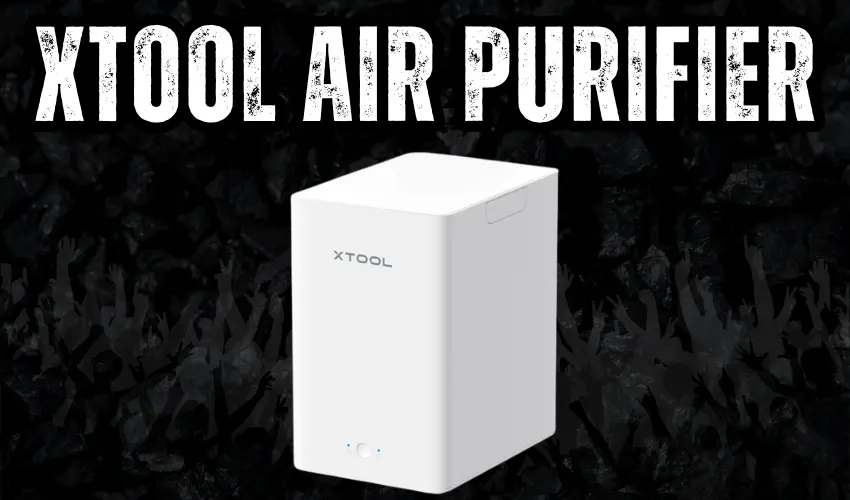
Designed specifically for the xTool F1, this smoke air purifier delivers effective fume extraction with a 3-layer filtration system that achieves up to 99.97% purification.
It continuously pulls in smoke and debris, passing them through an H13 HEPA filter and an activated carbon layer to capture harmful particles, gases, and odors from laser engraving.
Setup is quick and hassle-free. The unit comes pre-assembled, and with a single click, it syncs automatically with your xTool F1—starting and stopping along with your engraving process.
Compact and easy to move, it measures 285 × 190 × 296 mm (11.22 × 7.48 × 11.65″) and operates at a noise level of 55 dB or less. That makes it suitable for home use, garages, basements, or workshops without being disruptive.
Filter replacement is simple. No complicated disassembly is needed—just swap out the filters when required. After using the included three pre-filters, you can easily replace them to keep performance consistent.
Backed by xTool’s warranty and customer support, this air purifier is built to provide reliable, long-term use for your engraving setup.
Slide Extension (115 × 400 mm, 5.75 × 4.53″)
Expand your workspace with the xTool F1 Slide Extension, increasing the working area to 115 × 400 mm, 5.75 x 4.53″. It’s ideal for larger designs and makes batch processing easier by letting you engrave multiple items in one run.
Positioning is simple and accurate. Built-in dual-scale rulers work with XCS software to help you align materials quickly. You still get manual and auto focus, along with frame preview, just like on the xTool F1.
Stability is built in. The extension includes five clamps—two for securing edges and three for holding different shapes—so your materials stay firmly in place for precise results.
Work with over 300 materials. With automatic switching between diode and infrared lasers, you can handle a wider range of engraving and cutting projects without limitations.
The package includes everything you need to get started, including extension mini USB cables, five material clamps, a screwdriver, and a user manual.
Rotary Attachment 2 Pro

Designed for everyday use, the xTool RA2 Pro works with around 90% of common cylindrical objects. As the world’s first 4-in-1 laser rotary attachment, it includes a roller rotary, chuck rotary, sphere engraving module, and ring engraving stud.
Swap modules easily to engrave items like wine glasses, tumblers, rings, mugs with handles, baseballs, and more.
It delivers fast, accurate results. The soft-pad chuck grips objects securely for smooth operation, while vector engraving speeds can reach up to 360° per second.
A precision stepper motor with a minimum angle of 0.45° ensures fine detail without missing a beat.
It also supports popular software like Laserbox Basic, LaserGRBL, and LightBurn, giving you flexibility in your workflow.
Built to last, it features anodized aluminum alloy with a corrosion-resistant coating.
Compared to standard rotary attachments, it adds an adjustable Z-axis and a chuck system, making it easier to engrave long or irregular objects such as cans, bottles, goblets, eggshell cups, and bats.
Setup is simple. The pre-assembled, modular design means you can plug it in and start quickly. Adjusting height and diameter is straightforward, and xTool backs it up with responsive customer service and technical support.
xTool Button Switch
Boost your batch engraving efficiency with the F1 Pedal Switch. It keeps your workflow smooth and uninterrupted, so you can stay in the creative zone.
Go hands-free during engraving. A simple press replaces constant manual control, helping reduce fatigue and strain during long sessions.
Stay precise and steady. Instead of worrying about operating the machine, you can focus fully on positioning and adjustments for clean, accurate results.
Built with attention to detail, the pedal features a lightweight yet durable aluminum alloy design that looks as good as it performs.
Final Verdict
The xTool F1 combines portability, speed, and material versatility in a compact, safe package. While it’s not designed for heavy cutting or large-format work, it excels at rapid, high-quality engraving on almost any small object.
For creators, crafters, and businesses that value speed and flexibility, it’s one of the best investments in the portable laser category.
- Highest Speed, 10 X Productivity and Efficiency: The industrial-grade metal engraving machine can reach 4000mm/s. The laser engraver for metal can engrave complex vector graphics in just seconds, making it ideal for batch-processing metal business cards, dog tags engraved for pets, jewelry, and hip flasks.
Frequently Asked Questions
Can the xTool F1 engrave metal?
Yes — the xTool F1 features a 2W infrared (1064 nm) laser in addition to its 10W diode laser. The IR laser is designed specifically for engraving bare metals like stainless steel, aluminum, titanium, brass, gold, and silver, producing high-contrast and permanent marks.
What materials can the xTool F1 cut?
The 10W diode laser can cut thin wood, dark acrylic, leather, paper, and certain plastics. It is not suitable for cutting metals, but it can engrave coated or anodized metal surfaces. For mirror acrylic, a CO₂ laser is recommended instead.
How fast does the xTool F1 engrave?
It can engrave at speeds up to 4,000 mm/s, making it one of the fastest desktop laser engravers available. This speed, combined with autofocus, ensures high efficiency and crisp results even for detailed designs.
Is the xTool F1 portable?
Yes — the xTool F1 is compact and lightweight (~4.6 kg), with an enclosed build for safe transport. It can be set up on a desk, taken to events, or used in small workshops without needing a dedicated space.
What software works with the xTool F1?
It works with xTool Creative Space (XCS) for easy, beginner-friendly design setup, and it’s also compatible with LightBurn for advanced users who want more control over settings and complex projects.