
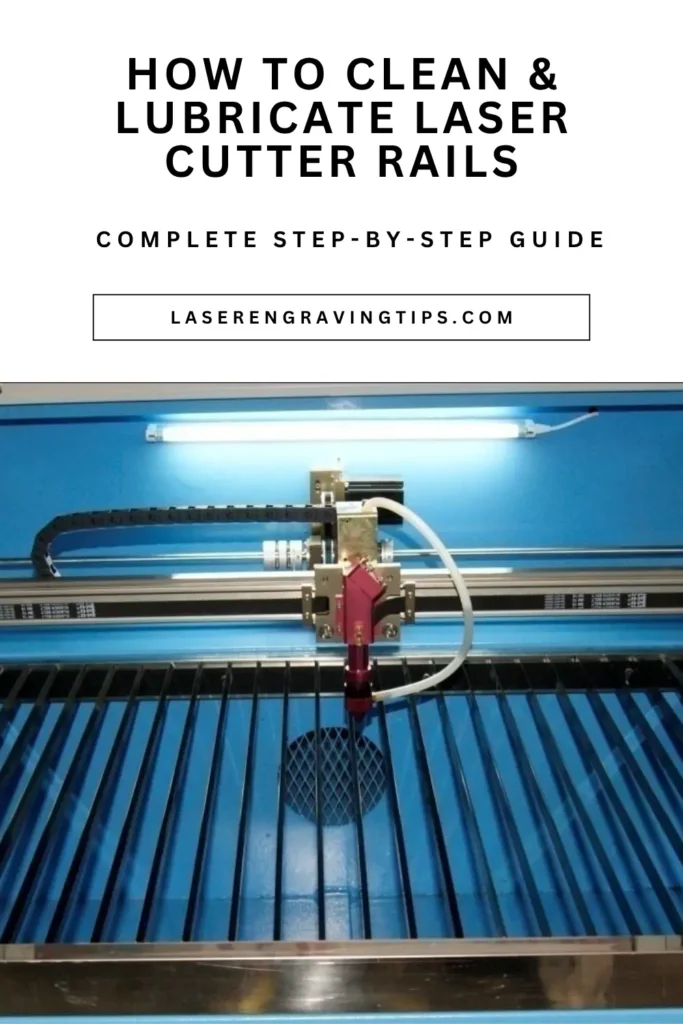
Keeping your laser cutter rails clean is one of the most important parts of laser engraver maintenance. Dirty rails can reduce engraving accuracy, create rough movement, increase wear on bearings, and eventually lead to expensive repairs.
Whether you use a CO2 laser, diode laser, or fiber laser engraver, regular rail cleaning helps your machine run smoother, quieter, and more accurately.
Table of Contents
In this guide, you’ll learn about cleaning laser cutter rails and lubricating them properly. What tools to use, how often to perform maintenance, and the biggest mistakes to avoid.
Why Cleaning Laser Cutter Rails Is Important
Laser engravers rely on precision motion systems to move the laser head smoothly across the work area. Over time, smoke residue, soot, wood dust, acrylic debris, and tiny particles collect on the rails and bearings.
When buildup increases, the laser head may start moving unevenly or produce inconsistent cuts and engravings. Dirty rails can also strain motors and shorten the lifespan of bearings and linear guides.
Regular cleaning helps:
- Improve engraving accuracy
- Reduce wear on moving parts
- Prevent jerky movement
- Extend machine lifespan
- Maintain smooth and quiet operation
- Reduce expensive maintenance issues
Even small amounts of debris can affect performance, especially during detailed engraving jobs.
Signs Your Laser Cutter Rails Need Cleaning
Your machine will usually show warning signs before rail problems become serious. One of the most common symptoms is unusual noise during operation, such as squeaking, grinding, or rough movement.
Other signs include inconsistent engraving quality, wobbling during cuts, jerky laser head movement, or visible dirt and residue on the rails themselves.
If your engravings suddenly lose precision or your machine feels rough when moving manually, cleaning the rails should be one of the first troubleshooting steps.
Safety Precautions Before Cleaning
Before performing any maintenance, always power off and unplug your laser cutter completely. Never clean rails while the machine is operating.
Allow the machine to cool down if it has recently been running. Some components may still be hot after long engraving sessions.
Wear safety glasses and nitrile gloves while cleaning, especially when using solvents like isopropyl alcohol. Good ventilation is also important because smoke residue and cleaning chemicals can produce fumes.
Keeping a fire extinguisher nearby is always a smart safety practice when working around laser equipment.
Tools and Supplies You’ll Need
Cleaning laser cutter rails does not require expensive tools, but using the right materials helps protect delicate components.
Use microfiber cloths, lint-free wipes, cotton swabs, compressed air, isopropyl alcohol, and rail lubricant or synthetic machine oil.
A soft flashlight can also help you inspect hidden debris around bearings and rail grooves.
Avoid using abrasive pads, steel wool, paper towels, or harsh household cleaners because they can scratch metal surfaces or leave behind fibers.
Step-by-Step Guide to Cleaning Laser Cutter Rails
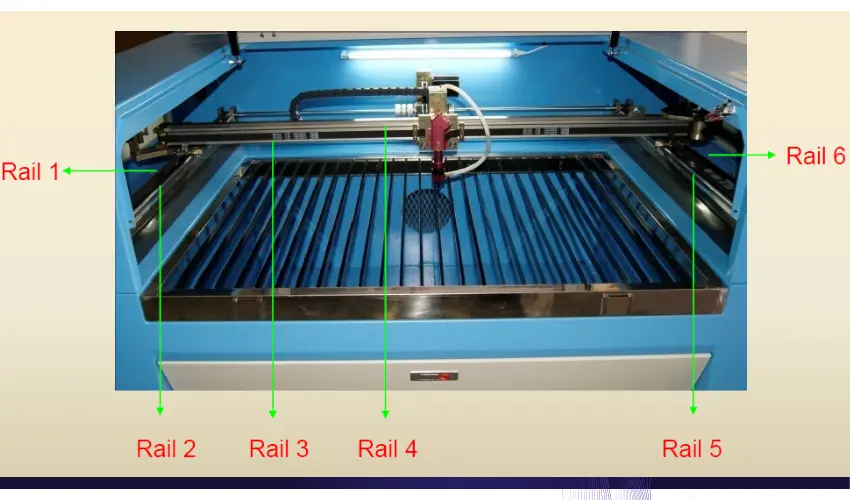
Step 1: Inspect the Rails
Start by visually inspecting the rails, bearings, and surrounding motion system. Look for dust buildup, sticky residue, dark spots, or debris trapped around the bearings.
Move the laser head slowly by hand to check for rough spots or resistance.
Step 2: Remove Loose Dust and Debris
Use low-pressure compressed air to blow away loose particles from the rails and surrounding areas. Keep the pressure gentle to avoid forcing debris deeper into the bearings.
Work carefully around corners, rail grooves, and hard-to-reach areas where dust tends to accumulate. We recommend using these Dust-Off Disposable Compressed Gas Dusters, as they work really well for gently removing loose particles from rails.

- Removes dust, lint and other contaminants from hard to reach areas
Step 3: Wipe the Rails Clean
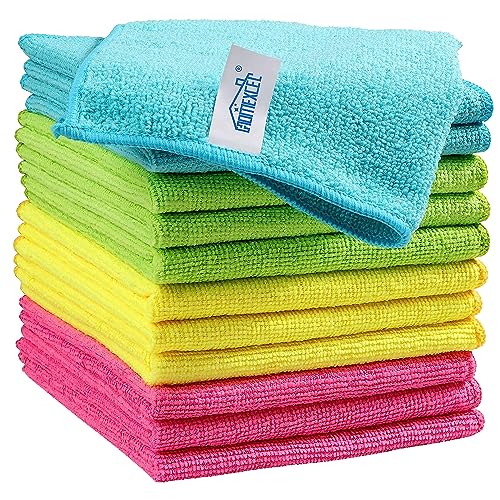
Dampen a lint-free microfiber cloth with isopropyl alcohol and wipe along the full length of each rail. Use smooth strokes that follow the direction of rail travel.
Avoid soaking the rails with excessive liquid. A lightly dampened cloth works best.
For tight areas around bolts or bearings, use cleaning swabs with a small amount of alcohol to remove stubborn grime.
Replace dirty cloths as needed so you do not spread debris back onto the rails. Below you will find our favorite products for this part of the job.
Preview |
Product |
Rating |
Price |
|
|---|---|---|---|---|
|
$6.99 |
|||

|
$11.95 |
|||

|
$11.99 |
Step 4: Inspect Bearings and Linear Guides
Check the bearings for signs of excessive dirt, corrosion, or unusual wear. If you notice grinding, wobbling, or severe roughness even after cleaning, the bearings may need replacement.
Most hobby laser engravers use linear bearings or V-wheel systems that require occasional inspection and maintenance.
Step 5: Apply Lubricant
Once the rails are completely clean and dry, apply a small amount of lubricant to the rail surfaces and bearing contact points.
A thin layer is all that’s needed. Over-lubrication attracts dust and can actually create more buildup over time.
Move the laser head slowly across the rails several times to distribute the lubricant evenly.
Finally, wipe away any excess oil with a clean microfiber cloth.
Best Lubricants for Laser Cutter Rails
The best lubricant depends on your machine type and manufacturer recommendations, but synthetic machine oils are commonly used for laser engravers.
PTFE-based lubricants and light linear rail oils also work well because they reduce friction without attracting as much dust.
Many laser users avoid WD-40 because it is not designed as a long-term lubricant for precision motion systems and can attract dirt over time.
We recommend using Super Lube 92003 Silicone Lubricating Grease, which works exceptionally well.
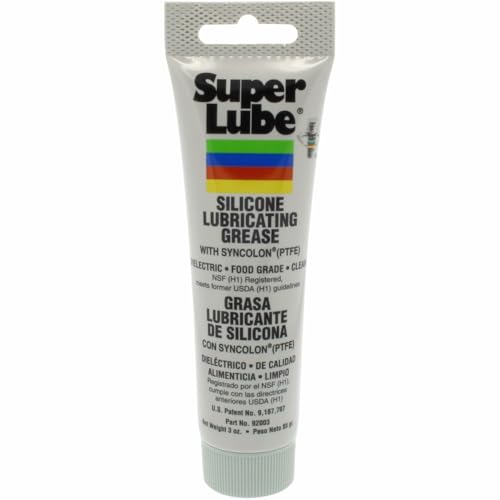
- Superior Lubrication Performance: Super Lube Silicone Lubricating Grease with Syncolon reduces friction and wear while providing long-lasting lubrication for industrial and automotive applications
The Super Lube 92003 Silicone Lubricating Grease with PTFE is one of the best lubricants for laser cutter and engraver rails because it provides smooth movement, long-lasting protection, and excellent resistance to dust and moisture.
Precision motion systems on laser engravers rely on clean, properly lubricated rails to maintain accurate engraving and cutting performance, and this grease works exceptionally well for that purpose.
One of the biggest advantages of Super Lube is its PTFE-enhanced synthetic formula. PTFE helps reduce friction between moving parts, allowing the laser head to glide more smoothly across the rails. This improves motion consistency and helps reduce wear on bearings, guide rails, and moving assemblies over time.
Unlike thinner oils that can drip or evaporate quickly, the silicone grease stays in place longer and provides durable lubrication for extended periods. This makes it especially useful for laser engravers that operate frequently or run long engraving jobs.
Another reason we recommend this lubricant is its resistance to moisture, contaminants, and rust.
Laser engraving environments often generate fine dust, smoke residue, wood particles, and acrylic debris that can build up around rails and bearings. Super Lube creates a protective barrier that helps shield components from contamination while maintaining smooth operation.
The translucent synthetic grease also works well because it does not harden easily or become gummy over time like some cheaper lubricants. Consistent lubrication helps reduce jerky movement, vibration, squeaking, and uneven engraving performance.
Super Lube is also highly versatile and compatible with many common laser motion systems, including linear rails, bearings, guide rods, and sliding mechanisms found on CO2 lasers, diode lasers, and some fiber laser engravers.
For best results, apply only a thin layer after cleaning the rails thoroughly. Over-lubrication can attract dust and debris, so a small amount goes a long way. When used properly, Super Lube helps keep laser engravers running smoother, quieter, and more accurately while extending the life of critical motion components.
Common Mistakes to Avoid

One of the biggest mistakes is using too much lubricant. Excess oil becomes a magnet for smoke residue and dust, leading to sticky buildup that can reduce performance.
Another common problem is cleaning rails with paper towels or abrasive materials that scratch the surface or leave lint behind.
Some users also forget to clean the surrounding areas, allowing debris to quickly return to the rails after maintenance.
Skipping regular cleaning entirely is another issue. Small amounts of buildup can gradually turn into serious motion problems if ignored for too long.
How Often Should You Clean Laser Cutter Rails?
Cleaning frequency depends on how heavily you use your laser cutter and what materials you engrave or cut.
Heavy users who run their machines daily may need to clean rails every few weeks. Hobby users who engrave occasionally can often clean them every two to three months.
Machines used for cutting wood, MDF, leather, or acrylic usually require more frequent cleaning because these materials create large amounts of smoke and residue.
Regular visual inspections help you catch buildup before it affects performance.
Troubleshooting Common Laser Cutter Rail Problems
If your laser cutter still makes noise or moves roughly after cleaning, there may be a deeper issue.
Worn bearings, bent rails, loose hardware, or alignment problems can all cause movement issues that cleaning alone cannot fix.
Persistent grinding noises, wobbling, or resistance during movement may require replacement parts or professional service.
Checking belt tension and wheel alignment can also help solve movement problems on some laser engravers.
Conclusion
Learning how to clean laser cutter rails properly is one of the best ways to improve engraving quality and extend the life of your machine. Clean rails help maintain smooth movement, better precision, and more reliable cutting performance.
By regularly removing dust and residue, inspecting bearings, and applying the correct lubricant, you can prevent many common laser engraver problems before they become expensive repairs.
A simple maintenance routine only takes a few minutes but can dramatically improve the long-term performance of your laser cutter.
Frequently Asked Questions
Can I use WD-40 on laser cutter rails?
WD-40 is not recommended as a long-term lubricant for laser cutter rails because it attracts dust and can leave sticky residue behind.
What is the best cleaner for laser cutter rails?
Most users clean rails with 90% or higher isopropyl alcohol and lint-free microfiber cloths because they remove residue without damaging the rails.
How often should laser cutter rails be lubricated?
Rails should usually be lubricated after cleaning or whenever movement starts feeling dry or rough. Heavy-use machines may require monthly lubrication.
Why does my laser engraver make grinding noises?
Grinding noises often indicate dirty rails, dry bearings, debris buildup, or worn components that need cleaning or replacement.
Can dirty laser cutter rails affect engraving quality?
Yes. Dirty rails can cause jerky movement, poor alignment, inconsistent engraving depth, and reduced cutting accuracy.