
If you’re a crafter, maker, or small-business creator working with laser machines, you’ve probably wondered: Can a diode laser cut leather?
The short answer is yes — diode lasers can cut and engrave leather extremely well, as long as you choose the right type of leather and use proper settings.
Table of Contents
This guide covers everything you need to know, including which leathers are safe, recommended laser types, cutting tips, and the best practices for clean, professional results.
Can a Diode Laser Cut Leather?
Absolutely. Most modern diode lasers (5W–40W) can cut and engrave natural leather without issues. Higher-power diode lasers — like xTool’s 20W and 40W diode modules — make the process faster, cleaner, and more consistent.
Diode lasers excel at:
- Cutting natural vegetable-tanned leather
- Engraving detailed patterns
- Cutting thin and mid-thickness leather
- Creating custom patches, wallets, earrings, keychains, coasters, and more
However, not all leathers are safe or suitable, so choosing the right material is essential.
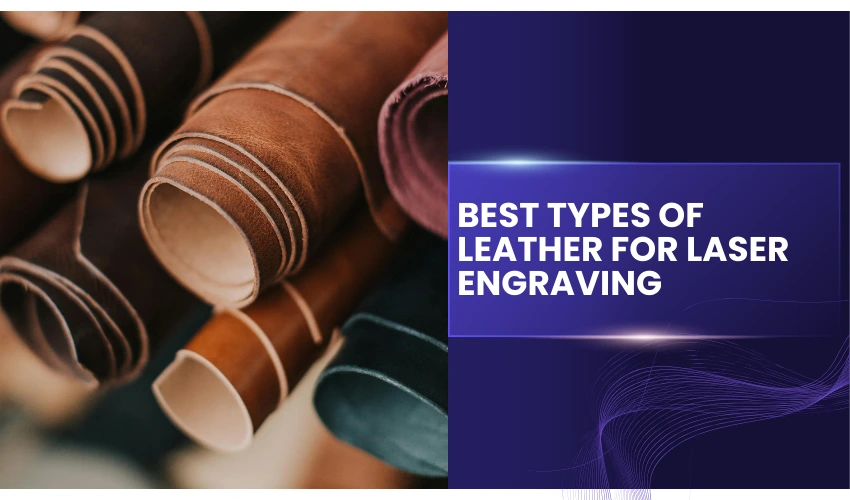
Leather Types You Can and Shouldn’t Cut with a Diode Laser
Safe to Cut with a Diode Laser
1. Vegetable-tanned leather
The best and safest leather for laser work. Cuts cleanly and engraves beautifully.
2. Chrome-free, chemical-free natural leather
Only if it’s specifically labeled laser-safe.
3. Faux (PU) leather
Cuts well, but ensure it’s polyurethane — not PVC.
Do NOT Cut with a Diode Laser
Some leathers are dangerous or destructive to your machine.
1. Chrome-tanned leather
Emits toxic chromium fumes (hexavalent chromium) — extremely hazardous.
2. PVC leather (a.k.a. vinyl)
Produces chlorine gas, corrodes your laser, and is unsafe to inhale.
3. Anything unlabeled
If you’re unsure, avoid cutting it.
Why Use a Diode Laser for Leather?
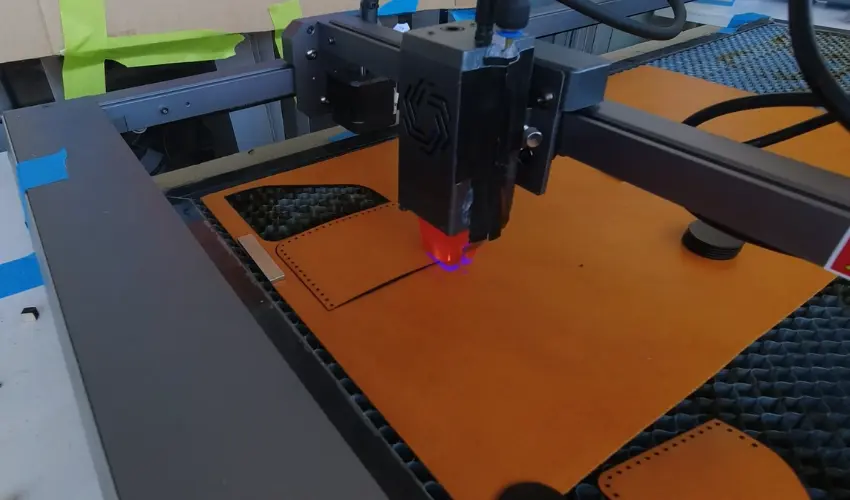
Precision Cutting
Diode lasers generate thin, consistent beams perfect for small details:
letters, logos, stitching patterns, and intricate designs.
Affordable & Beginner-Friendly
Compared to CO₂ and fiber lasers, diode lasers are:
- Lower cost
- Easier to maintain
- Less intimidating for beginners
Great for Hobbyists & Small Shops
Diode lasers handle 2–5 mm (1/16-3/16″) natural leather with ease, making them ideal for:
- Custom gifts
- Small batch products
- Etsy shops
- Patch and wallet production
How Thick of Leather Can a Diode Laser Cut?
This depends on the laser’s wattage:
Laser Power | Approx. Leather Cutting Ability |
|---|---|
5W diode | Engraving + cutting thin leather with multiple passes (1–2 mm, 1/32-1/15″) |
10W–20W diode | Cuts 2–4 mm (1/16-1/8″) leather cleanly |
40W diode | Cuts up to 5mm (3/16″) faster and with fewer passes |
For the cleanest edges, use:
Higher power
Air assist
High speed + multiple passes
This reduces charring and burning.
Can a Diode Laser Engrave Leather?
Yes — and results are excellent.
Diode lasers create high-contrast engravings, perfect for:
- Monograms
- Logos
- Artwork
- Depth engraving
- Texture patterns
Natural veg-tan leather engraves the darkest and most consistently.
Recommended Settings for Cutting Leather
(Always run a test first — leather varies.)
Cutting
- Power: 80–100%
- Speed: 100–300 mm/min (3.94–11.81 in/min)
- Passes: 1–5 depending on thickness
- Air Assist: Strongly recommended
- Focus: Slightly into the surface
Engraving
- Power: 20–50%
- Speed: 2000–6000 mm/min (78.74–236.22 in/min)
- LPI: 100–300 depending on detail
How to Reduce Burning and Charring
Leather burns easily, but these tips help achieve cleaner edges:
Use masking tape
Apply painter’s tape or masking tape to the top surface. We recommend using this low-residue GTSE Wide Masking Tape, which yields great results on leather.
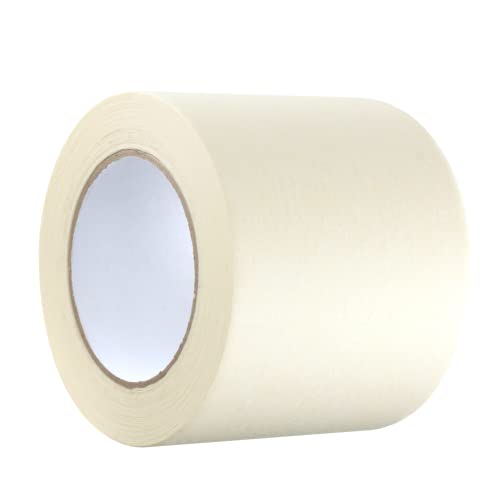
- PACKAGE CONTAINS: 1 roll of general purpose masking tape by GTSE
Increase air assist
Prevents flareups and pushes smoke away from the material.
Raise the leather
Use honeycomb risers to reduce backside burn marks.
Use multiple faster passes
Better than one slow heavy pass.
Which xTool Diode Laser Machines Work Best for Leather?
xTool diode lasers that excel with leather include:
xTool M1 Ultra (20W diode)
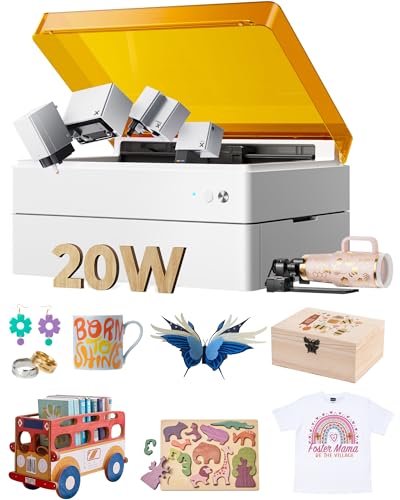
- 4-in-1 Crafting Machine: xTool M1 Ultra 4-in-1 craft machine combines laser engraving, vinyl cutting, inkjet printing, and pen drawing in one compact unit. There is no need for multiple devices—switch the module and start creating personalized crafts like door signs, greeting cards, holiday decorations, T-shirts, and more. The xTool M1 Ultra is the perfect starting point for anyone new to crafting.
The xTool M1 Ultra (20W diode) is a versatile all-in-one crafting machine that performs impressively well for leather cutting and engraving.
With its upgraded 20W diode module, the M1 Ultra can cleanly cut thin to medium-thickness leather (such as 2–3 mm, 1/16-3/32″ veg-tan or chrome-tanned) while producing crisp, detailed engravings with excellent contrast.
What sets the M1 Ultra apart is its 4-in-1 functionality—laser cutting/engraving, blade cutting, inkjet printing, and pen drawing—making it ideal for creators who want more than just a laser.
The laser module delivers precise cuts with minimal scorching when paired with air assist, and the machine’s enhanced material compatibility and smart positioning system make setup fast and beginner-friendly.
The xTool M1 Ultra comes equipped with a highly versatile blade module that expands both the range of compatible materials and the maximum cutting thickness.
This upgraded system includes four specialized blades:
- a fine-point blade,
- a tapered cutting blade,
- a rotary fabric blade,
- and a foil transfer tip.
The tapered cutting blade allows the M1 Ultra to handle thicker and more flexible materials—up to 2.5 mm (0.098 inches) —making it perfect for wood, leather, craft foam, and other dense materials.
For soft materials, the dedicated rotary blade delivers clean, precise cuts on fabrics such as cotton, denim, and linen.
Additionally, the foil transfer tip enables users to create beautiful metallic foil designs and subtle embossed effects, adding an elegant finishing touch to any craft project.
For leatherwork projects like earrings, patches, wallets, bracelets, tags, and small accessories, the M1 Ultra offers reliable performance and impressive accuracy.
Its enclosed design, improved airflow, and easy-swap tool system also contribute to a smooth, user-friendly crafting experience.
If you want a multi-purpose machine that can cut leather cleanly while also handling printing, vinyl cutting, and drawing, the xTool M1 Ultra is one of the best and most flexible options available today.
xTool S1 (20W & 40W Diode options)

- [Unbeatable Power & Productivity] With a powerful 40W (40,000mW) laser, this advanced laser cutter and engraver machine slices through 18mm cherry wood as easily as butter in a single pass. Engrave at blazing speeds up to 600mm/s on a spacious 23.93" x 15.16" bed—perfect for large projects like door signs or up to 119 dog tags in one go.
The xTool S1, available in both 20W and 40W diode configurations, is one of the most capable and precise desktop diode lasers for leather cutting.
Its enclosed design, advanced safety features, and high cutting power make it an excellent choice for hobbyists and small businesses working with leather goods.
The 20W version offers clean, detailed engraving and reliable cutting for thinner leathers—perfect for patches, earrings, coasters, and personalized gifts.
If you work with thicker or denser hides, the 40W model delivers noticeably stronger cutting performance, allowing you to slice through 5 mm (3/16″) vegetable-tanned leather with smoother edges and fewer passes.
Engraving quality is sharp on both models, with excellent contrast and fine detail.

What truly elevates the S1 is its precision motion system, optional automatic air assist, camera-free positioning system, and powerful airflow control, all of which help minimize burn marks and ensure professional results.
Combined with xTool Creative Space software and an expanding accessory ecosystem, the S1 makes leather crafting efficient, accurate, and beginner-friendly.
Whether you’re making wallets, tags, straps, patches, or custom gifts, the xTool S1 provides strong performance, reliable cutting depth, and superb engraving quality—all in a safe, enclosed machine designed for creators who want pro-level output at home.
Final Verdict: Can a Diode Laser Cut Leather?
Yes — diode lasers can cut and engrave leather beautifully when you use the right type of leather and proper settings. They’re beginner-friendly, affordable, and capable of producing professional, clean results.
Just remember:
- Use veg-tan or PU leather
- Avoid chrome-tanned and PVC
- Use air assist for cleaner cuts
- Test your settings before production
Whether you’re crafting custom gifts or running a small business, a diode laser is a powerful and versatile tool for leather work.
Frequently Asked Questions
Can a diode laser cut real leather?
Yes. A diode laser—especially 20W or 40W models—can cut real leather very effectively. For best results, choose vegetable-tanned leather, as chrome-tanned leather can release harmful fumes when burned. Always use proper ventilation and filtration.
What thickness of leather can a diode laser cut?
Most modern diode lasers can cut:
1–2 mm leather in a single pass,
3–4 mm leather with multiple passes, especially with 20W–40W diode modules.
Cutting speed, pass count, and air assist will affect the final result.
How do I prevent burnt edges when laser cutting leather?
To reduce scorching:
Use air assist to blow away smoke.
Increase speed or reduce power slightly.
Elevate the leather on a honeycomb panel for better airflow.
Mask the leather with painter’s tape if extra protection is needed (works best on veg-tan leather).
What type of leather is safest to laser cut?
The safest and most laser-friendly is vegetable-tanned leather.
Avoid:
Chrome-tanned leather (releases toxic chromium fumes)
Synthetic leather/PVC (produces dangerous chlorine gas)
Vinyl-backed faux leather
Always confirm the leather type before cutting.
Why does my leather warp or curl when laser cutting?
Leather can curl due to heat exposure, moisture loss, or tension in the fibers. To minimize warping:
Use air assist to cool the cut area.
Increase cutting speed.
Flatten the leather using weights or magnets during cutting.
Store leather properly to maintain moisture balance before use.