
xTool Black Laser Marking Spray 2.0 is designed to solve one of the biggest challenges in laser engraving: achieving deep, permanent black markings on metals, glass, and ceramics—especially when using CO₂ or diode lasers that normally struggle with these materials.
With an upgraded high-contrast formula, broad laser compatibility, and a new 8.5-oz can design, this “New & Improved” version has quickly become a popular choice among hobbyists, small businesses, and professional makers alike.
Table of Contents
In this guide, we’ll cover how it works, compatible lasers, supported materials, proper usage, pros and cons, and whether it’s worth the price.
What Is xTool Black Laser Marking Spray 2.0?

xTool Black Laser Marking Spray 2.0 is a laser-activated coating that bonds to a surface when hit by a laser beam, creating permanent black markings instead of etched or frosted results.
Unlike paint or temporary coatings, the marking becomes chemically fused to the material surface during engraving—making it fade-resistant, scratch-resistant, and non-corrosive.
This updated version improves:
- Marking contrast
- Application consistency
- Long-term durability
- Compatibility across multiple laser types
Key Features of xTool Black Laser Marking Spray
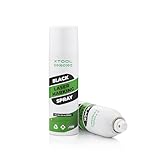
Superior Black Markings (Upgraded Formula)
The 2.0 formula delivers deep, rich black marks with sharp edges and high clarity. It is designed to resist fading, oxidation, and corrosion over time, making it suitable for both decorative and industrial marking.
Wide Laser Compatibility
This spray works with multiple laser technologies, including:
- CO₂ lasers (25W minimum)
Example: xTool P2S - Fiber lasers (10W minimum)
Example: xTool F1 Ultra - Diode lasers (10W minimum)
Examples: xTool S1, F1, M1, D1 Pro
This makes it one of the few marking sprays that performs reliably across CO₂, fiber, and diode systems.
Even Coating with Clog-Proof Nozzle
The 8.5-oz spray can features a fine-mist, clog-resistant nozzle that helps deliver a smooth, uniform layer. Even coating is critical for consistent marking quality, and this upgraded spray mechanism reduces splatter and buildup.
Broad Material Compatibility
xTool Black Laser Marking Spray can be used on:
- Metals: Stainless steel, aluminum, copper
- Ceramics
- Glass
- Clear acrylic
It’s ideal for:
- Product branding
- Serial numbers and QR codes
- Jewelry marking
- Custom signage
- Industrial part identification
Important Usage Instructions (Read Before Spraying)

Correct application is essential for good results.
Shake Properly (But Not Too Hard)
- Shake until you hear the glass bead moving
- Do not shake aggressively or vertically
- Shake side to side only
Over-shaking may cause pressure buildup and can deform the can bottom.
Apply a Thin, Even Coat
- Light passes work best
- Avoid flooding the surface
- Allow the spray to fully dry before engraving
Storage & Safety
- Do not expose the can to direct sunlight
- Use in a well-ventilated area
- Wear gloves and respiratory protection if spraying frequently
How Does Laser Marking Spray Work?
When the laser passes over the coated surface:
- The laser energy activates the spray’s compounds
- Heat causes a chemical bond with the material
- Excess spray washes away after engraving
- The bonded black mark remains permanently
Unlike engraving depth, this method relies on laser energy density, not cutting power—making it ideal for materials that are difficult to engrave directly.
xTool Black Laser Marking Spray 2.0 Pros and Cons
Pros
- Deep, permanent black markings
- Works with CO₂, fiber, and diode lasers
- High contrast on metal, glass, and ceramic
- Non-corrosive and fade-resistant
- Easy cleanup after engraving
Cons
- Higher cost than DIY alternatives
- Requires proper ventilation and PPE
- Technique-dependent application
- Not reusable once bonded
Who Should Use xTool Black Laser Marking Spray?
This spray is ideal if you:
- Use a CO₂ or diode laser and need black marks on metal
- Want professional, permanent results
- Sell engraved products or offer client work
- Need reliable contrast for QR codes or logos
If you’re experimenting casually or engraving glass for aesthetic frosting only, DIY methods may still suffice. But for clean black marking, this spray is hard to beat.
Starting Laser Settings Guide (xTool Black Laser Marking Spray)
These are baseline settings to get you in the ballpark. Always run a small test grid first.
Diode Lasers (10W–45W)
- Power: 90–100%
- Speed: 1,500–4,000 mm/min
- Passes: 1
- Focus: Perfect focus or slightly defocused (+1 to +3 mm) for smoother marks
- Line interval: 0.08–0.12 mm
- Air assist: OFF or very low
Slower speed = darker black
CO₂ Lasers (25W–60W+)
- Power: 15–30%
- Speed: 150–300 mm/s
- DPI: 300–600
- Focus: Slightly defocused (1–2 mm)
- Air assist: OFF
Too much power can burn off the coating instead of bonding it
Fiber Lasers (10W–60W+)
- Power: 20–50%
- Speed: 500–1,200 mm/s
- Frequency: 20–60 kHz
- Passes: 1
- Hatch spacing: 0.03–0.06 mm
Fiber lasers produce the deepest and most permanent black marks
xTool Black Laser Marking Spray vs DIY Methods
Here’s how the xTool Black Laser Marking spray stacks up against popular DIY options:
Method | Cost | Ease of Use | Black Contrast | Durability | Best For |
|---|---|---|---|---|---|
xTool Black Laser Marking Spray | $$$ | Medium | ⭐⭐⭐⭐⭐ | ⭐⭐⭐⭐⭐ | Professional & resale work |
Tempera Paint | $ | Easy | ⭐⭐⭐⭐ | ⭐⭐ | Budget Option For Glass & testing |
Moly Dry Lube | $$ | Messy | ⭐⭐⭐ | ⭐⭐⭐ | Metal marking |
Acrylic Paint | $ | Easy | ⭐⭐ | ⭐⭐ | Casual projects |
Sharpie / Marker | $ | Very easy | ⭐ | ⭐ | Temporary marking |
Chalk Paint | $ | Easy | ⭐⭐⭐ | ⭐⭐ | Decorative glass |
Verdict:
- Best overall: xTool Black laser marking spray
- Best budget glass method: Tempera paint
- Best metal-only DIY: Moly dry lube
Material-Specific Tips (Metal vs Glass)
Metal Engraving Tips
- Clean surface with alcohol or acetone
- Apply thin, even coat
- Let dry fully (10–15 minutes minimum)
- Avoid air assist
- Slight defocus improves bonding
- Rinse with water after engraving (no scrubbing)
Best metals:
- Stainless steel
- Anodized aluminum
- Raw aluminum (works but may vary)
- Brass & copper (excellent with fiber lasers)
Glass Engraving Tips
- Clean glass thoroughly
- Spray very light coat
- Let dry completely (powdery finish is normal)
- Defocus laser +2–3 mm
- Lower DPI or line density prevents cracking
- Rinse gently—don’t rub immediately
Best glass types:
- Soda-lime glass
- Borosilicate
- Flat glass panels
Avoid:
- Tempered glass
- Laminated glass
- Thin first-surface mirrors (risk of coating damage)
Common Mistakes to Avoid
- Spraying too thick
- Engraving before fully dry
- Using air assist
- Scrubbing marks immediately after washing
- Skipping PPE and ventilation
Frequently Asked Questions
What does black laser marking spray actually do?
Black laser marking spray creates permanent black markings on materials that are normally difficult to engrave, such as metal, glass, and ceramics. When the laser hits the sprayed area, the coating chemically bonds to the surface instead of being etched away. After engraving, the excess spray is washed off, leaving a durable, high-contrast black mark.
Which lasers work with black laser marking spray?
Most high-quality black laser marking sprays are compatible with:
CO₂ lasers (typically 25W or higher)
Diode lasers (usually 10W or higher)
Fiber lasers (10W or higher)
Performance depends on laser power, focus, speed, and coating thickness. Lower-power lasers may still work but often require slower speeds and careful tuning.
What materials can I use black laser marking spray on?
Black laser marking spray works best on:
Stainless steel
Aluminum
Copper
Glass
Ceramics
Some coated or clear acrylics
It does not work well on porous materials like untreated wood or fabric, as the spray cannot bond properly to those surfaces.
Why are my black markings light, patchy, or uneven?
Common causes include:
Applying the spray too thick or too thin
Not letting the coating fully dry before engraving
Incorrect laser speed or power
Poor focus or inconsistent surface preparation
For best results, apply a thin, even coat, let it dry completely, and run a small test grid to dial in your laser settings.
Are black laser marking sprays safe to use?
When used correctly, yes—but proper safety precautions are essential. Always:
Use the spray in a well-ventilated area
Wear gloves and respiratory protection
Avoid inhaling spray mist or engraving fumes
Follow the manufacturer’s handling and storage instructions
Laser marking sprays contain fine powders that should not be breathed in or used in enclosed, unventilated spaces.
Final Verdict: Is xTool Black Laser Marking Spray Worth It?
Yes—if your goal is permanent, high-contrast black markings on metal, glass, or ceramics using CO₂, fiber, or diode lasers.
xTool Black Laser Marking Spray 2.0 delivers professional-grade results, improved consistency, and broad compatibility in a well-designed, easy-to-use package. While the price is higher than DIY alternatives, the reliability and finish quality justify the investment for serious makers and small businesses.
If you want black marks that look engraved, not painted, this spray earns its place in the workshop.