
Laser cutting leather can produce excellent results, but it often leaves behind smoke residue, soot, dust, and laser marks around the cut edges and engraved areas.
Knowing how to clean laser cut leather properly can make a big difference to the final appearance of your project.
The good news is that you don’t need a workshop full of specialized equipment. With a few basic supplies and the right cleaning method, you can remove most surface residue while keeping the leather looking its best.
Table of Contents
In this guide, we’ll look at what you need to clean laser cut leather, how to clean different types of leather, and which cleaning methods you should avoid.
Why Does Laser-Cut Leather Need Cleaning?
When a laser cuts or engraves leather, heat interacts with the material and can produce smoke and residue. Depending on the type of leather, you may see dark marks around the edges, soot on the surface, or a slightly sticky residue.
Some of this is normal and can be removed after the laser job is finished.
The amount of residue depends on several factors, including the type of leather, laser power, cutting speed, air assist, ventilation, and whether the leather is natural or synthetic.
Cleaning is particularly important if you’re making products such as leather wallets, keychains, patches, bracelets, bags, or personalized leather goods.
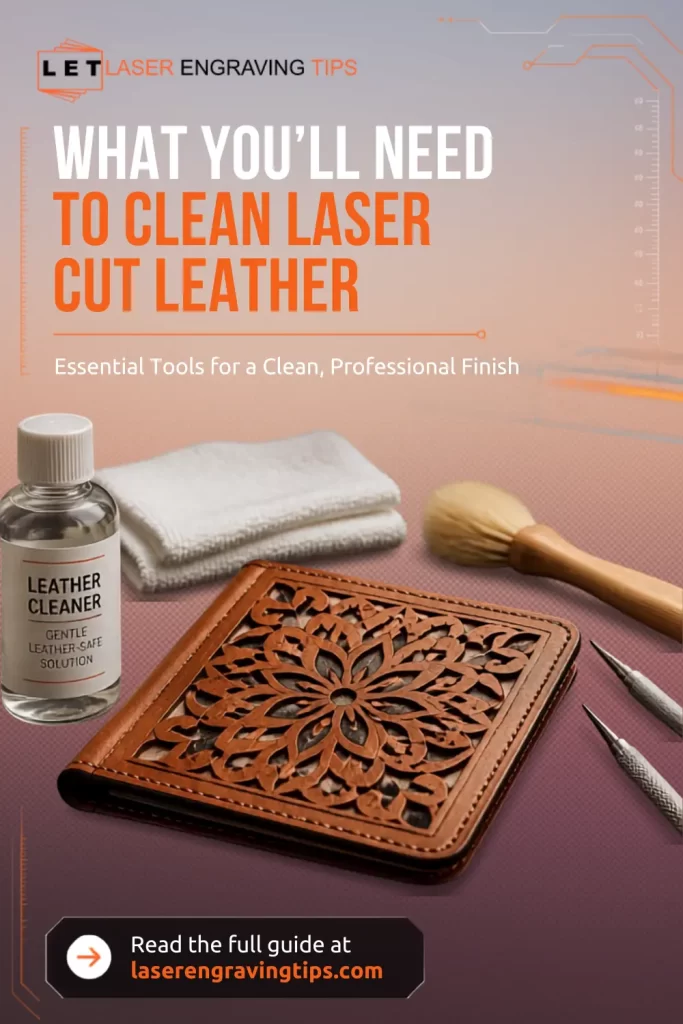
What You’ll Need To Clean Laser Cut Leather
Before you start cleaning, gather a few basic supplies.
A Soft, Lint-Free Cloth
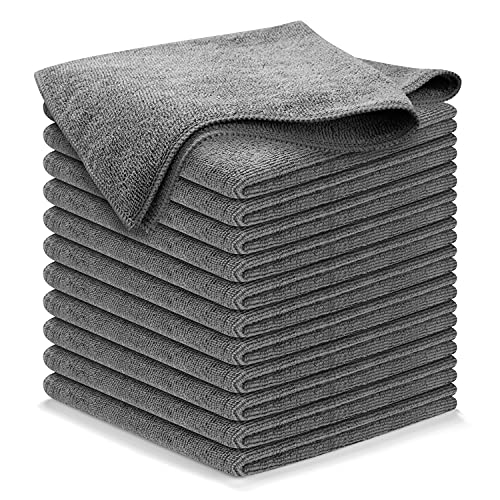
- 10x GRIP-ROOT WEAVE - TRAP MORE, WORK LESS: Ultra-absorbent microfiber towels for car Grip Root weave works like PLANT ROOT FOLLICLES, sucking up & LOCKING AWAY 8x to 10x its weight in liquid, particulates, moisture, grime and dirt in far LESS TIME than traditional ‘Heavy Duty’ Cleaning Rags. Each towel features a 2.5mm thick design, providing enhanced durability and better grip during use.
A soft microfiber or lint-free cloth is one of the most useful cleaning tools for leather.
Use it to gently wipe away loose soot and surface dust. Avoid aggressive rubbing, especially on finished or delicate leather, because excessive friction can affect the surface.
Keep one cloth dry for initial cleaning and another slightly damp if the material allows wet cleaning.
A Soft Brush
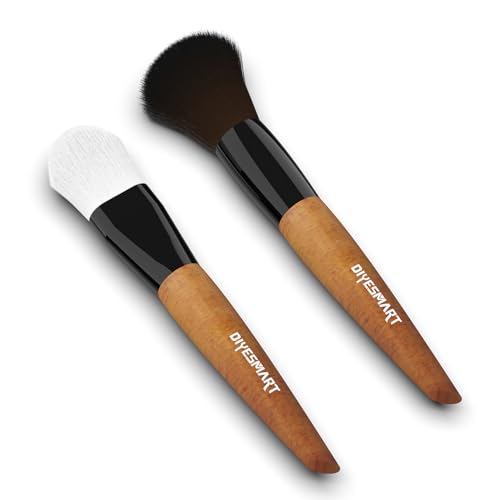
- Ergonomic Design: Our model cleaning brush set is designed to make your cleaning tasks easier and more comfortable. It has a smooth natural wood handle that's easy to hold and offers a secure and comfortable grip. The bristles are strong and won't fall out, so you can count on it for long-lasting performance
A small, soft-bristled brush can help remove soot from engraved details, grooves, and cut edges.
An artist’s brush or another soft brush works well for detailed projects. Avoid stiff brushes because they can scratch or roughen the leather surface.
A brush is particularly helpful when you’re cleaning intricate laser-engraved patterns where a cloth can’t reach easily.
Clean Water
In some cases, a small amount of clean water can help remove surface residue.
However, don’t assume that all leather can be safely wiped with water. Leather types and finishes vary considerably.
If you’re working with vegetable-tanned leather, for example, water can affect the appearance of the surface. Always test a small hidden area before using a damp cloth on the finished piece.
Mild Leather Cleaner
For finished leather, a leather cleaner specifically designed for that type of leather can be useful.
Don’t reach for household cleaning products automatically. Many general-purpose cleaners contain chemicals that can dry out, stain, or otherwise damage leather.
Read the cleaner’s instructions and make sure it’s appropriate for your particular leather.
We recommend using Leather Honey Leather Cleaner.
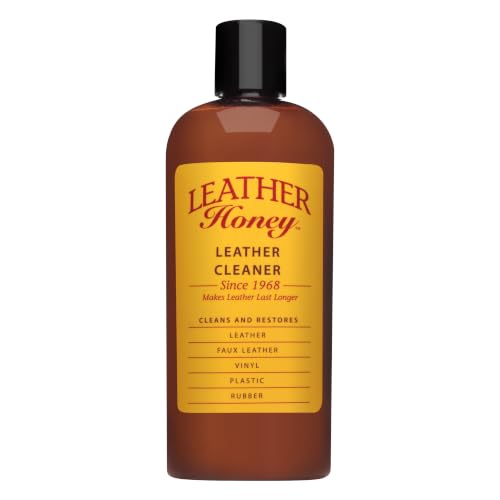
- NON TOXIC, GENTLE CLEANER: Our proven, rejuvenating formula is a powerful, fragrance-free cleaner ideal for all your leather goods (except suede). EPA Safer Choice certified
The Leather Honey Cleaner is designed to gently remove dirt, oil, stains, and grime from leather without requiring aggressive scrubbing.
It’s fragrance-free, non-toxic, and EPA Safer Choice certified. It can also be used on many types of genuine leather, faux leather, and vinyl, making it a versatile option for laser crafters who work with different materials.
For laser-cut projects, we recommend applying a small amount to a lint-free cloth and gently wiping the surface after the leather has completely cooled.
Leather Honey recommends spot-testing each leather item first, which is particularly important with laser-cut, dyed, or unfinished leather.
Another reason we like this cleaner is that it can help remove the surface soot and residue commonly left behind after laser engraving and cutting.
However, it’s important to understand that cleaning won’t reverse permanent scorching or darkening of the leather caused by the laser.
Overall, Leather Honey Leather Cleaner is a gentle and convenient addition to a laser engraving workspace, especially if you regularly make leather wallets, keychains, patches, bags, accessories, or personalized gifts.
Leather Conditioner
Cleaning can remove some of the natural oils or finishes from leather, particularly if you’re using a cleaning product.
A suitable leather conditioner can help restore the material after cleaning.
Conditioner isn’t necessarily required after every light cleaning, but it can be useful when the leather has become dry or when the manufacturer’s care instructions recommend conditioning.
We recommend using Leather Honey Leather Conditioner.

- POWERFUL LEATHER CONDITIONER: Leather Honey penetrates deep to protect new leather and rejuvenate dry leather and old leather. Unlike other products that require monthly treatments, one application of Leather Honey lasts at least six months.
Leather Honey Leather Conditioner is an excellent conditioner for laser-cut or engraved leather because it focuses on what your material actually needs after processing: moisture, protection, and long-term durability.
First, it restores moisture lost during laser cutting. The heat from the laser can dry out leather and make edges feel stiff. Leather Honey penetrates deep into the fibers, bringing back flexibility without just sitting on the surface.
It also offers long-lasting protection. One application can last months, which is useful if you’re selling products or making items that need to hold up over time. You don’t have to keep reapplying after every clean.
Another big plus is the non-sticky, odorless finish. After engraving, you don’t want a greasy or shiny residue that affects the look or feel of your piece. This conditioner absorbs well and leaves a natural finish.
It’s also safe and gentle on leather. Since it’s pH-balanced and free from harsh chemicals, it won’t damage dyed or engraved areas. That matters when you’ve put time into detailed designs.
The water-repellent protection is a bonus. It helps shield your finished pieces from moisture, which can otherwise highlight imperfections or cause staining around engraved areas.
Finally, it works across many leather types and colors, so you can use the same product for belts, wallets, patches, or larger projects without worrying about compatibility.
In short, it helps your laser-cut leather look better, feel softer, and last longer, all with minimal effort.
Cotton Swabs

- 200 Piece Cleaning Supply Bulk: this pack includes 200 foam tip cleaning swabs, meeting your requirement for various cleaning needs; Whether for optical lens care or small machinery lubrication, these electronics cleaning swabs meet diverse requirements with ease
Cotton swabs are useful for small engraved areas, corners, and detailed designs.
They allow you to clean specific areas without applying a cleaning product to the entire piece.
Use them gently and avoid leaving fibers behind in deep engraved sections.
Isopropyl Alcohol, With Caution
Some laser users use isopropyl alcohol to remove stubborn residue, but this is an area where you need to be careful.
Alcohol can affect dyes, finishes, coatings, and adhesives. It may also dry out some types of leather.
If you’re considering alcohol, test it on an inconspicuous area first and only use it if you’re confident it’s compatible with the leather and its finish.
For valuable or finished leather, a suitable leather cleaner is generally a better starting point.
How To Clean Laser Cut Leather
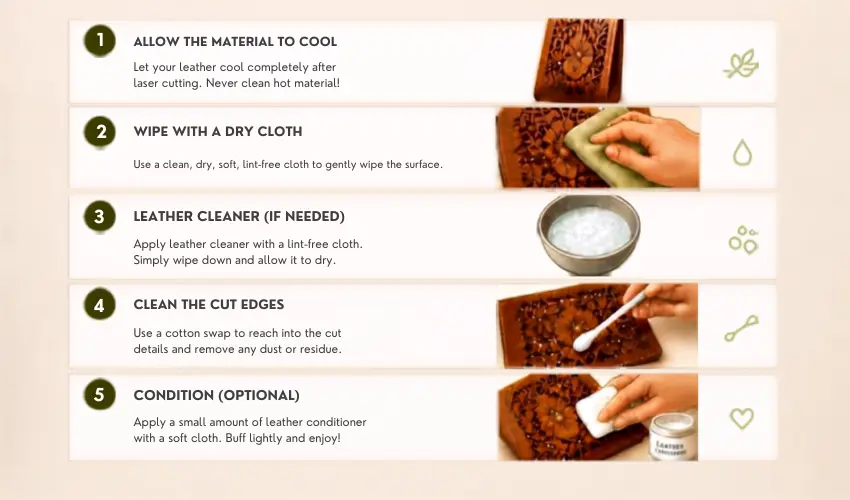
Once you have your supplies ready, cleaning the leather is relatively straightforward.
Start by allowing the material to cool completely after laser cutting. Never clean hot material.
Use a dry, soft cloth to gently remove loose soot and dust. Don’t immediately scrub the surface because loose particles can spread across the leather.
Next, use a soft brush or cotton swab to work residue out of engraved areas, holes, and cut edges.
If additional cleaning is required, use a small amount of an appropriate leather cleaner on a cloth or cotton swab. Work gently and follow the cleaner manufacturer’s instructions.
Allow the leather to dry naturally before applying any conditioner or additional finish.
How To Clean Soot From Laser Cut Leather
Soot is one of the most common problems after laser cutting leather.
Start with a dry microfiber cloth and gently wipe the surface. If the soot is concentrated around an engraving, use a soft brush to lift it from the recessed areas.
Don’t immediately use lots of water or cleaning solution. Excess moisture can make some leather types harder to clean and may spread the residue.
For stubborn soot, use a leather-safe cleaner that is compatible with the material.
Clean Laser Cut Leather Edges
The cut edges of leather often become darker because the laser is burning through the material.
It’s important to understand that not every dark edge is removable residue.
Some discoloration is caused by the laser actually changing or scorching the leather. Cleaning may remove surface soot, but it won’t necessarily return a naturally light edge to its original color.
A soft brush can remove loose residue from the edge. If the edge is still dark after cleaning, that may simply be the finished appearance of the laser-cut leather.
Cleaning Engraved Leather
Engraved leather can be more difficult to clean because soot can collect inside the engraved areas.
Use a soft brush to gently remove loose particles. A clean, dry cloth can then be used to wipe the surrounding surface.
Avoid aggressive scrubbing because you don’t want to flatten or damage the engraved details.
If the engraving is particularly deep, a cotton swab can help reach individual areas.
Cleaning Vegetable-Tanned Leather
Vegetable-tanned leather is popular for laser engraving because it produces attractive contrast and can develop a distinctive appearance over time.
However, it can also be sensitive to moisture and cleaning products.
For light residue, start with a dry cloth or soft brush. If more cleaning is necessary, test your chosen product on a scrap piece or hidden section first.
This is especially important if the leather is unfinished or has a natural surface.
Cleaning Finished or Dyed Leather
Finished and dyed leather can react differently to cleaning products.
The surface coating or dye may be affected by alcohol, solvents, excessive moisture, or abrasive cleaning.
Start with the least aggressive cleaning method possible. A dry cloth is usually the best first step, followed by a cleaner specifically designed for the leather.
Always test before cleaning an important finished product.
What You Should Avoid When Cleaning Laser Cut Leather
It’s tempting to use whatever household cleaner is available, but this can cause more problems than it solves.
Avoid abrasive sponges, rough brushes, strong solvents, bleach, and general-purpose household cleaners unless the leather manufacturer specifically says they’re safe.
You should also avoid soaking leather in water. Excessive moisture can change the material’s shape, color, texture, or finish.
Don’t aggressively scrub laser-engraved areas either. The goal is to remove residue, not remove part of the leather.
How To Reduce Cleaning in the First Place
The easiest way to clean laser cut leather is to prevent excessive residue from building up.
Start by using the correct laser power and speed settings for your leather. Too much power can create unnecessary scorching and smoke.
Air assist and good ventilation can also help manage smoke during cutting, depending on your machine and material.
Masking can be useful for some leather projects because it can help protect the surface from smoke and residue. We recommend using this wide blue painters tape, which yields great results on leather.

- Extra Wide: Simplify your printing process with KIWIHUB 3d printer tape. This extra wide painters tape covers your entire print bed with two stripe, no need for multiple smaller pieces. Quick to apply and remove, it’s perfect for most print beds
Kiwihub Wide Painters Tape is a great choice for masking leather during laser cutting and engraving because it solves a few common problems at once.
First, the extra-wide 6-inch coverage makes setup faster. You can cover large sections of leather with fewer strips, which means fewer seams where soot can sneak through.
Second, it has a balanced adhesive. It sticks well enough to stay in place during cutting, but it peels off cleanly without pulling dye or leaving residue. That’s important with leather, where surface damage is easy to notice.
It’s also great for soot protection. The tape acts as a barrier, catching smoke and burn residue so your leather surface stays clean. When you peel it off, most of the mess comes with it.
Another plus is flexibility on curved or soft surfaces. Leather isn’t always perfectly flat, and this tape conforms well without lifting at the edges.
Finally, it’s cost-effective and versatile. With a long roll, you can use it across multiple projects, whether you’re engraving logos, cutting patterns, or doing batch work.
In short, it helps you get cleaner results with less cleanup, which saves time and improves the final look of your leather projects.
Most importantly, run a small test cut before processing an expensive piece of leather.
What About Synthetic Leather?
Be especially careful when working with synthetic leather.
Some faux leather and leather-like materials contain PVC or other chlorine-containing materials, which can release hazardous fumes and damage laser equipment when processed.
Never assume that a material labeled “faux leather,” “vegan leather,” or “PU leather” is automatically safe for laser processing.
Check the manufacturer’s material specifications before putting it into your laser.
If the material contains PVC, don’t laser it.
Final Thoughts
Cleaning laser-cut leather doesn’t have to be complicated. A soft lint-free cloth, soft brush, suitable leather cleaner, cotton swabs, and an appropriate conditioner are enough for most projects.
The key is to start with the gentlest cleaning method and work your way up only when necessary. Different types of leather react differently to moisture, alcohol, cleaners, and conditioners, so always test your cleaning method before using it on an important project.
Good laser settings and proper ventilation can also reduce the amount of soot and scorching you need to deal with in the first place.
With the right preparation and a gentle cleaning routine, you can turn freshly laser-cut leather into a much cleaner, more professional-looking finished product.
Frequently Asked Questions
What is the best way to clean laser cut leather?
Start with a dry, soft, lint-free cloth and a soft brush. Remove loose soot first, then use a leather-safe cleaner if necessary. Always test cleaning products on a small area first.
Can I use water to clean laser cut leather?
Some leather can tolerate light damp cleaning, but others can stain or change appearance when exposed to water. Check the leather manufacturer’s care instructions and test first.
Do I need to condition laser cut leather after cleaning?
Yes. Cleaning removes natural oils along with soot. Applying a leather conditioner afterward helps restore softness, prevent cracking, and keep the material looking good.
How do I clean delicate leather like suede or nubuck?
Avoid liquids. Use a dry suede brush or a suede cleaner. Liquids like alcohol can stain or ruin the texture.
Why does soot sometimes not come off laser cut leather completely?
If the laser settings were too hot or slow, the leather may be slightly charred, not just dirty. In that case, cleaning helps, but some darkening may be permanent.
Can I use alcohol to remove laser soot from leather?
Isopropyl alcohol can affect dyes, finishes, and adhesives, so it should be used cautiously. Test it on a hidden area first and make sure it’s compatible with your leather.
How do I remove black marks from laser-cut leather?
Some black marks are loose soot and can be removed with a soft cloth or brush. However, darkening on the cut edge may be permanent laser scorching and cannot simply be cleaned away.